Deleting Backup
Download
Focus Mode
Font Size
TDSQL-C for MySQL supports manual backup and automatic backup. Manual backup files can be deleted manually, while backup files generated by automatic backup cannot be deleted manually. However, you can adjust the retention lifecycle of automatic backups by configuring the backup retention period.
Backup Types That Support Manual Deletion
Backup Type | Manual Deletion Supported or Not |
Manual logical backup | Supported |
Manual snapshot backup | Supported |
Note
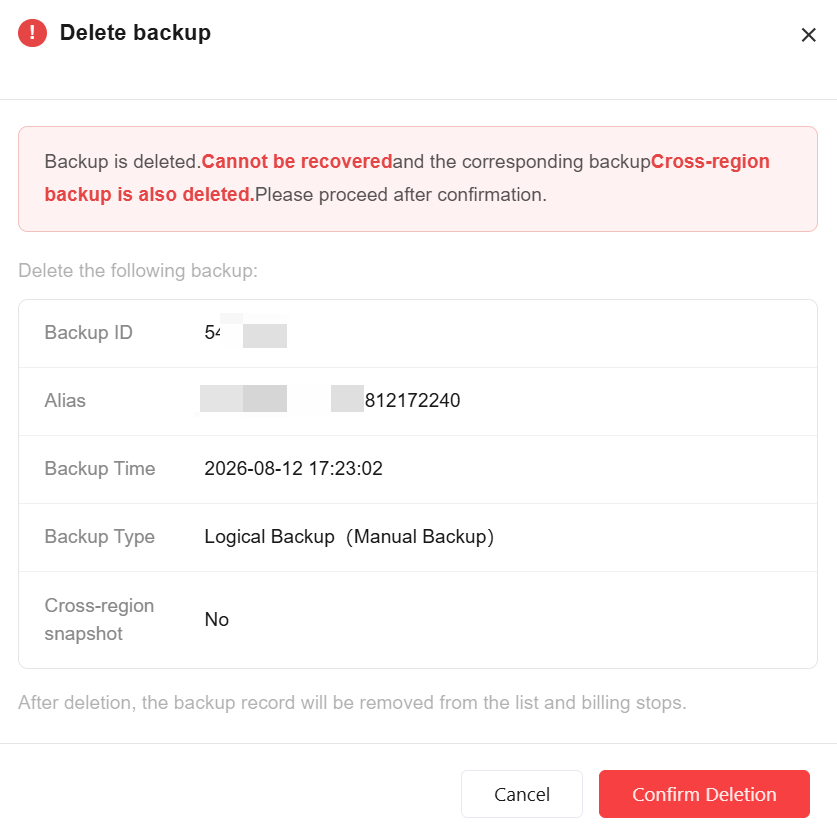
Once a backup is deleted, it cannot be recovered. The corresponding cross-region backup will also be deleted. Proceed with caution.
After a backup is deleted, the backup record will be removed from the backup list and billing for it will stop.
Operation Steps
Deleting a Manual Backup
1. Log in to the TDSQL-C for MySQL console.
2. In the upper section, select a region, locate the cluster for which you need to delete manual backup files, and then click the cluster ID or Manage in the Operation column to go to the cluster management page.
3. On the cluster management page, choose the Backup Management tab, and then choose either Data Backup List or Binlog Backup List. In the backup list, find the backup file to be deleted, and click Delete in the Operation column.

4. In the pop-up dialog box, click Confirm Deletion.
Shortening Automatic Backup Retention Lifecycle by Adjusting Backup Retention Time
Related APIs
API | Description |
This interface (DeleteBackup) is used to delete a manual backup for a cluster. |
Help and Support
Was this page helpful?
You can also Contact sales or Submit a Ticket for help.
Help us improve! Rate your documentation experience in 5 mins.
Feedback