Viewing Real-time Database Sessions and Killing Sessions
Download
Focus Mode
Font Size
The SQL window supports viewing real-time database sessions and killing sessions.
Prerequisites
Viewing Real-Time Sessions
1. In the upper-right corner of the page and select Real-Time Session.
2. (Optional) Select the session status (All, Active, or Idle) or click Filter at the top of the page to view sessions using keywords.
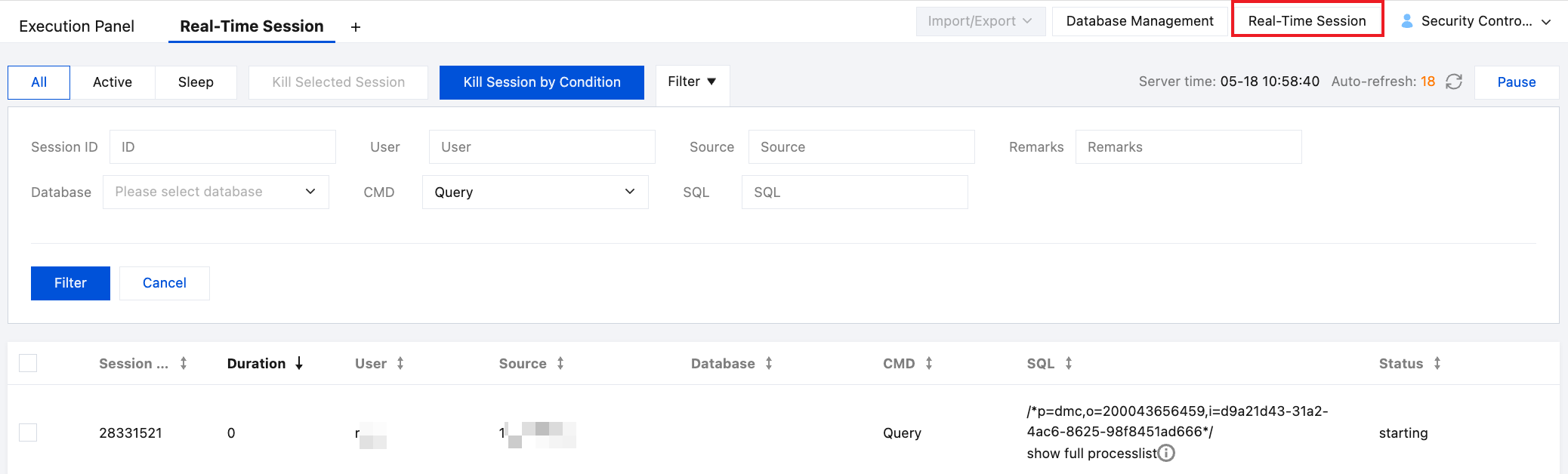
3. View session information, including session ID, duration, user, source, database, CMD, SQL, and status.
Killing Sessions
Killing a Single Session
1. In the upper-right corner of the page and select Real-Time Session.
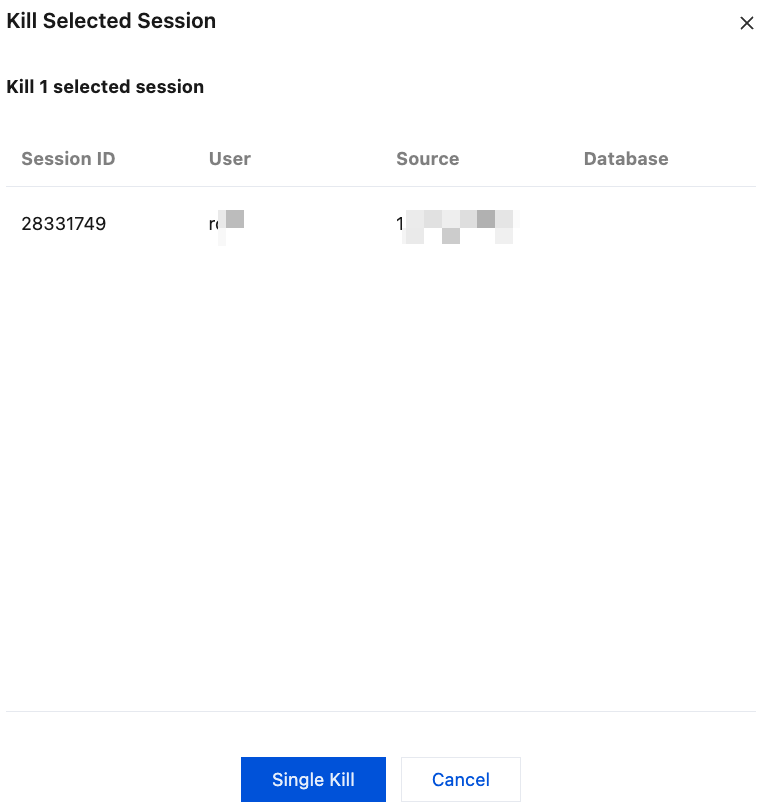
2. In the session list, select the session, and then click Kill Selected Session at the top of the page.
3. In the pop-up dialog box, confirm the session information, and then click Single Kill.
Killing Sessions During a Period
1. In the upper-right corner of the page and select Real-Time Session.
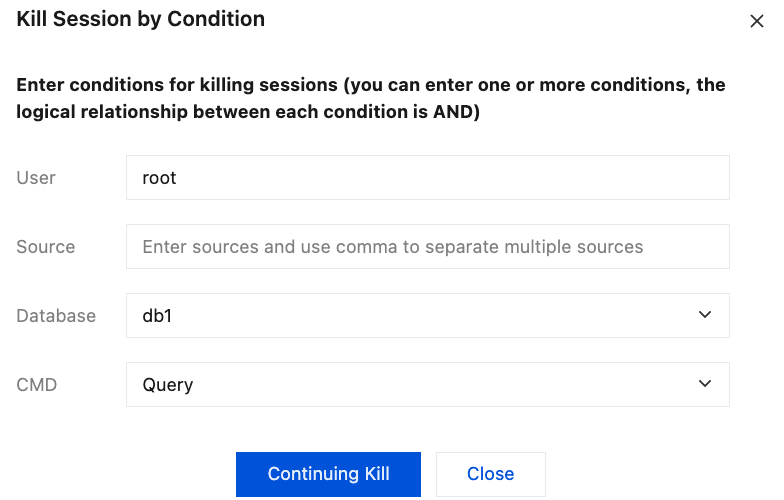
2. At the top of the real-time session page, click Kill Sessions by Condition.
3. In the pop-up dialog box, enter one or more conditions, and then click Continuing Kill.
At the top of the real-time session page, an Ongoing Kill status is displayed. To stop the ongoing kill task, click Stop at the top of the page.

Help and Support
Was this page helpful?
You can also Contact sales or Submit a Ticket for help.
Help us improve! Rate your documentation experience in 5 mins.
Feedback