The ticket list provides access to submitted tickets, pending tasks, completed tasks, and historical records. Users can review, manage, and process tickets as needed.
Prerequisites
The sub-account has the necessary access permissions for DMC-related feature pages. For details and operations, see DMC User Permission Settings. The root account has full permissions by default.
2. In the left sidebar, select Secure Release > Process Management > Ticket List.
3. Click the My To Do, My Request, and My Completed, Historical Tickets tabs to view the ticket list.
My To Do: Display the tickets that require the current user's action.
My Request: Display all the tickets submitted by the current user.
My Completed: Display the tickets that the current user has processed.
Historical Tickets: Display tickets of all statuses. A date range should be selected before viewing the ticket list.
The parameters of the ticket list are the same. Detailed descriptions are as follows:
Parameter
Description
Ticket ID
Ticket ID.
Click the ticket ID to view the ticket details and approval information.
Ticket Type
Submitted ticket types, including SQL changes, imports, exports, and permission requests.
Initiator
The user who submitted the ticket.
Reason
Remarks provided by the user during submission, explaining the purpose of the application.
Marker
The marker selected for the ticket execution instance.
Associate Instances
The data source ID and name corresponding to the execution instance.
Database
The specific database name where the ticket operations will be executed.
Endpoint
The connection address of the execution instance.
Database Type
The type of database to which the instance belongs.
Instance Source
Include Tencent Cloud database, CVM self-built instances, and public network self-built instances.
Source Instance ID
The ID of the source instance.
Initiation Time
The time the ticket was initiated.
Update Time
The most recent update time of the ticket.
Current Approver
If the ticket is pending approval, this field displays the current approver's username.
Status
Includes the following statuses:
Checking the Statement...: Indicates that the ticket is undergoing SQL syntax check after submission.
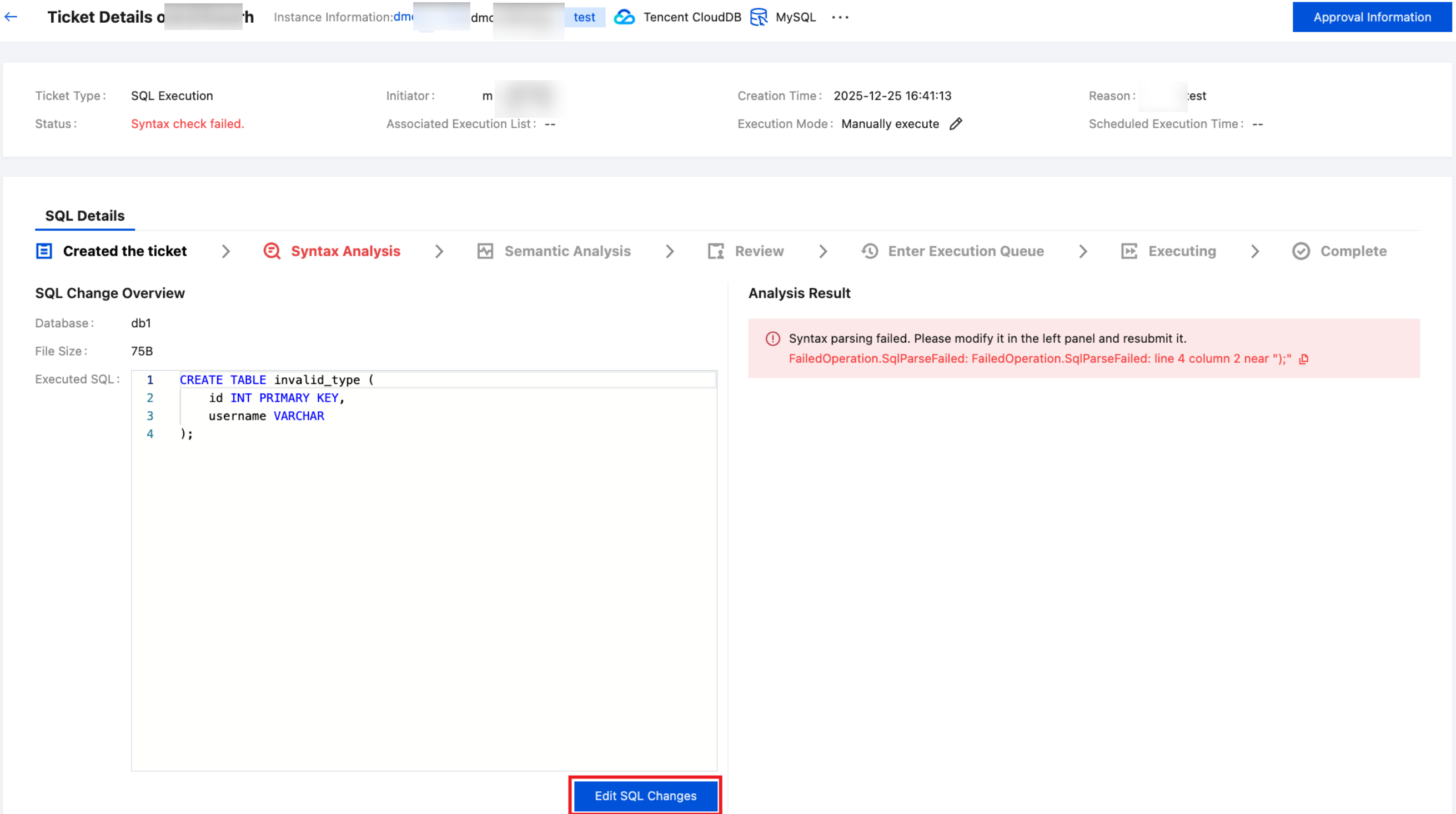
Syntax Check Failed: Indicates that the SQL syntax contains errors. Click View in the operation column of the ticket list or click the ticket ID to view and modify the ticket.
Analyzing Semantic: Indicates that the SQL syntax check is successful, and the ticket has entered the semantic analysis phase.
Semantic Analysis Failed: Indicates that the SQL contains mandatory improvements. Click View in the operation column of the ticket list or click the ticket ID to view and modify the ticket.
Reviewing: Indicates that the syntax analysis and semantic analysis have been completed, and the ticket is awaiting manual approval.
Rejected: Indicates that the submitted ticket application has been rejected. Click View in the operation column of the ticket list or click the ticket ID to review the Approval Information.
Waiting for Queue: Indicates that the ticket has been approved.
If Automatic Execution is selected, the status will soon change to executing.
If Scheduled Execution is selected, the status will change to executing when the scheduled time is reached.
If Manually Execute is selected, click To Execute in the corresponding Operation column of the ticket.
Executing: Indicates that SQL change, data import, data export, or permission granting is in progress. The execution result will be available after a brief wait.
Terminated: Indicates that an ongoing ticket execution has been manually terminated.
Execution failed: Indicates that the SQL execution failed. Check the status column on the Process Management > Execution List > Execution History page for the failure reason. Alternatively, click View in the operation column to view ticket details and failure information.
Canceled: Indicates that the ticket has been canceled.
Completed: Indicates that the ticket has been executed successfully.
Operation
Supported operations include:
View: Allow users to view ticket details, parsing results, approval information, and historical monitoring data.
To Execute: If the ticket was submitted with Manually Execution as the selected execution method and the ticket status is in the execution queue, the user needs to manually trigger execution.
Cancel: If the ticket has not yet started execution, users can recall it. After recall, the ticket status changes to Canceled.
2. In the left sidebar, select Secure Release > Process Management > Ticket List.
3. Alternatively, you can click the My To Do, My Request, and My Completed, Historical Tickets tabs to view the ticket list.
4. In the ticket list, click the ticket ID or click View in the Operation column.
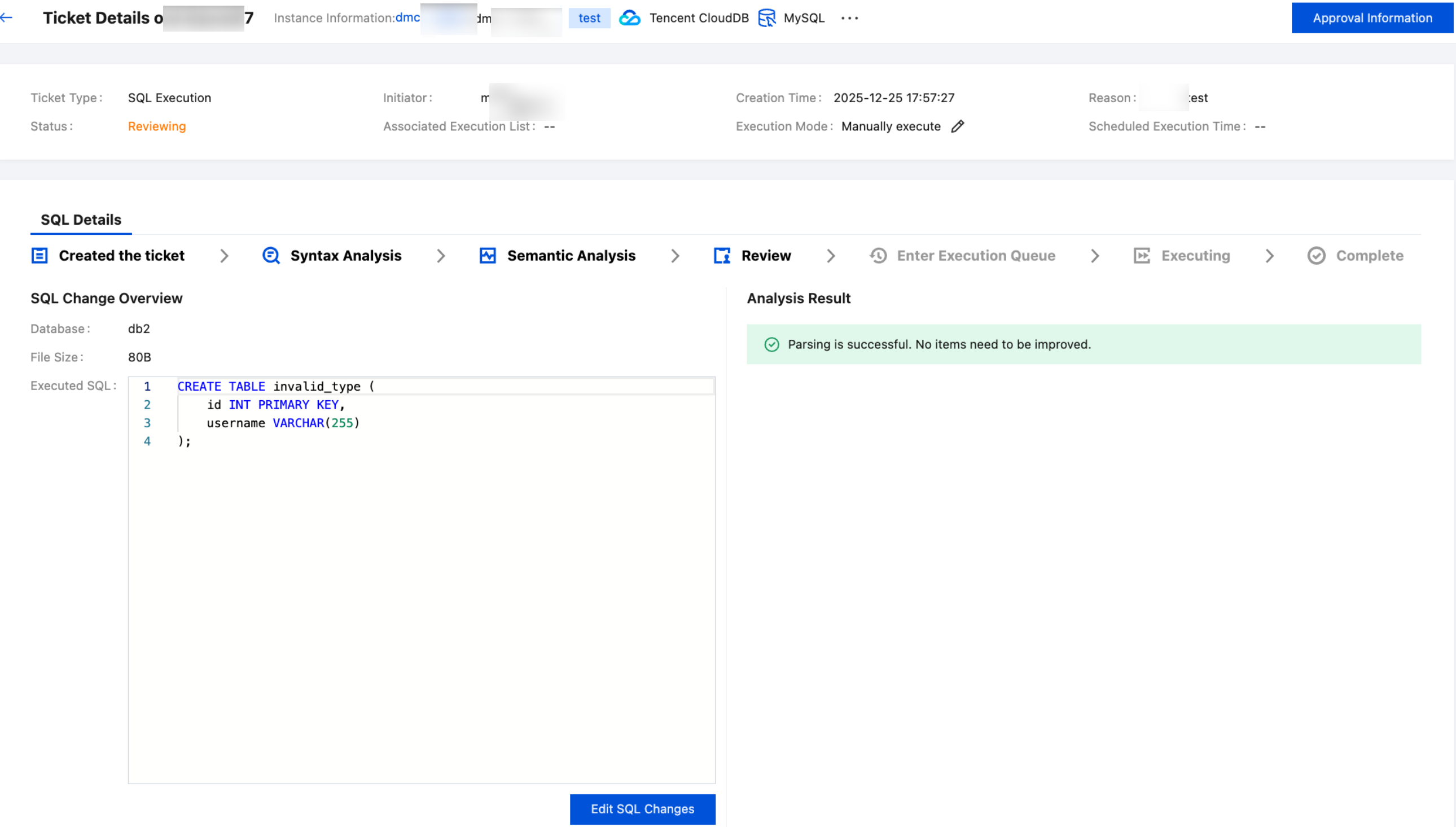
5. In the ticket details page, view ticket details, status, SQL details, and approval history.
Basic Info of Ticket
View ticket type, initiator, creation time, reason for the request, ticket status, associated execution list, execution mode, and scheduled execution time.
Click the execution ID on the right side of the associated execution list or select View to navigate to the execution details page. For more details, see View Execution Details.
SQL Details
View the execution phase of the ticket, SQL overview, and parsing results.
Note:
The interface display varies depending on the ticket type. See the actual display for accurate information.
If the ticket failed in syntax or semantic checks, you can click Edit SQL Changes, Edit Import Settings, or Edit Export Settings to correct errors.
Approval Information
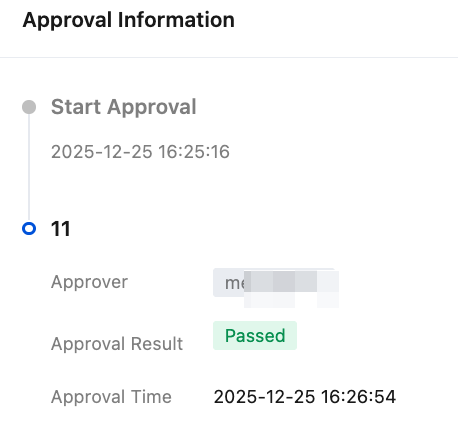
Click Approval Information in the upper-right corner to view approval status and comments in the pop-up box on the right.