Editing Custom Attribute
Download
Focus Mode
Font Size
Scenarios
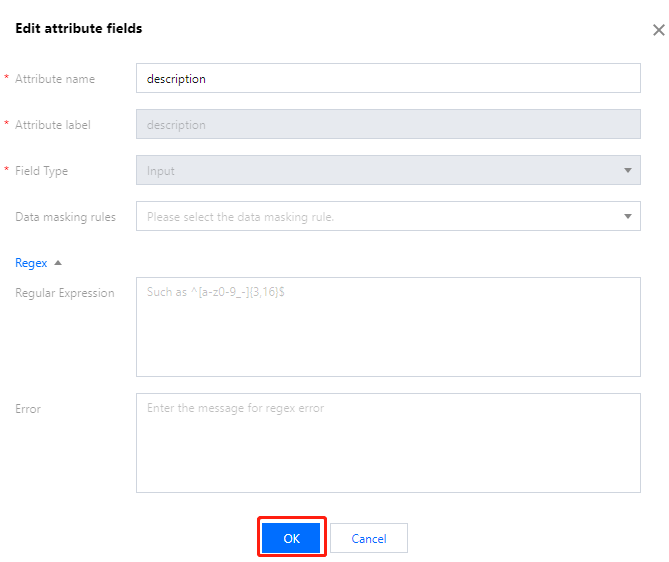
After a custom attribute is added successfully, you can modify its information, such as the attribute field, regular expression, and error message.
Note:
Built-in attributes cannot be edited, while preset and custom attributes can be edited.
Operation Steps
1. Log in to the IDSEC console, choose User Management > Attribute Customization in the left sidebar, and go to the Attribute Customization page.
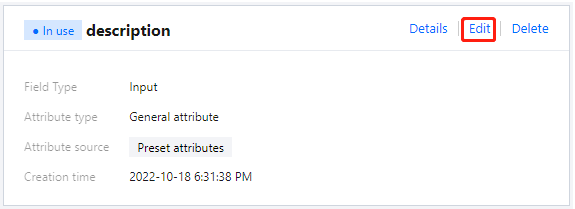
2. On the Attribute Customization page, click Edit.
3. In the Edit Attribute dialog box, after editing the attribute information, click OK.
Help and Support
Was this page helpful?
You can also Contact sales or Submit a Ticket for help.
Help us improve! Rate your documentation experience in 5 mins.
Feedback