Testing Authentication Source
Download
Focus Mode
Font Size
Testing SMS
1. Log in to the IDSEC console, choose Authentication Management > General Authentication Source in the left sidebar, and go to the General Authentication Sources page.
2. On the General Authentication Source page, select SMS OTP Authentication, click Test SMS, and a test SMS dialog box will pop up.
Note:
The Test SMS feature is available only when the SMS OTP authentication source is enabled.

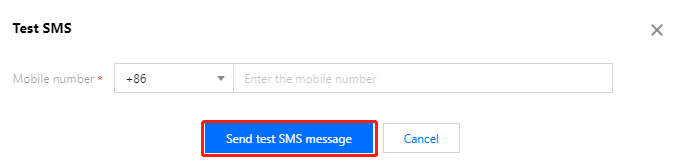
3. In the Test SMS dialog box, enter a phone number and click Send test SMS message. A test SMS will be sent to the user based on the configuration of this SMS OTP authentication source.
Testing Email
1. Log in to the IDSEC console, choose Authentication Management > General Authentication Source in the left sidebar, and go to the General Authentication Sources page.
2. On the General Authentication Source page, select the Email OTP authentication source, click Test Email, and a test email dialog box will pop up.
Note:
The Test Email feature is available only when the Email OTP authentication source is enabled.

3. In the Test email dialog box, enter an email address and click Send test email. A test email will be sent to the user based on the configuration of this Email OTP authentication source.
Help and Support
Was this page helpful?
You can also Contact sales or Submit a Ticket for help.
Help us improve! Rate your documentation experience in 5 mins.
Feedback