Login logs
Download
Focus Mode
Font Size
Overview
Login logs primarily record the login details of Ops personnel, including login time and login IP. By reviewing the login logs in the BH, you can monitor user login activities and promptly identify and address abnormal logins.
Directions
Viewing System Login Logs
1. Log in to the BH console.
2. In the left sidebar, choose Self-Audit > Login logs.
3. On the Login logs page, details such as login time, username/name, source IP, login method, and login result are recorded comprehensively.

Querying Login Logs
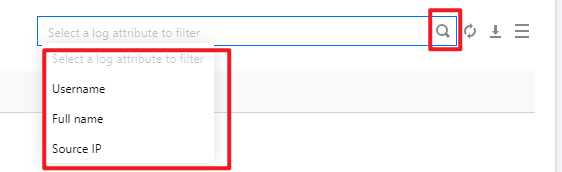
On the Login log page, you can click Time to switch and view user login activities for different time periods.

In the search box, enter the username, name, or source IP, and click 
Help and Support
Was this page helpful?
You can also Contact sales or Submit a Ticket for help.
Help us improve! Rate your documentation experience in 5 mins.
Feedback