Screenshot, Screen Recording Events, and Adding Watermarks
Download
Focus Mode
Font Size
Screenshot event
The screenshot event is triggered after a user takes a screenshot. At this time, the method implemented in appletDidTakeScreenshot is called.
- (void)appletDidTakeScreenshot:(TMFMiniAppInfo *)appletInfo atPagePath:(NSString *)pagePath;
Parameter description:
appletInfo: The mini program information when the screenshot is taken.
pagePath: The path of the current mini program page when the screenshot is taken.
Screen recording event
The screen recording event is triggered when UIScreen.isCaptured changes, such as during screen recording, screen mirroring, or AirPlay.
- (void)applet:(TMFMiniAppInfo *)appletInfo screenCaptureStatusChanged:(BOOL)isCapture atPagePath:(NSString *)pagePath;
Parameter description:
appletInfo: The mini program information when the screen capture status changes.
isCapture:
YES: The screen is currently being recorded, mirrored, or cast.
NO: Screen capture has stopped.
pagePath: The path of the current mini program page when the status changes.
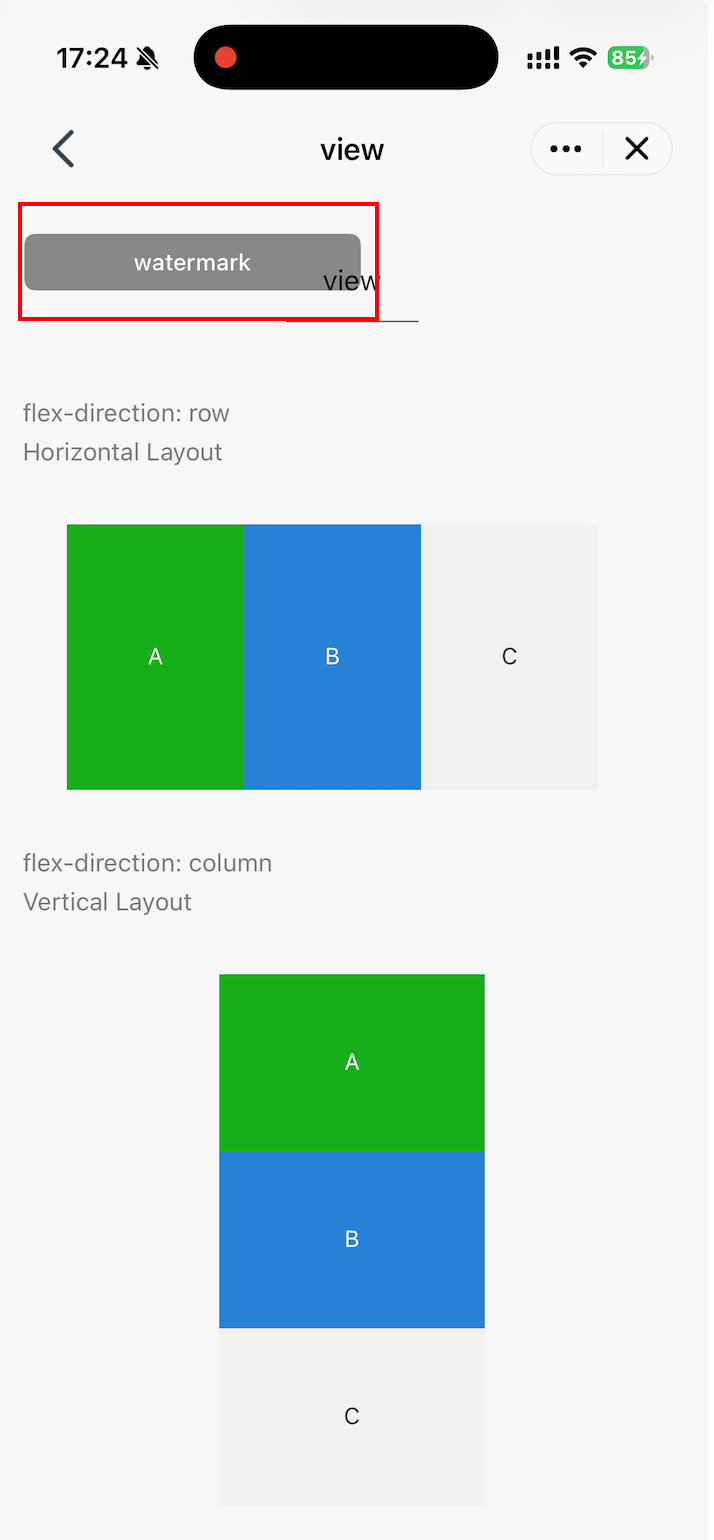
Add watermarks
This method allows you to add custom watermarks to mini program pages. It may be called whenever a mini program page is displayed. The returned UIView is added to the top layer of the current mini program page. Unless the watermark requires interaction, we recommend setting userInteractionEnabled = NO for the watermark to prevent it from blocking user operations on the mini program.
- (nullable UIView *)appletCustomizeWatermarkView:(TMFMiniAppInfo *)appletInfo
The following example demonstrates how to add a watermark to a mini program that is displayed only during screen recording.
@interface MiniAppDemoSDKDelegateImpl : NSObject <TMFMiniAppSDKDelegate>+ (instancetype)sharedInstance;// Weak reference to the currently mounted watermark. The watermark is strongly referenced by its parent view.@property (nonatomic, weak, nullable) UIView *watermarkView;// Whether to display the watermark currently@property (nonatomic, assign) BOOL shouldShowWatermark;@end
When the screen recording event is triggered, modify shouldShowWatermark to determine whether to display the watermark:
- (void)applet:(TMFMiniAppInfo *)appletInfo screenCaptureStatusChanged:(BOOL)isCapture atPagePath:(NSString *)pagePath {// Ensure that the status of the watermarkView mounted on the page can be modifieddispatch_block_t updateWatermark = ^{self.shouldShowWatermark = isCapture;self.watermarkView.hidden = !isCapture;};if ([NSThread isMainThread]) {updateWatermark();} else {dispatch_async(dispatch_get_main_queue(), updateWatermark);}}
Define the UIView of the watermark in appletCustomizeWatermarkView and return it.
/// Watermark View: Hidden by default, displayed by screenCaptureStatusChanged: only during screen recording- (nullable UIView *)appletCustomizeWatermarkView:(TMFMiniAppInfo *)appletInfo {// This method may be called multiple times. Remove the watermark previously created by this example.[self.watermarkView removeFromSuperview];// Prevent incorrect initial status when entering the page after screen recording has already started.self.shouldShowWatermark = UIScreen.mainScreen.isCaptured;UIView *container = [[UIView alloc] initWithFrame:CGRectMake(0, 0, 190, 32)];container.backgroundColor = [UIColor colorWithWhite:0.0 alpha:0.45];container.layer.cornerRadius = 6;container.layer.masksToBounds = YES;container.userInteractionEnabled = NO;container.hidden = !self.shouldShowWatermark;UILabel *watermark = [[UILabel alloc] initWithFrame:container.bounds];watermark.autoresizingMask = UIViewAutoresizingFlexibleWidth | UIViewAutoresizingFlexibleHeight;watermark.text = @"TCMPP SDK Demo";watermark.textColor = [UIColor whiteColor];watermark.textAlignment = NSTextAlignmentCenter;watermark.font = [UIFont systemFontOfSize:13 weight:UIFontWeightMedium];[container addSubview:watermark];self.watermarkView = container;return container;}
Help and Support
Was this page helpful?
You can also Contact sales or Submit a Ticket for help.
Help us improve! Rate your documentation experience in 5 mins.
Feedback