Session Transfer
Download
Focus Mode
Font Size
Feature Overview
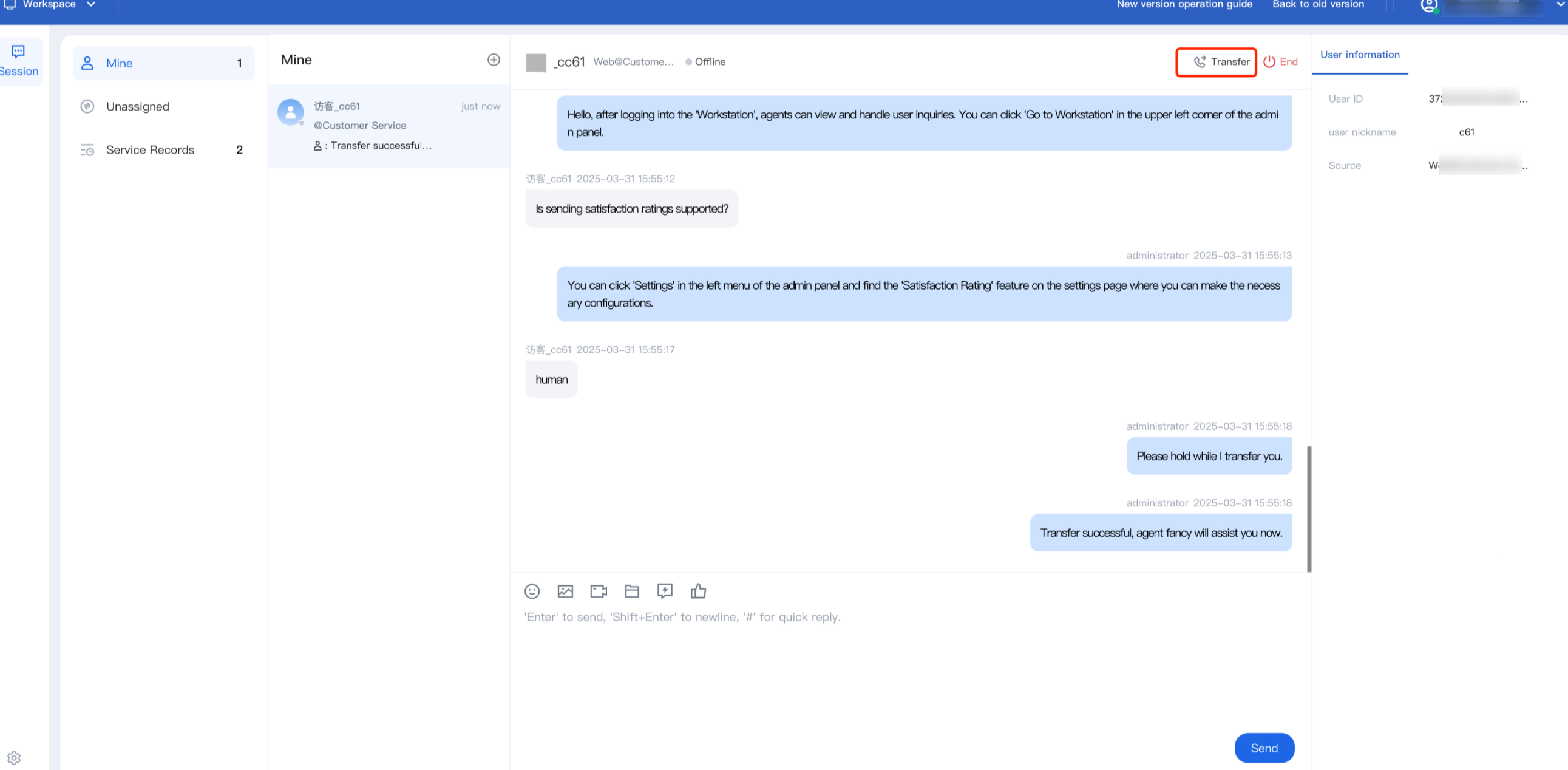
Agent can transfer sessions to a specific group or specific member via the transfer icon
Transfer to Target Member
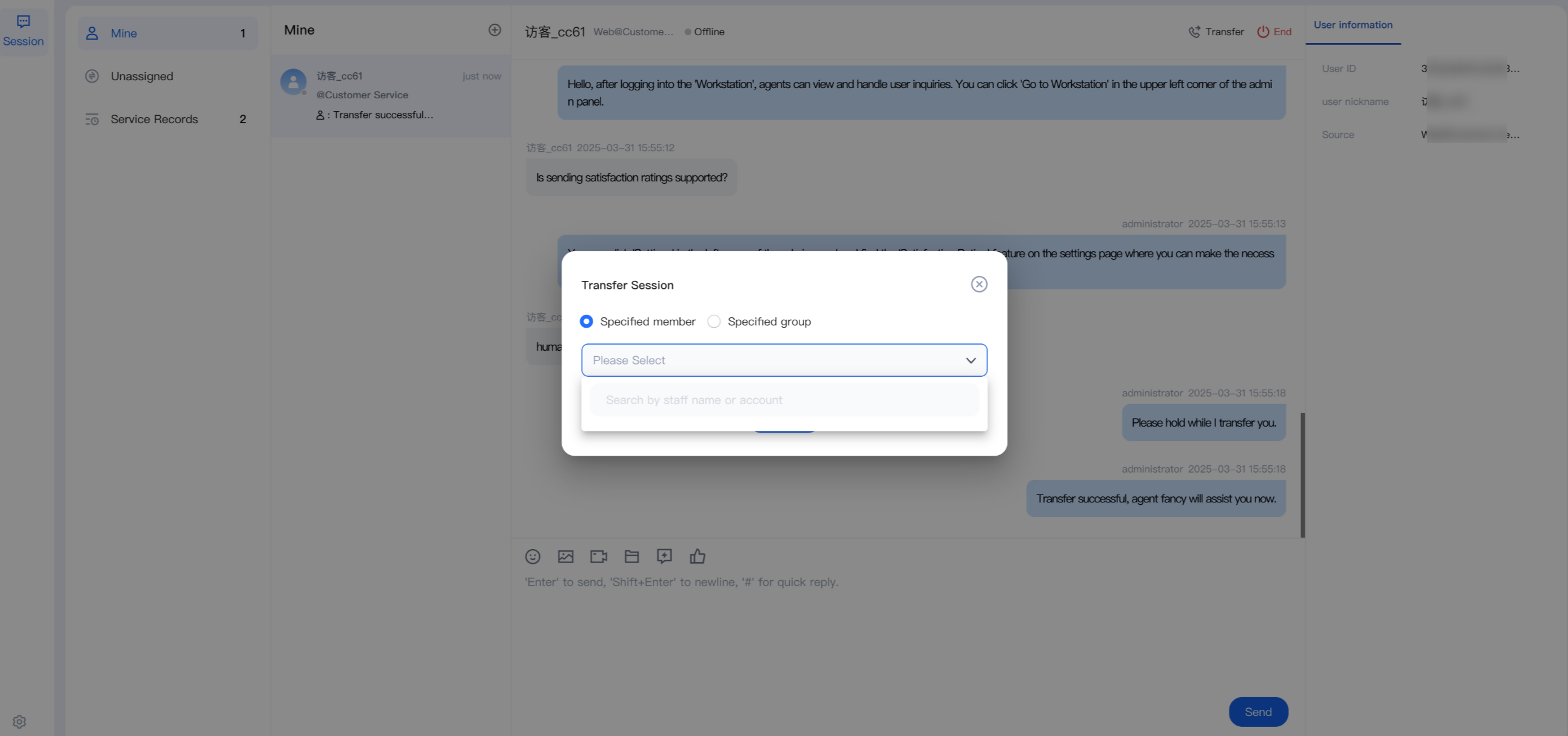
Click Transfer. In the pop-up window, select Specified Member. You can search by Nickname or Account (the member must be online). Select the target member and click Confirm Transfer.
Transfer to Target Group
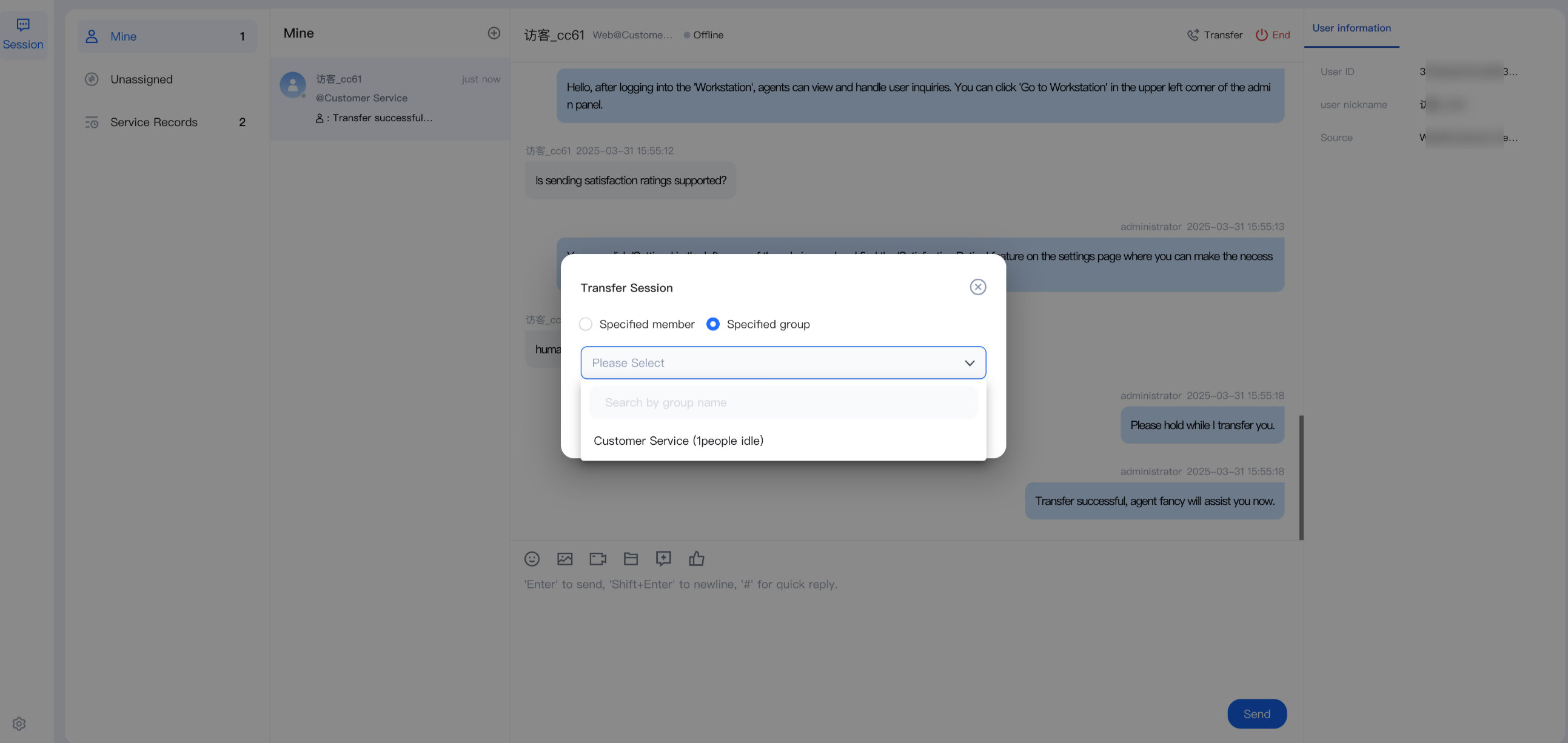
Click Transfer. In the pop-up window, select Specified Group. Before transferring, you can view the idle status of the members in the target group. Search for the group, select it, and click Confirm Transfer.
Help and Support
Was this page helpful?
You can also Contact sales or Submit a Ticket for help.
Help us improve! Rate your documentation experience in 5 mins.
Feedback