Client Upgrade
Download
Focus Mode
Font Size
1. Log in to the Tencent iOA Zero Trust Security Management System console and choose General Management Policies > Client Policy in the left sidebar.
2. On the Client Management page, select Client Upgrade and click Create Policy.
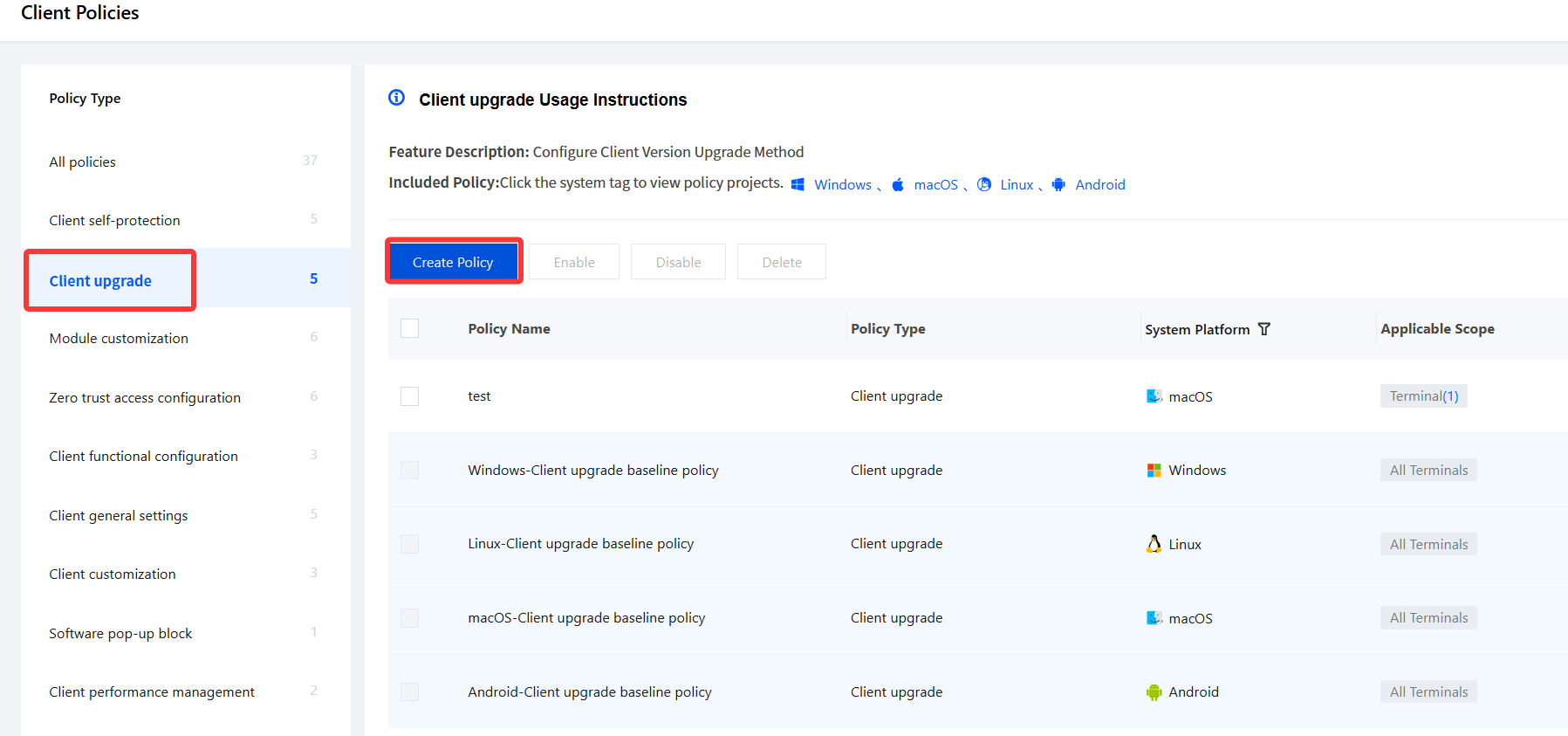
3. On the Create Client Upgrade Policy page, configure the relevant parameters.
3.1 Enter the policy name and other parameters such as the policy description.
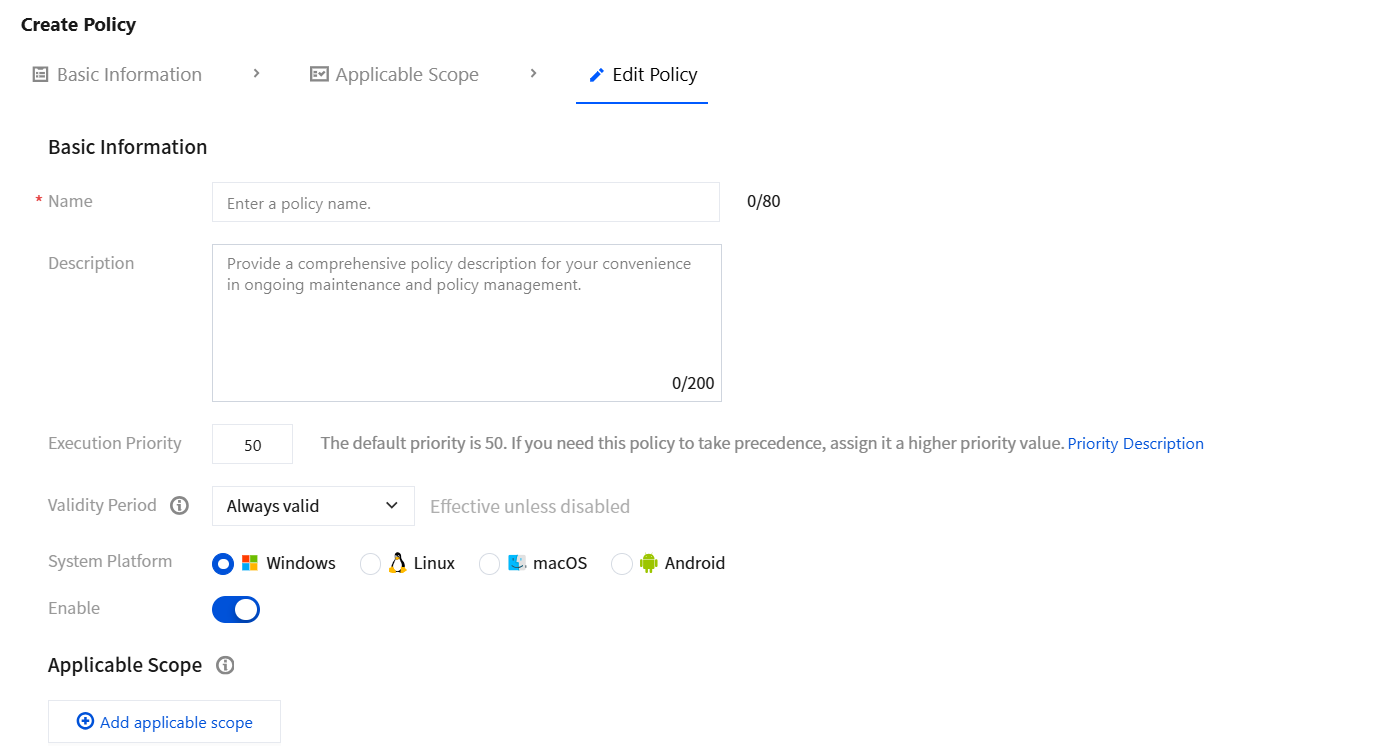
3.2 Click Add applicable scope, select the terminal names to be controlled/excluded, and click OK.
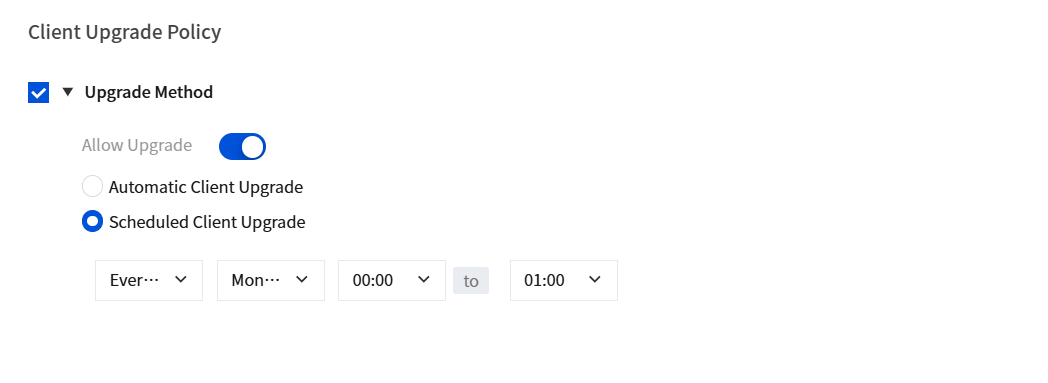
4. Upgrade method.
4.1 Automatic client upgrade: When a new version of the iOA client is available, the client version is upgraded automatically.
4.2 Scheduled client upgrade: You can customize the client upgrade time, and when a new version is available, the upgrade is performed automatically at the scheduled time.
5. After configuration, click Save.
Help and Support
Was this page helpful?
You can also Contact sales or Submit a Ticket for help.
Help us improve! Rate your documentation experience in 5 mins.
Feedback