Audio and video Enhancement
Download
Focus Mode
Font Size
Audio and video enhancement functions rely on audio and video AI processing models and extensive accumulation of business data to provide professional-grade audio and video enhancement solutions. This feature supports distributed real-time image quality enhancement, including video deblocking, noise reduction, color enhancement, detail enhancement, face enhancement, SDR2HDR, large model enhancement, etc. It can significantly improve audio and video quality and is widely used in scenarios such as OTT, e-commerce, and sports events, effectively achieving the dual-dimensional improvement of QoE and QoS and creating significant business value.
Enhancement Template Management
Preset Enhancement Templates
Through extensive verification across numerous real-world customer use cases, we have accumulated a series of optimized preset enhancement templates. These templates are specifically tuned for different scenarios and can meet the needs of most users. Listed below are several commonly used preset templates with excellent video enhancement effects for your selection.
General Scenarios
Template Number | Template Name | Billing |
101450 | DiffusionEnhance-V2-2K-SourceResolutionFrameRate | The fees for "Large Model Video Enhancement" + "Top Speed Codec Transcoding" will be charged. For pricing details, please refer to Pay-as-You-Go (Post-paid). |
101460 | DiffusionEnhance-V1-2K-SourceResolutionFrameRate | |
101470 | DiffusionEnhance-V2-4K-SourceResolutionFrameRate | |
101480 | DiffusionEnhance-V1-4K-SourceResolutionFrameRate | |
101410 | DiffusionEnhance-V2-720P-SourceResolutionFrameRate | |
101420 | DiffusionEnhance-V1-720P-SourceResolutionFrameRate | |
101430 | DiffusionEnhance-V2-1080P-SourceResolutionFrameRate | |
101440 | DiffusionEnhance-V1-1080P-SourceResolutionFrameRate | |
AnimatedDrama / LiveAction Scenarios
Template Number | Template Name | Billing |
101550 | AnimatedDrama-DiffusionEnhance-2K-SourceResolutionFrameRate | The fees for "Large Model Video Enhancement" + "Top Speed Codec Transcoding" will be charged. For pricing, please refer to Pay-as-You-Go (Postpaid). |
101560 | LiveActionDrama-DiffusionEnhance-2K-SourceResolutionFrameRate | |
101570 | AnimatedDrama-DiffusionEnhance-4K-SourceResolutionFrameRate | |
101580 | LiveActionDrama-DiffusionEnhance-4K-SourceResolutionFrameRate | |
101510 | AnimatedDrama-DiffusionEnhance-720P-SourceResolutionFrameRate | |
101520 | LiveActionDrama-DiffusionEnhance-720P-SourceResolutionFrameRate | |
101530 | AnimatedDrama-DiffusionEnhance-1080P-SourceResolutionFrameRate | |
101540 | LiveActionDrama-DiffusionEnhance-1080P-SourceResolutionFrameRate | |
AnimatedDrama / LiveAction Scenarios - SmallFaceOpt
Template Number | Template Name | Billing |
101650 | AnimatedDrama-SmallFaceOpt-DiffusionEnhance-2K-SourceResolutionFrameRate | The fees for "Large Model Video Enhancement" + "Top Speed Codec Transcoding" will be charged. For pricing, please refer to Pay-as-You-Go (Postpaid). |
101660 | LiveActionDrama-SmallFaceOpt-DiffusionEnhance-2K-SourceResolutionFrameRate | |
101670 | AnimatedDrama-SmallFaceOpt-DiffusionEnhance-4K-SourceResolutionFrameRate | |
101680 | LiveActionDrama-SmallFaceOpt-DiffusionEnhance-4K-SourceResolutionFrameRate | |
101610 | AnimatedDrama-SmallFaceOpt-DiffusionEnhance-720P-SourceResolutionFrameRate | |
101620 | LiveActionDrama-SmallFaceOpt-DiffusionEnhance-720P-SourceResolutionFrameRate | |
101630 | AnimatedDrama-SmallFaceOpt-DiffusionEnhance-1080P-SourceResolutionFrameRate | |
101640 | LiveActionDrama-SmallFaceOpt-DiffusionEnhance-1080P-SourceResolutionFrameRate | |
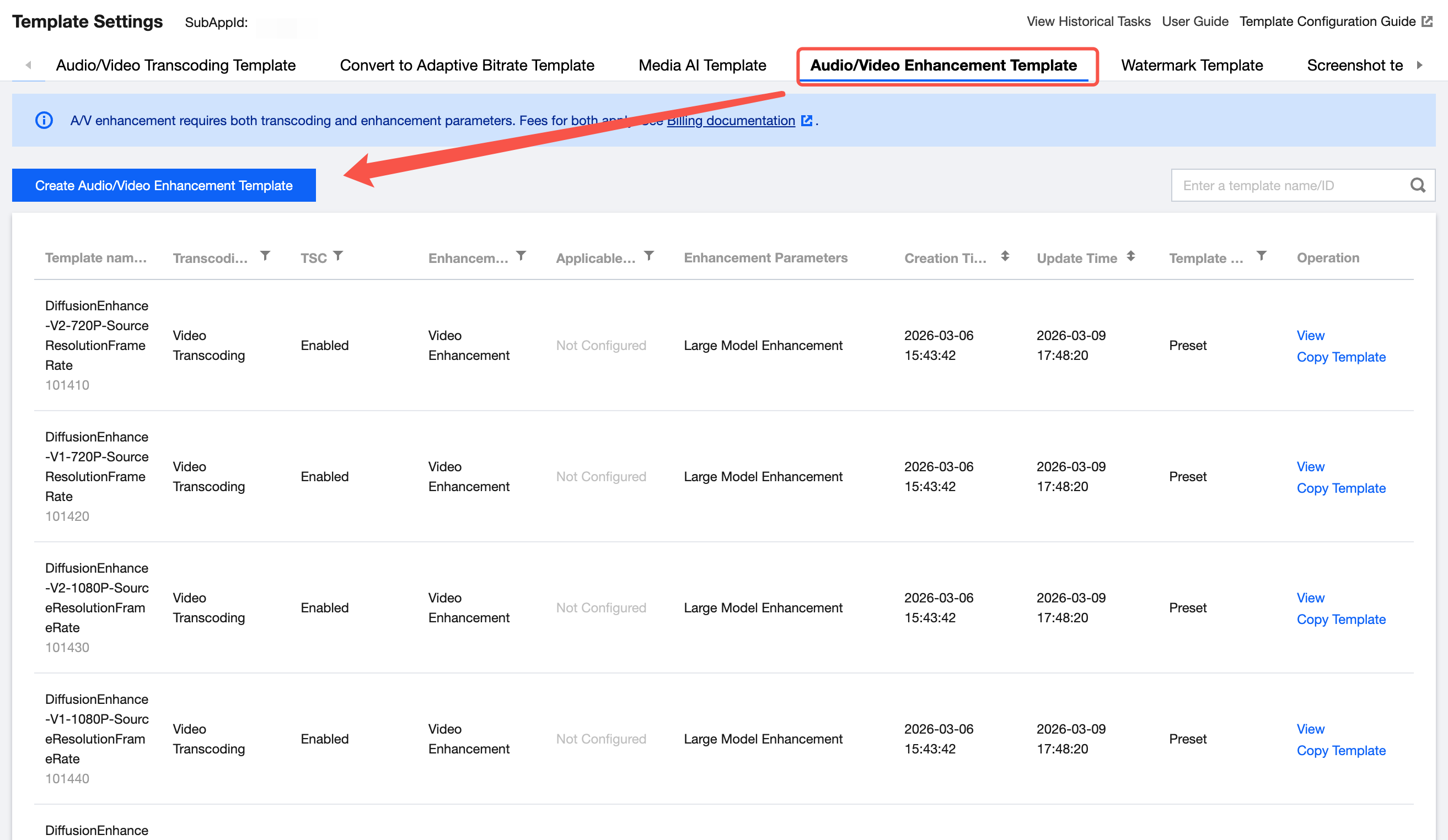
Create Custom Enhancement Templates
Support creating enhancement templates on the Media Processing > Media Processing Template > Audio/Video Enhancement Templates page in the VOD console.
Note:
Ensure optimal results and avoid unexpected outcomes due to configuration errors, it is recommended to prioritize the use of preset templates or directly Contact Us to optimize template configurations based on your specific scenario requirements.
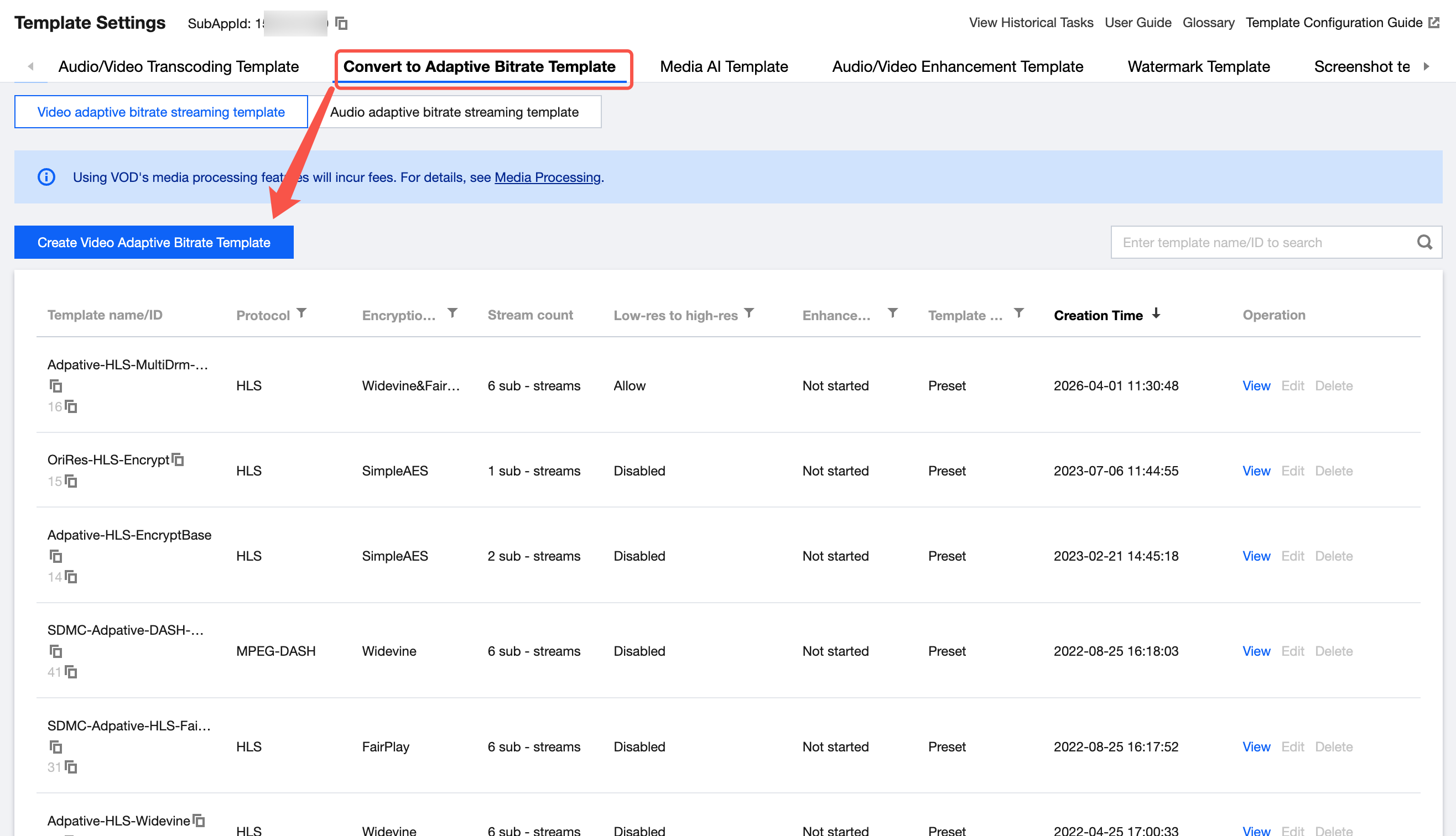
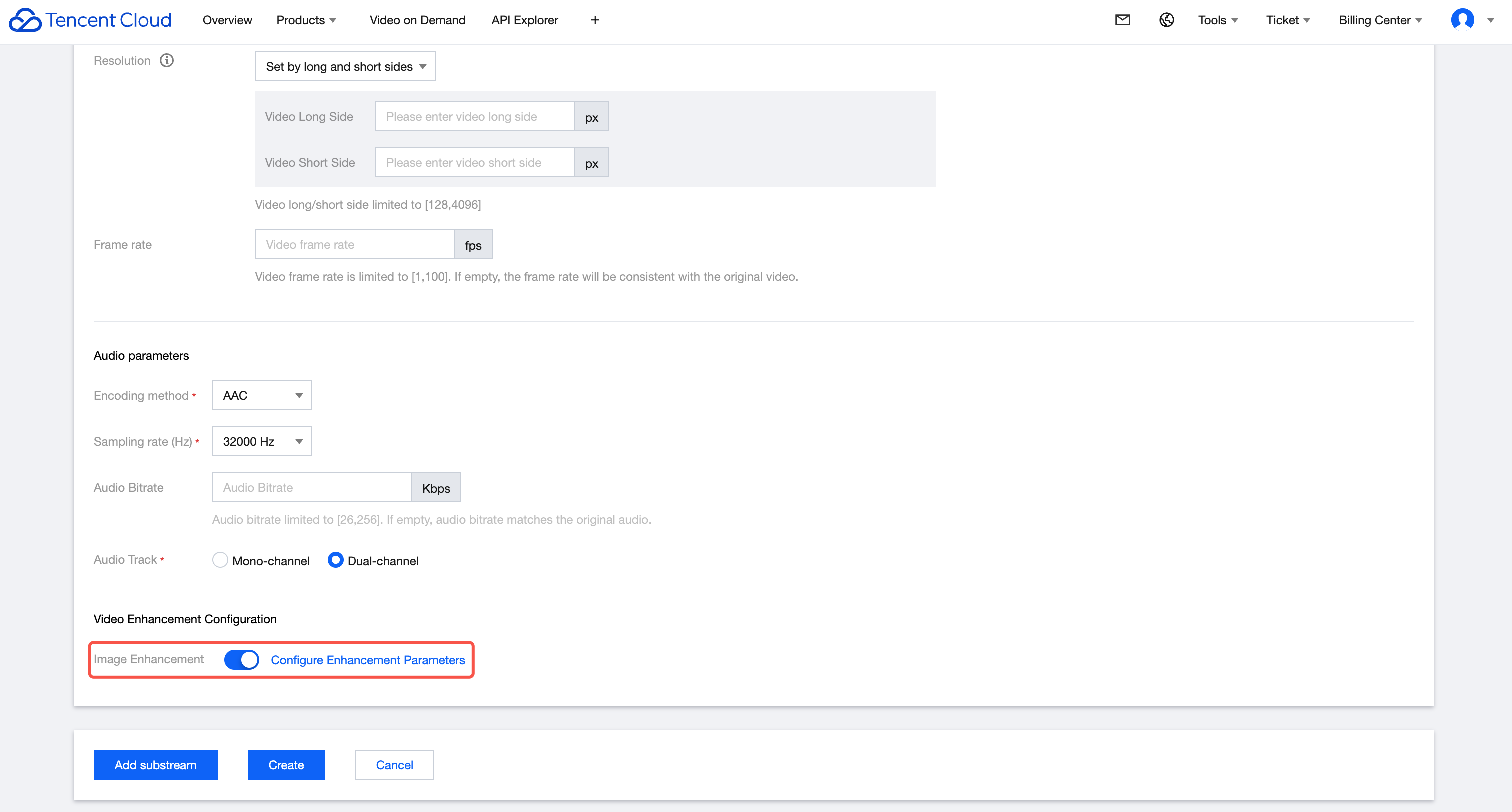
Enable Enhancement Capabilities in Adaptive Bitrate Templates
Support enabling enhancement capabilities on the Media Processing > Media Processing Template > Convert to Adaptive Bitrate Template page in the VOD console.
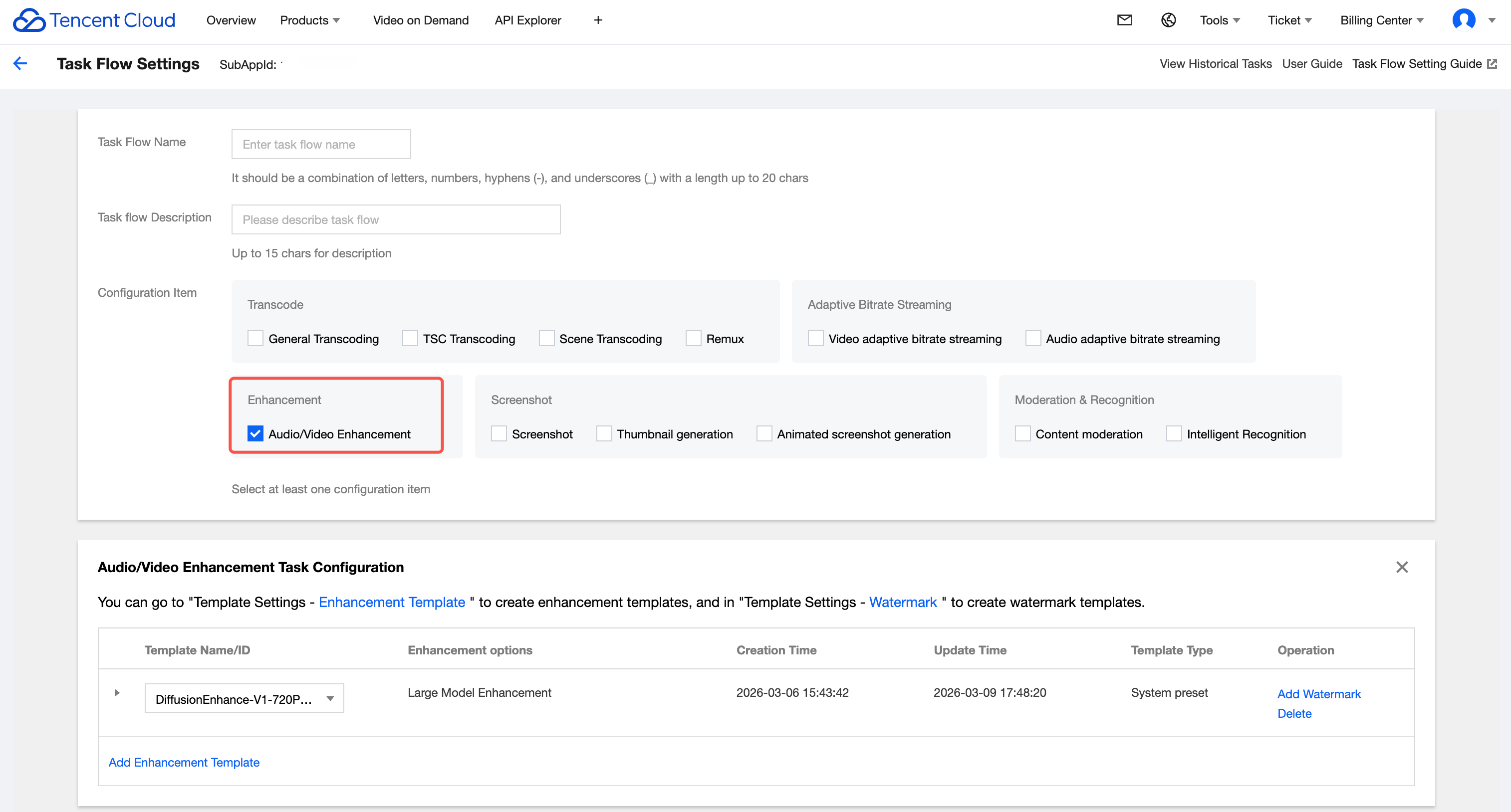
Configure Enhancement Templates in Workflow Templates
Support configuring enhancement templates within Workflows on the Media Processing > Task Flow page in the VOD console.
Billing Details
Audio and video enhancement functions are implemented based on transcoding; specifically, enhancement processing involves overlaying enhancement parameters on top of the transcoding process. Therefore, when using enhancement features, you must simultaneously configure either Standard Transcoding or Top Speed Codec (TESC) parameters alongside the enhancement parameters. Both transcoding and enhancement fees will be charged.
or enhancement billing methods, please refer to Audio and Video Enhancement Billing.
For transcoding billing methods, please refer to Standard Transcoding Billing or Top Speed Codec Billing.
Initiate Enhancement Tasks
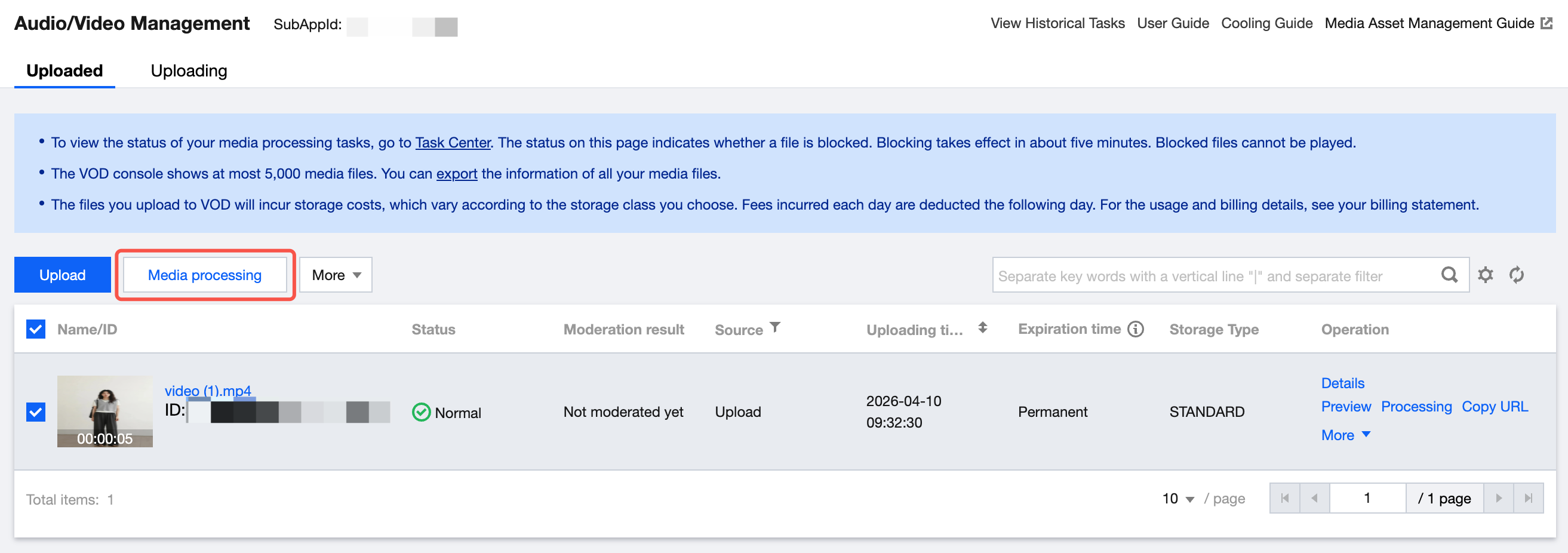
1. On the Intelligent Media Asset Management > Audio/Video Management page in the VOD Console, select the video you wish to enhance and click Media Processing.
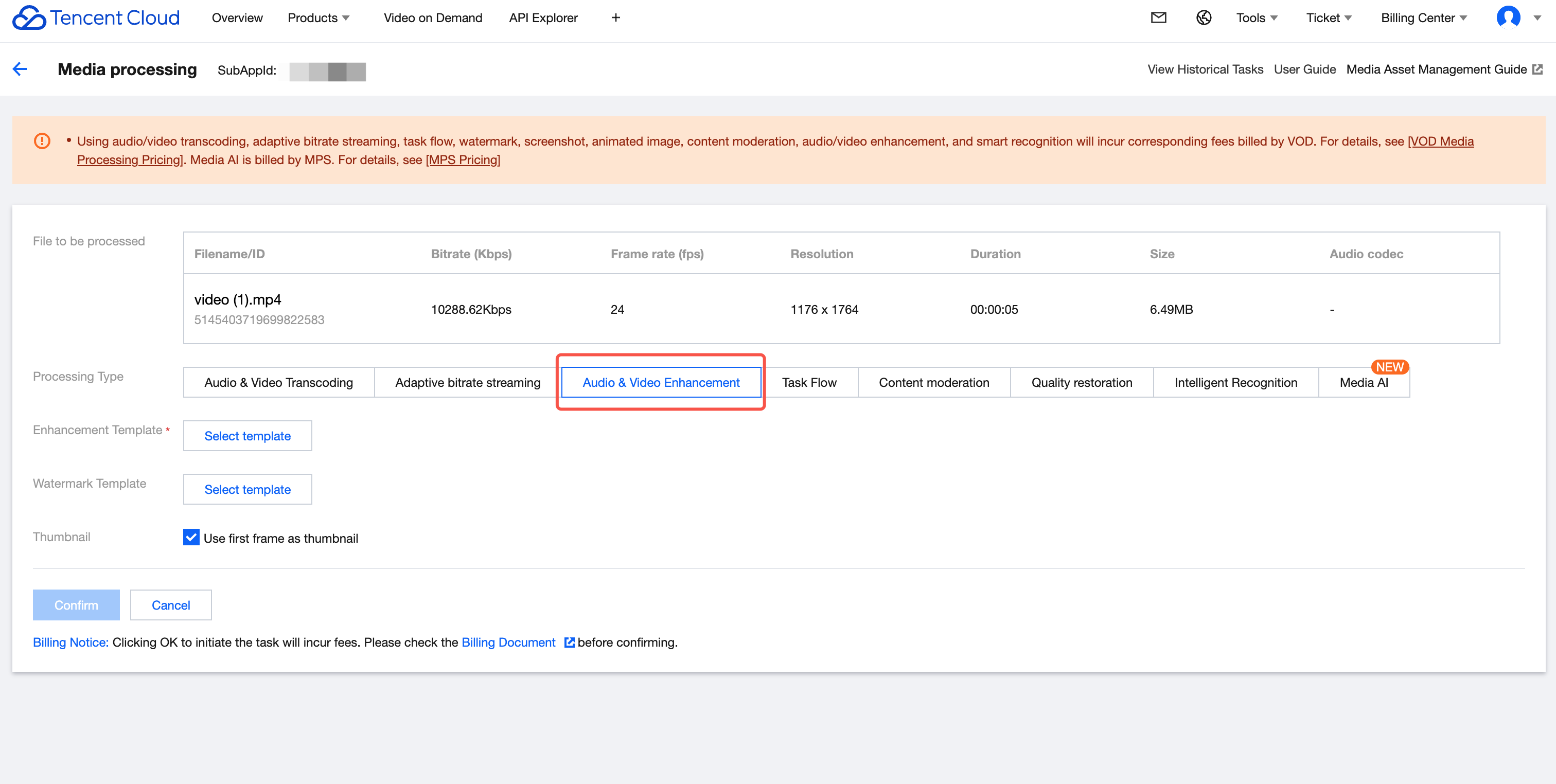
2. Select the corresponding Audio/Video Enhancement / Workflow / Adaptive Bitrate template and initiate the task.
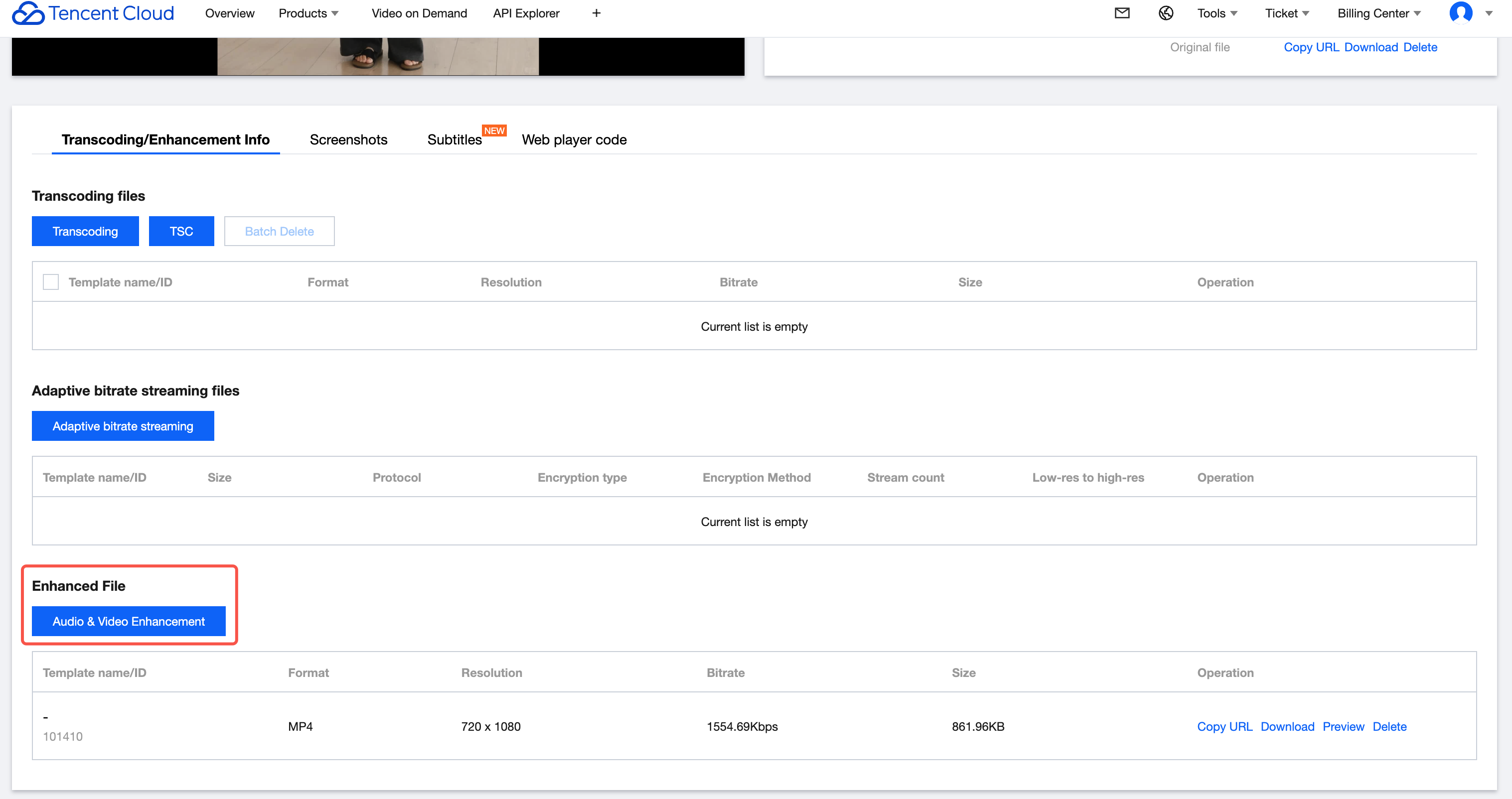
Querying Task Results
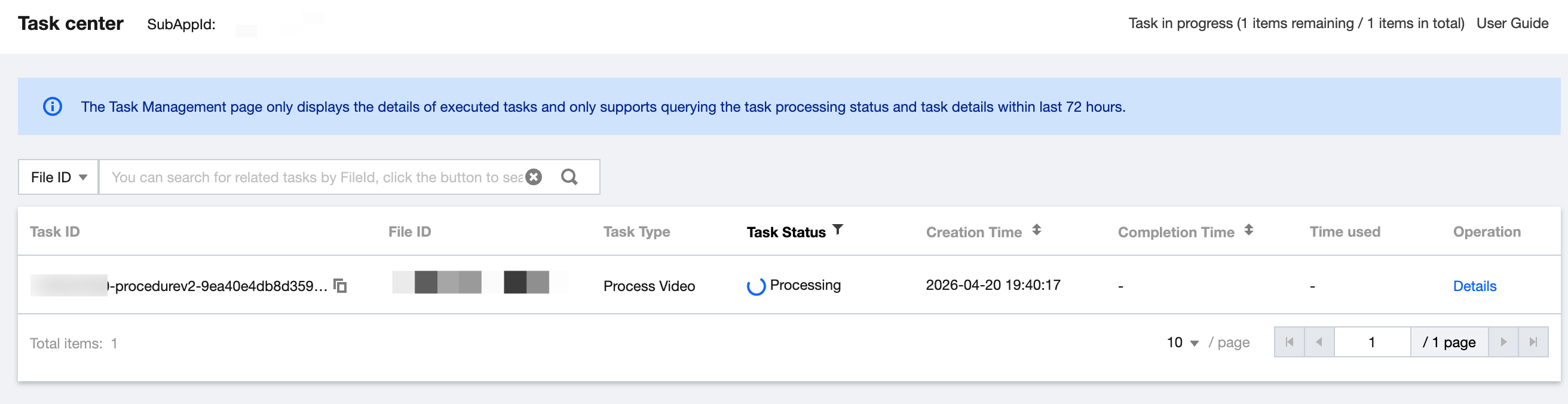
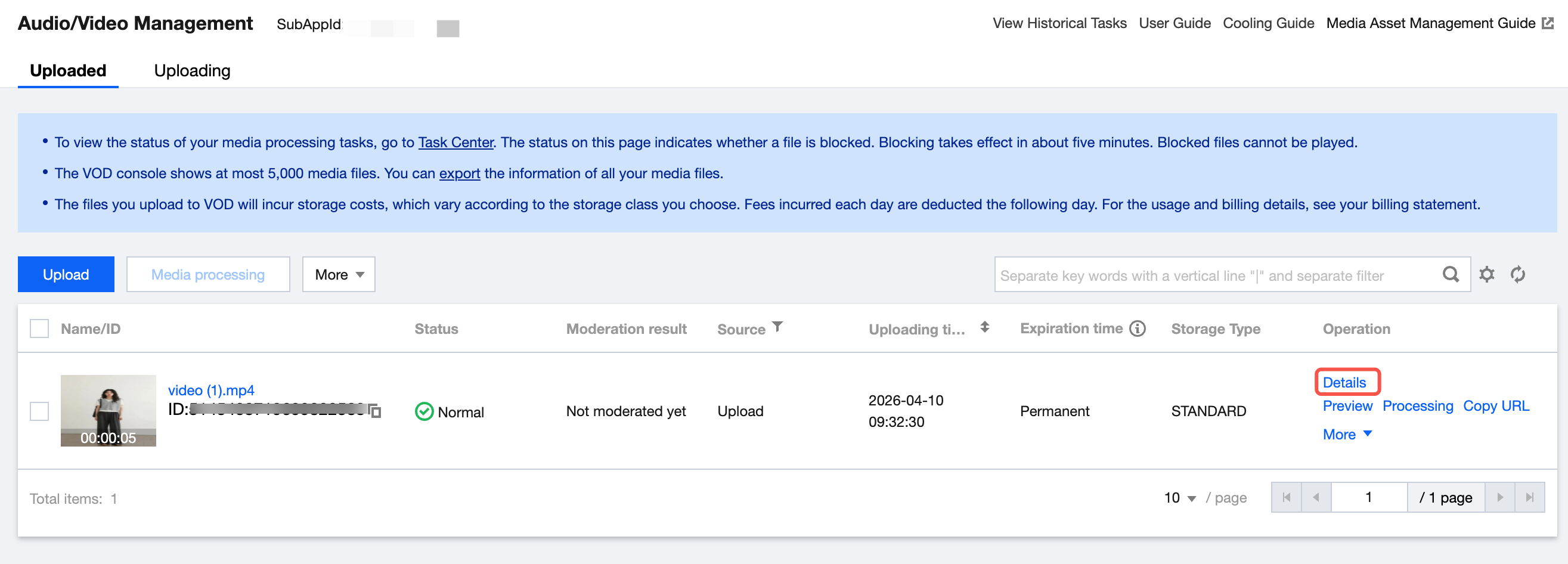
On the Intelligent Media Asset Management > Audio/Video Management page, click Details to view the task results.
API Integration
If you need to use the API to integrate enhancement capabilities, please refer to Audio and Video Enhancement > Development Guide.
Help and Support
Was this page helpful?
You can also Contact sales or Submit a Ticket for help.
Help us improve! Rate your documentation experience in 5 mins.
Feedback