Call Transfer Feature
下载
聚焦模式
字号
Feature Description
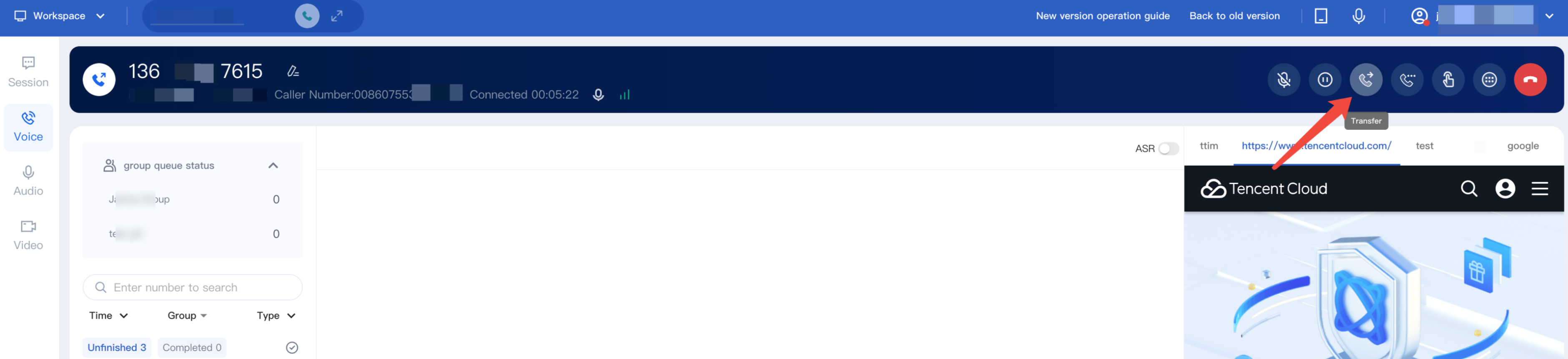
Staff can transfer calls to a voice group, voice agent, SIP phone, or an external line as needed.
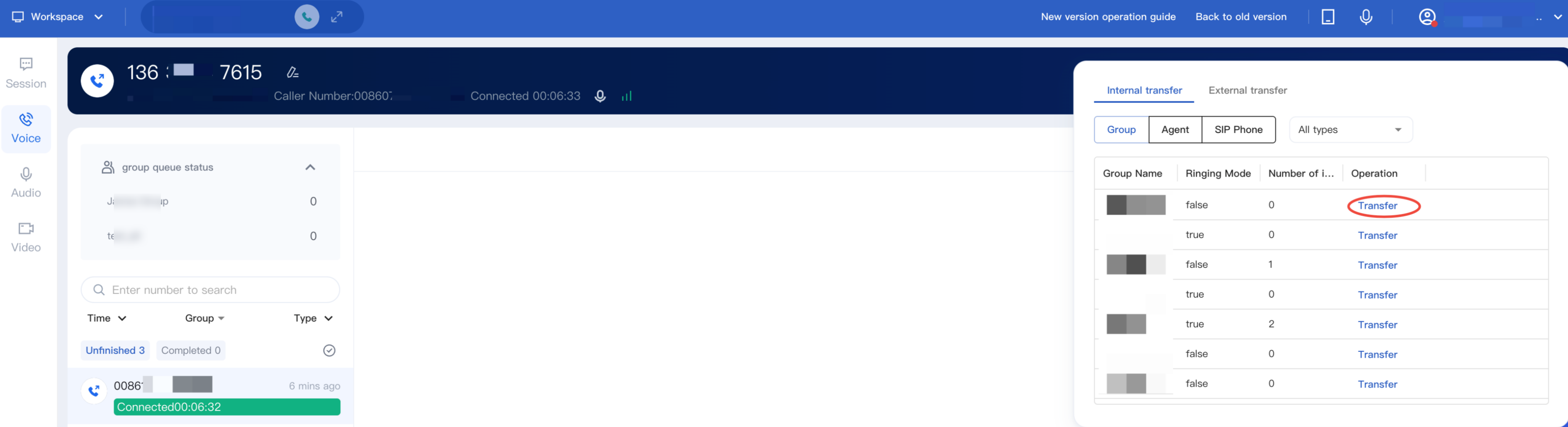
Transfer to Group
After clicking Transfer button, select Internal Transfer > Group, choose the target group from the group list, and click Transfer. Staff can see available agent status in the target group.
After the transfer, staff call ends, and the user hears hold music until the target skill group staff answers, completing the transfer.
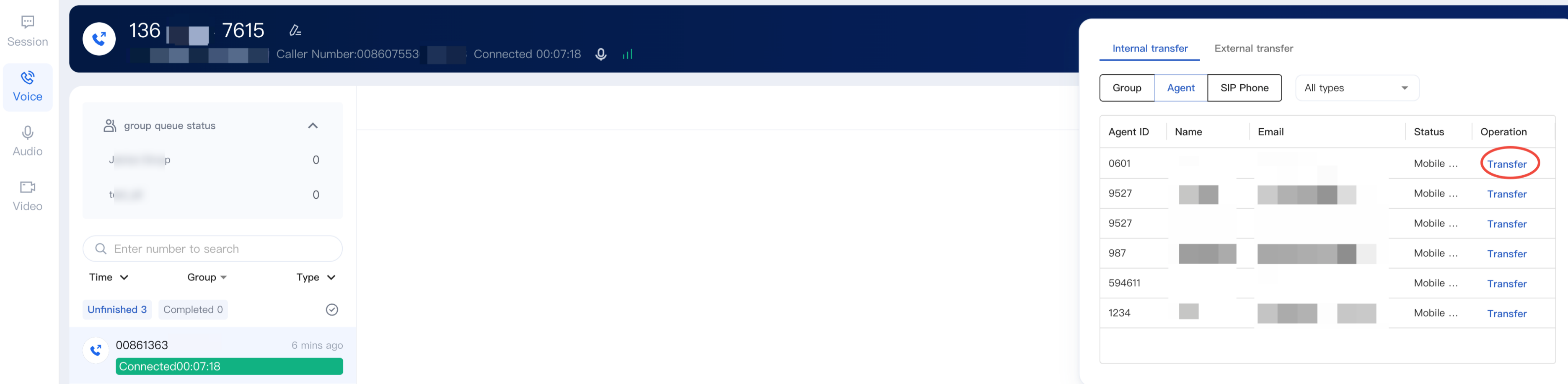
Transfer to Agent
Click Transfer, select Internal Transfer > Agent, choose the target agent, and click Transfer. The current agent can check the target agent’s status before transferring. After initiating the transfer, the current agent hangs up, and the user hears the on-hold prompt until the target agent answers, completing the transfer.
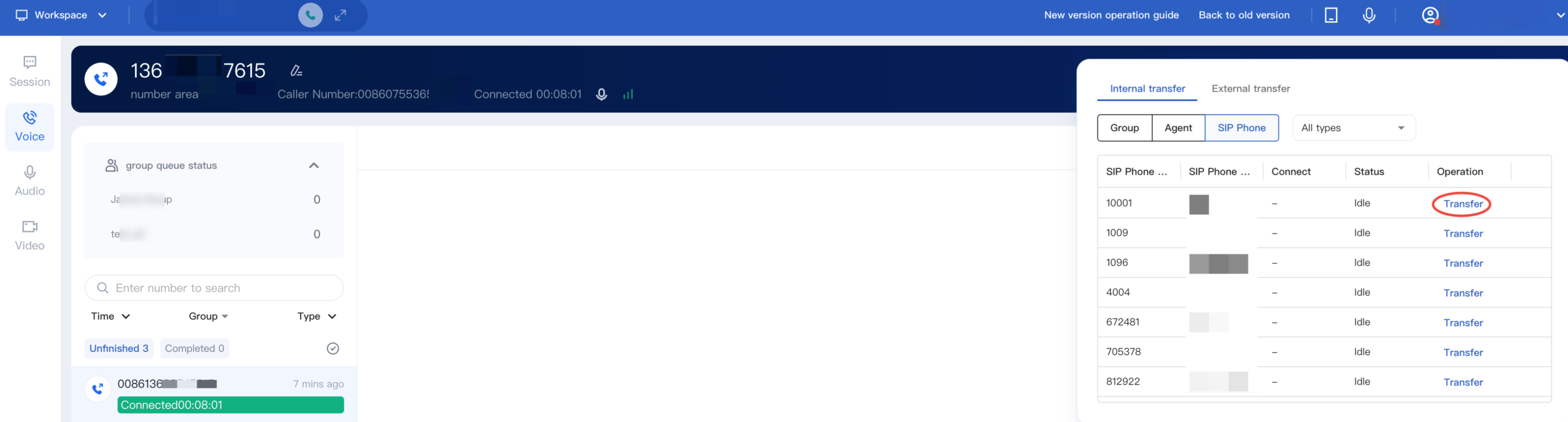
Transfer to SIP phone
After staff clicks Transfer button, select Internal Transfer > SIP phone, and click Transfer.
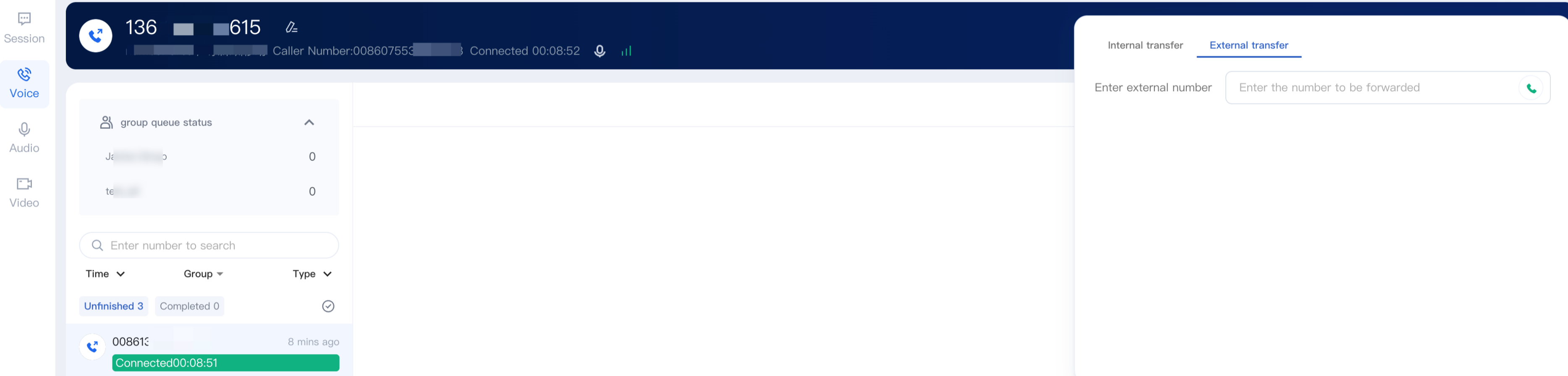
Transfer External Line
Staff can select External Line Transfer tab, starts inputting external number, and click Start to Transfer.
文档反馈