Upgrading the Gateway Product Version
다운로드
포커스 모드
폰트 크기
Scenarios
If the features provided by the current gateway product edition do not meet your business requirements, you can upgrade your gateway to a higher product edition in the console to experience more features.
Operation Steps
1. Log in to the TSF console.
2. In the left sidebar, click Cloud Native Gateway > Instance List, locate the target gateway, click its ID, and go to the instance information page.
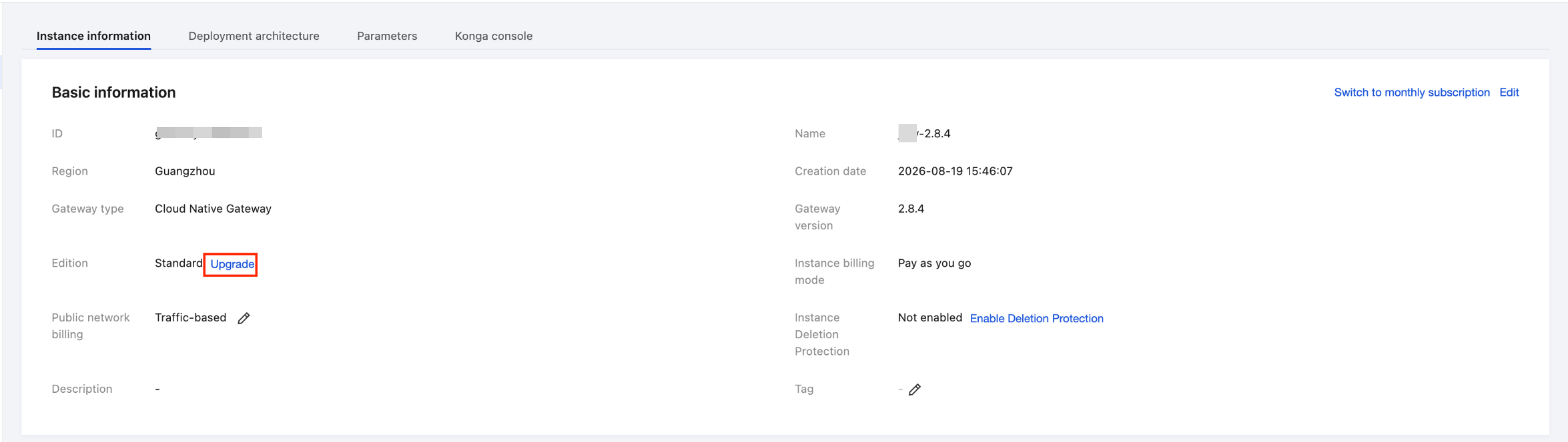
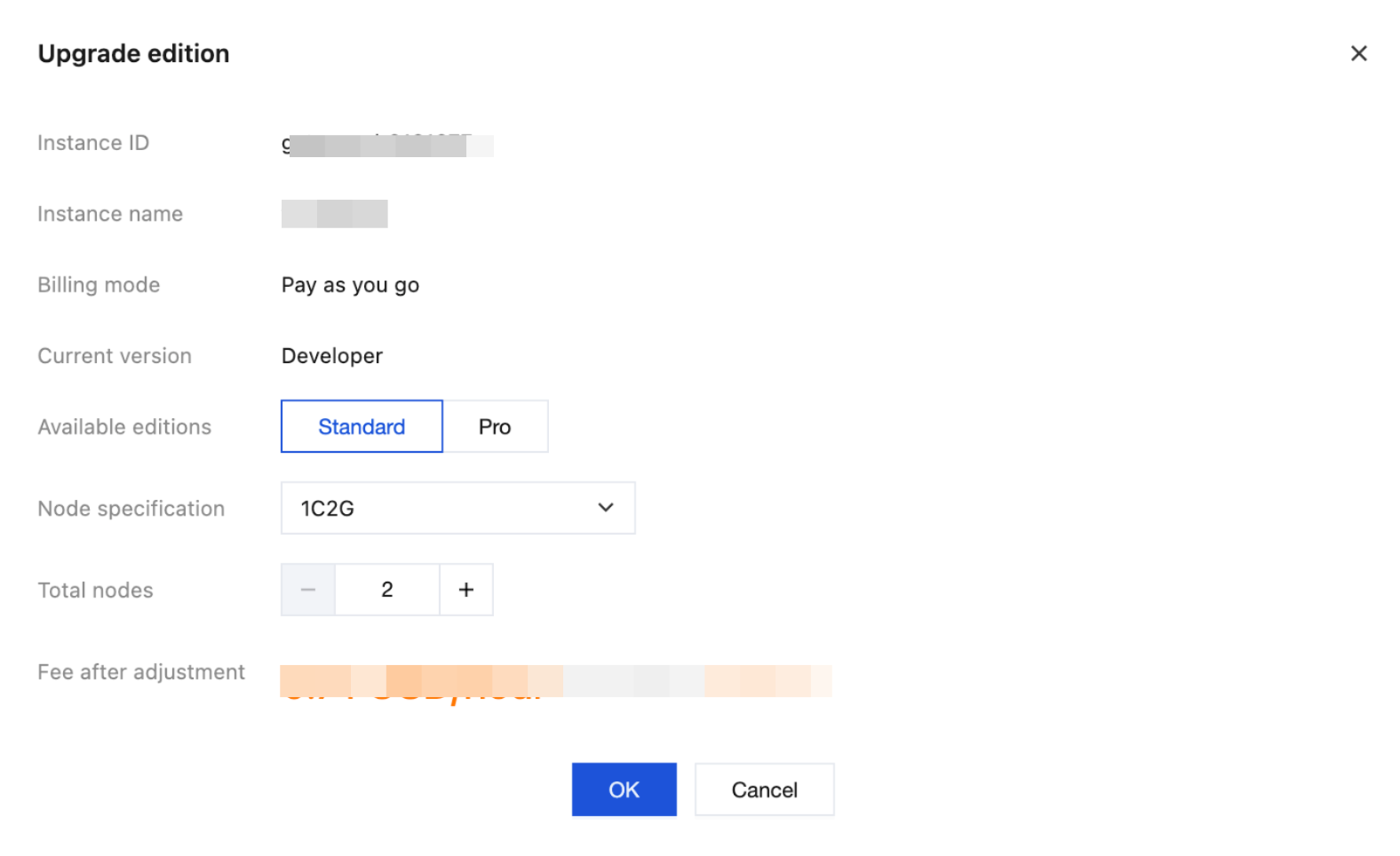
3. On the Instance Information > Basic Information card, locate the product edition, click Upgrade, and then select the target edition, node specification, and node quantity.
4. Click OK. Wait for approximately 3 - 5 minutes for the product edition upgrade to complete. You can view the task status in the status column of the gateway list.
피드백