Log Shipping to CLS
다운로드
포커스 모드
폰트 크기
Scenarios
To persistently store logs for troubleshooting, audit, and other scenarios, you are advised to enable log shipping to Cloud Log Service (CLS) to ship gateway logs to CLS. Before enabling this feature, confirm that CLS has been activated. This service is provided by CLS and will incur fees. For detailed billing items, see Billing Overview.
Prerequisites
The cloud-native gateway instance has been created. For specific operations, see Create Cloud-Native Gateway.
Enabling Log Shipping
1. Log in to the Tencent Service Framework (TSF) console.
2. In the left sidebar, choose Cloud Native Gateway > Data Observation. At the top of the page, select the target gateway instance and click the Log Shipping tab.
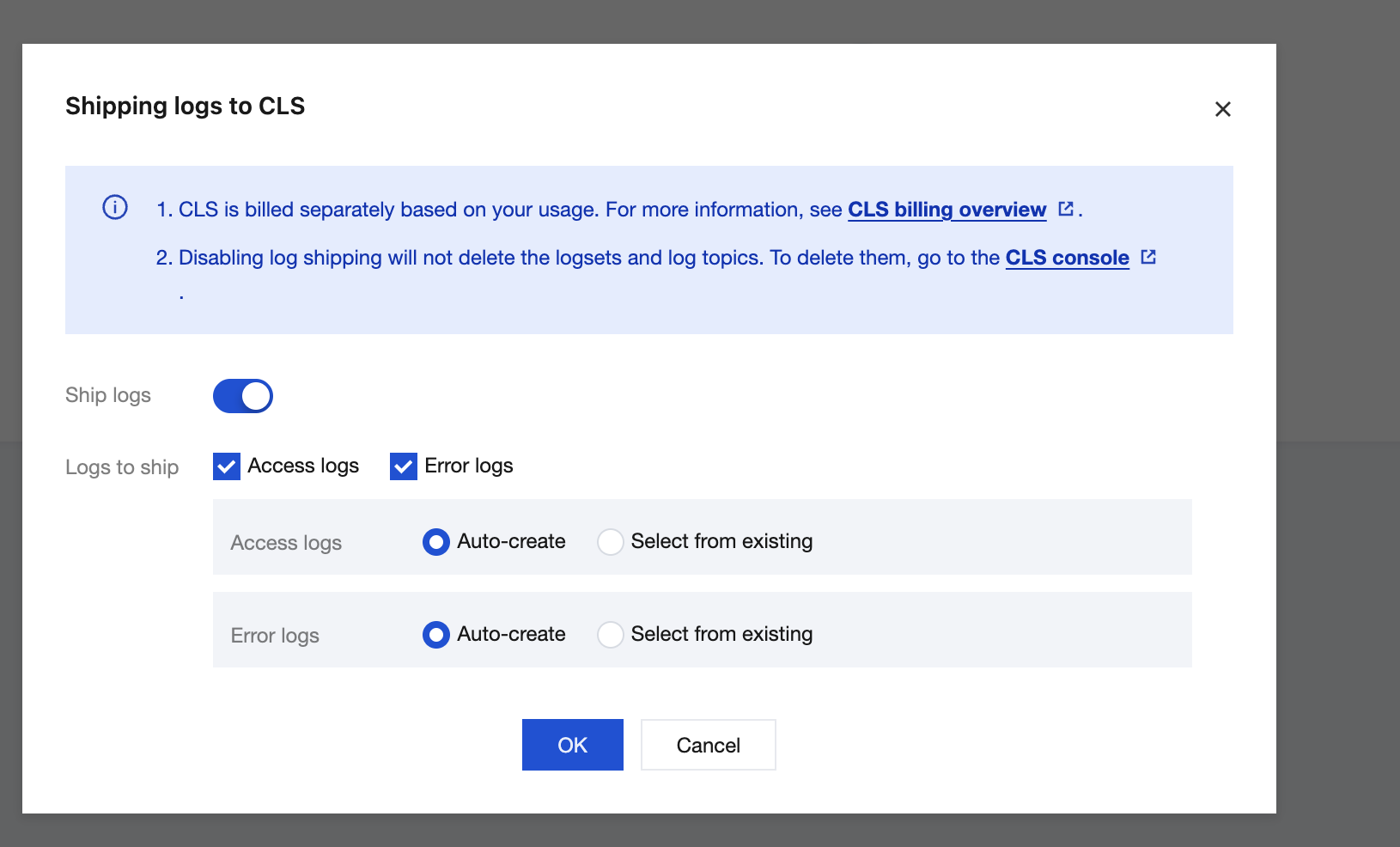
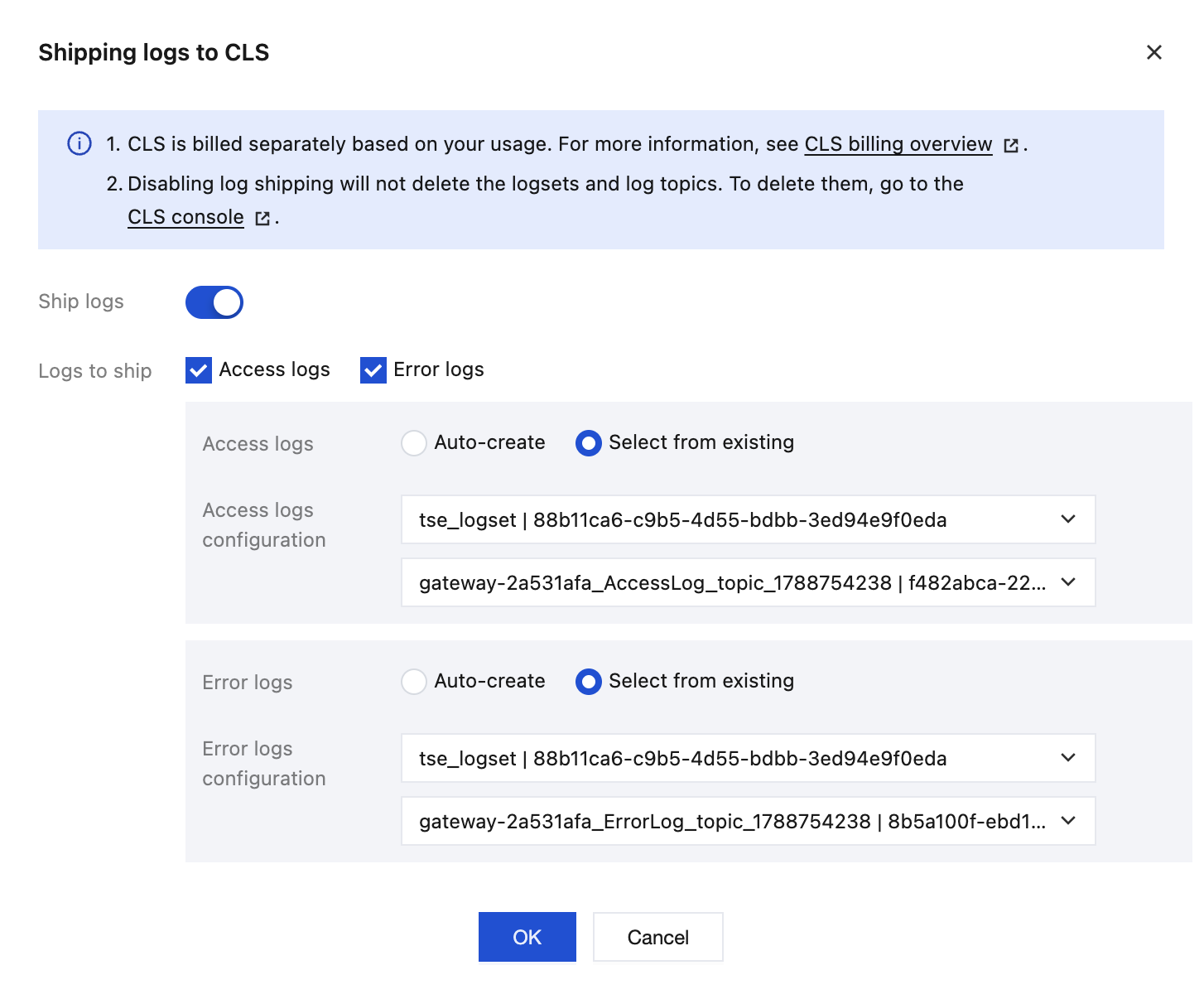
3. On the Log Shipping to CLS page, click Enable. In the displayed dialog box, enable Ship Logs, select the log items to be shipped, select Automatic creation or Select existing for logsets and log topics, and click Confirm to ship logs.
Attention:
Disabling log shipping will not delete logsets or log topics. To delete them, go to the CLS console for operations.
4. After configuration, you can click the associated log topic URL to automatically redirect to the gateway-shipped log database to view logs.
Editing CLS Log Rules
On the Log Shipping page, click Edit in the upper right corner to modify CLS log rules. You can choose to continue to use the default rules or customize log rules based on your business requirements.
Attention:
Logs shipped to CLS use the same log rules as the default logs. After the CLS log rules are modified, the default log rules are also modified. Proceed with caution.
Editing Log Shipping to CLS
On the Log Shipping page, click Edit Log Shipping in the upper right corner and modify the log shipping rules in the displayed dialog box.
피드백