Monitoring Through Prometheus
다운로드
포커스 모드
폰트 크기
Scenarios
This document describes how to use Prometheus to obtain monitoring data for the AI Gateway. Currently, you can directly associate the gateway with Tencent Cloud Prometheus. After you associate a Prometheus instance, the gateway automatically reports monitoring data to the associated Prometheus.
Prerequisites
The AI gateway instance has been purchased. For details, see Operations.
You have a Tencent Cloud Prometheus instance.
Associating Tencent Cloud Prometheus
1. Log in to the Microservices Platform console. In the left sidebar, click AI Gateway > Instance List.
2. On the instance list page, click the ID of the gateway instance you want to configure to go to its basic information page.
3. In the left sidebar, click Data Observation in the Cost Management module.
4. Switch to the Prometheus tab, and click Associate Prometheus Instance.
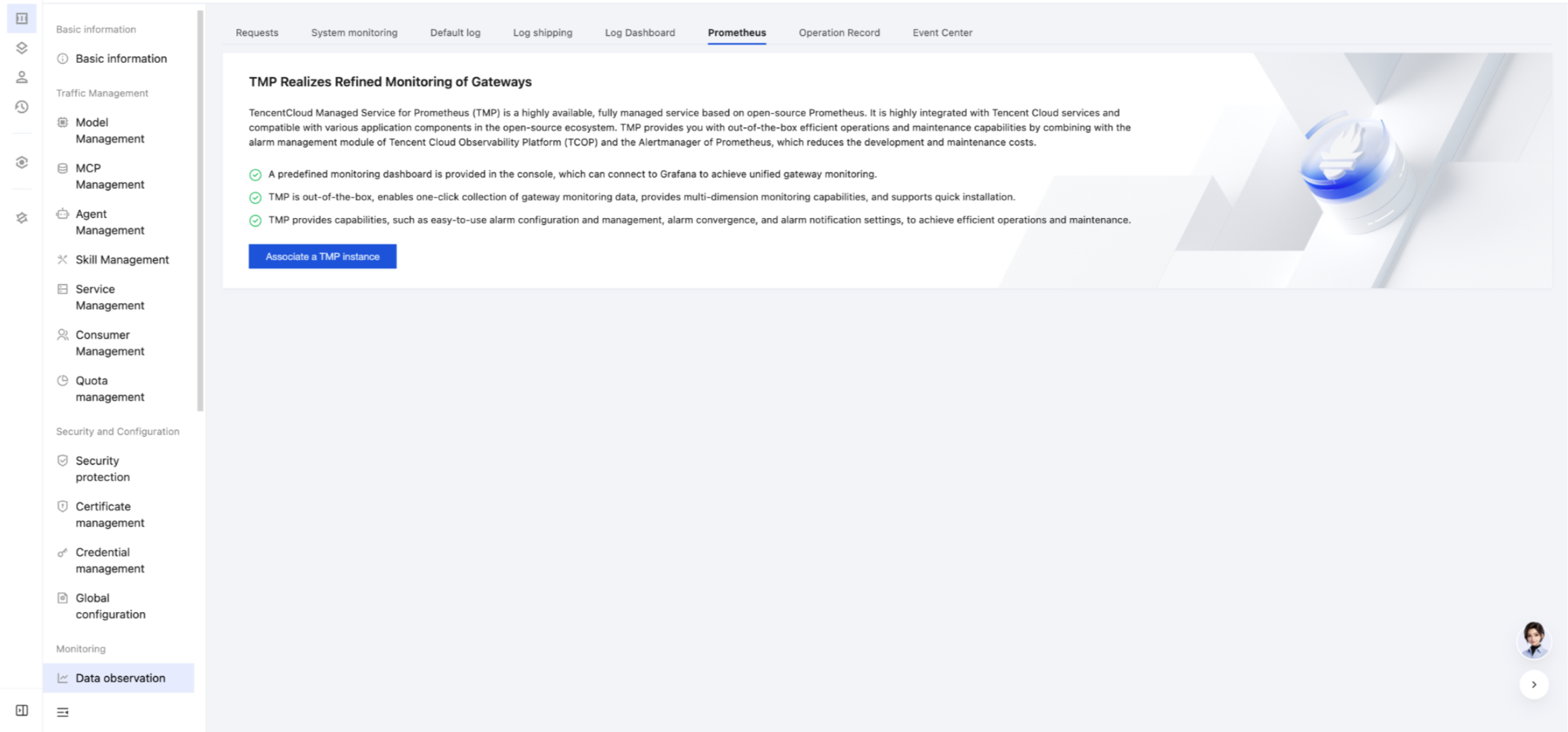
5. Select the Tencent Cloud Prometheus instance you want to associate with. (You can only select Prometheus instances in the same VPC as the gateway instance.)
6. Click OK to complete the association.
Must-Knows
Enabling the Prometheus plugin affects data stream performance of the gateway. You are advised to enable the Prometheus plugin only for specific APIs (routes) that require monitoring.
Purchasing Cloud Monitor Prometheus on Tencent Cloud will charge fees, which you should bear.
피드백