MCP Access Control
다운로드
포커스 모드
폰트 크기
Scenarios
To secure access to your MCP Server, you can enable caller authentication (supporting multiple authentication methods such as API Key, JWT, OAuth 2.0, and OIDC). This requires clients to present valid credentials for access, meeting enterprise-grade security compliance and multi-scenario authentication needs. Furthermore, you can configure server-level and Tool-level allowlists and blocklists (ACL) based on the caller (Consumer). This enables fine-grained access control over "who can call the entire service" and "who can call a specific Tool".
Prerequisites
The cloud-native AI gateway instance has been created.
The MCP Server has been created.
If you use key-based authentication, create the caller (Consumer) and its key credentials in advance. For details, see Create Consumer Key.
To configure Tool access control, the relevant Tool must have been configured for this MCP.
Operation Steps
1. Log in to the Microservices Platform console. In the left sidebar, click AI Gateway > Instance List.
2. On the instance list page, click the ID of the gateway instance you want to configure to go to its basic information page.
3. In the left-side menu, choose MCP Management > MCP Service. Then, click the ID of the target MCP service to go to its details page.
4. Click the Access Control tab at the top.
Configuring the Caller Authentication Method
1. On the Access Control tab, click the Edit button on the right to enable authentication.
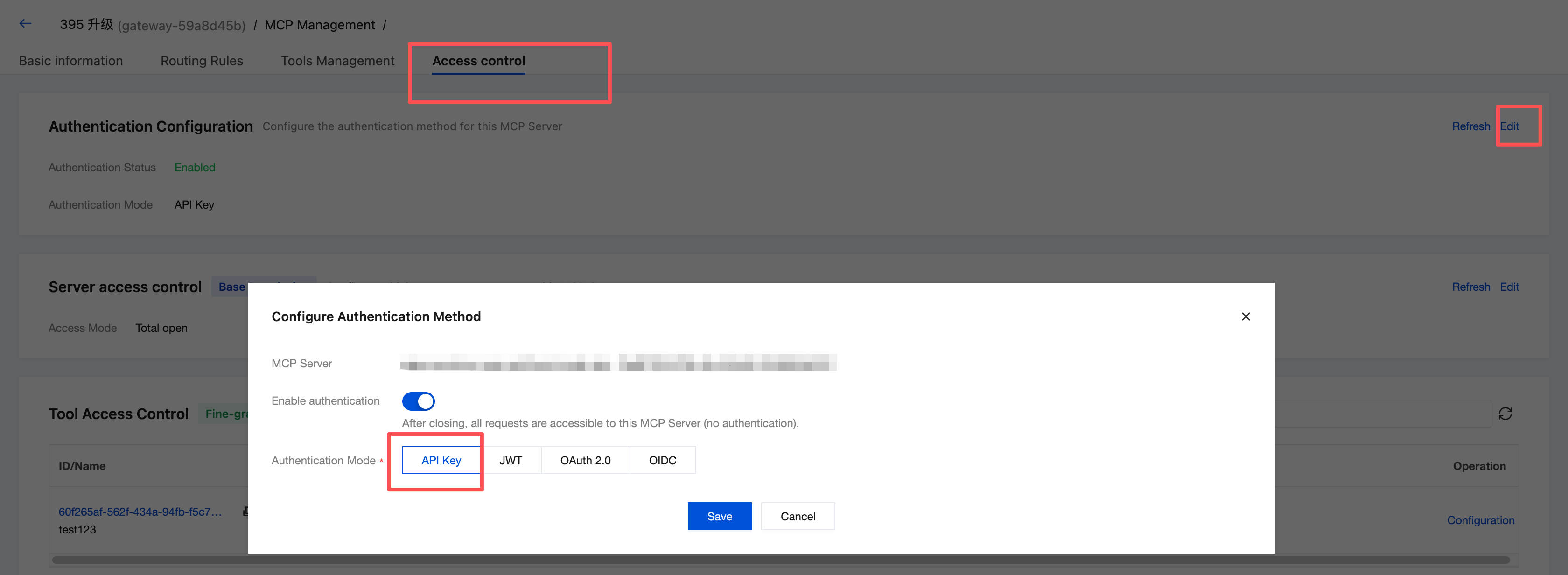
2. Select an authentication method and complete the corresponding configuration.
Value | Description |
API Key | API key authentication requires the caller to carry a valid API key, and the system will automatically generate the API key. |
JWT | JWT-based authentication requires the caller to carry a valid JWT Token. Header Name: Extract the JWT from the specified request header. Separate multiple JWTs with English commas. Cookie Name: Extract the JWT from the specified Cookie. Separate multiple JWTs with English commas. URI Parameter: Extract the JWT from the specified URI parameter. Separate multiple parameters with English commas. Consumer ID: Used to match the consumer's identifier. Standard Claims Validation: exp (expiration time), nbf (not before time). Maximum Validity Period: The maximum validity period allowed for a JWT, measured in seconds. A value of 0 indicates no limit. Base64 Encoding: Disabled (default) The plug-in directly uses the secret field stored in the cngw_jwt_secrets table as the signature key and performs HMAC verification on the JWT with it. Enabled The plug-in treats the secret stored in the database as a Base64-encoded string. It first decodes the secret to obtain the original key and then uses that key for verification. CORS Preflight Validation: Whether to validate CORS preflight requests. |
OAuth 2.0 | Authentication based on OAuth 2.0, integrating with third-party OAuth services. Header Name: Extract the Access Token from the specified request header. Separate multiple tokens with English commas. Token Expiration Time: The Token expiration time, measured in seconds. A value of 0 indicates no limit. Scope Allowlist: The allowed Scope allowlist. Separate multiple scopes with English commas. Mandatory Scope Validation: Whether to mandatorily validate the Scope of the Token carried by the request. |
OIDC | Authentication based on OpenID Connect, integrating with enterprise IdP. Client ID (required): The OIDC client ID. Client Secret (required): The OIDC client secret. Issuer URL (required): The issuer URL of the identity provider, used to discover OIDC configuration, for example, https://example.com/oidc. Audience: The expected Audience. If left empty, it is not validated. Scopes: The requested Scopes. Separate multiple scopes with English commas. Consumer ID: Used to match the consumer's identifier. Realm: The realm identifier returned in the WWW-Authenticate response header upon authentication failure. Timeout: The timeout duration for requests to the identity provider, measured in seconds. Token Endpoint Authentication Method: The authentication method used when a client makes a request to the Token Endpoint. Introspection Endpoint: The address of the token introspection endpoint. Introspection Endpoint Authentication Method: The authentication method used when a request is made to the Introspection Endpoint. |
3. Click Save to apply the configuration.
Note:
A single MCP Server supports only one authentication method. After switching the authentication method, you must configure credentials of the corresponding type for the caller (Consumer).
Configuring Server-Level Allowlists and Blocklists
1. After enabling authentication and saving the configuration, you can further click Edit to set up Server Access Control (acl_type) and configure which Consumers can access this MCP Server.
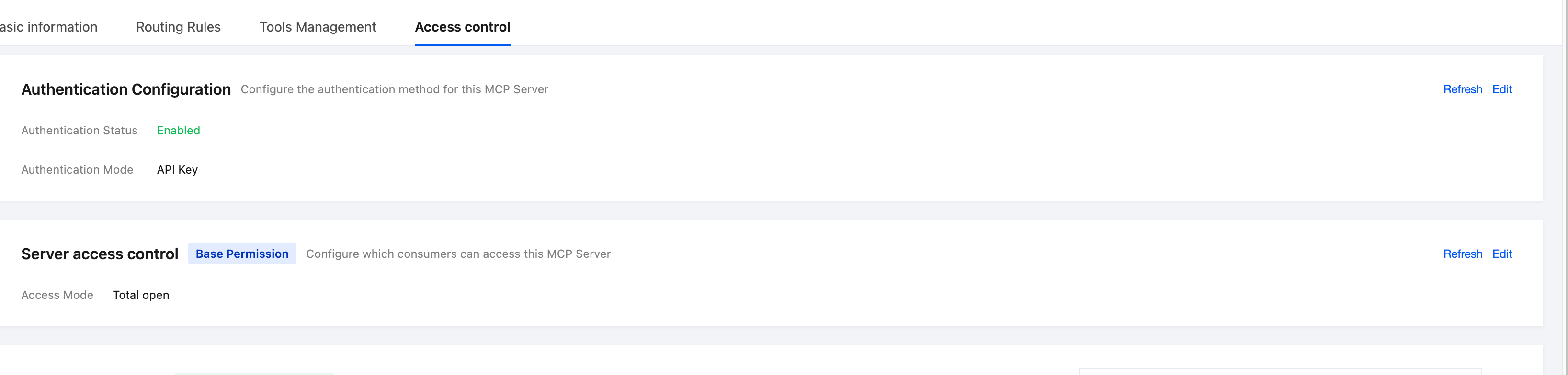
2. In the Edit Server Access Control dialog box, select the appropriate access mode based on your actual requirements:
Access Mode | Value | Description |
Fully open | None | No restrictions; all callers can access. |
Allowlist | Allow | Allowlist. Only callers on the list can access. |
Blocklist | Deny | Blocklist. Callers on the list are denied access. |
3. Based on the selected type, add the corresponding caller (Consumer) list. Configuration is supported at either the consumer group or individual consumer level.
Configuring Tool-Level Allowlists and Blocklists
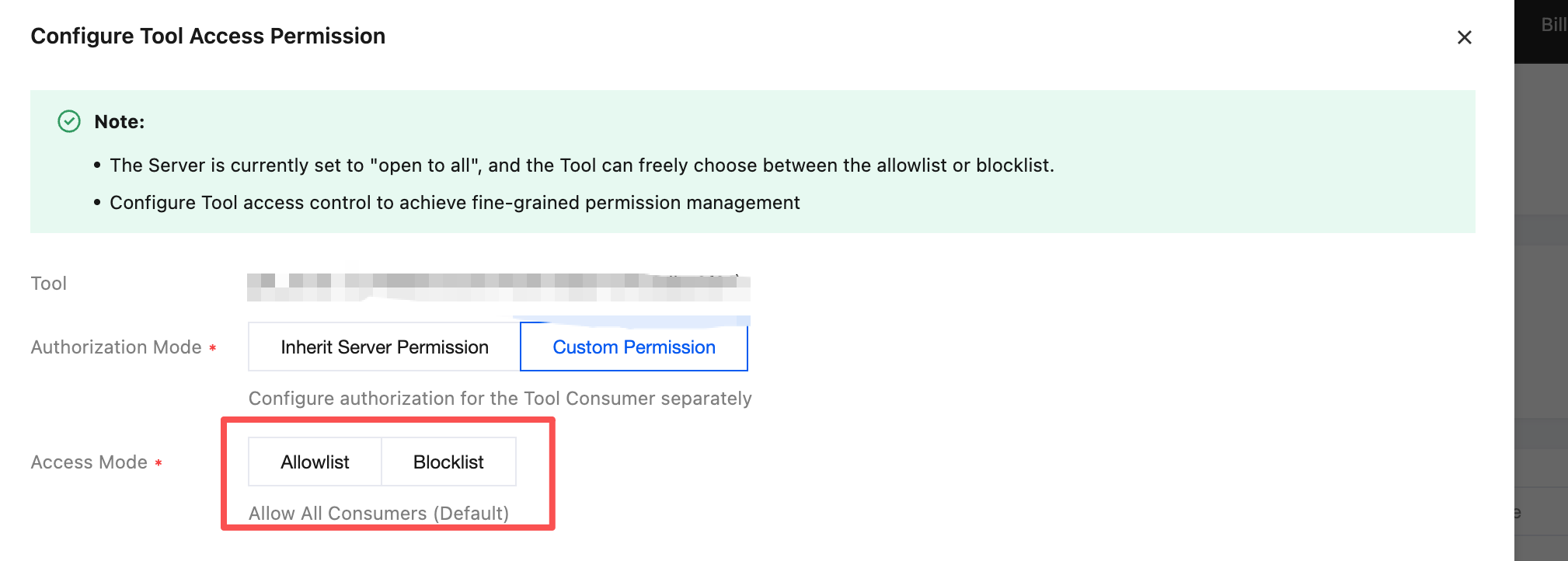
1. Select the target tool from the tool list and configure Tool Access Permissions for it individually.
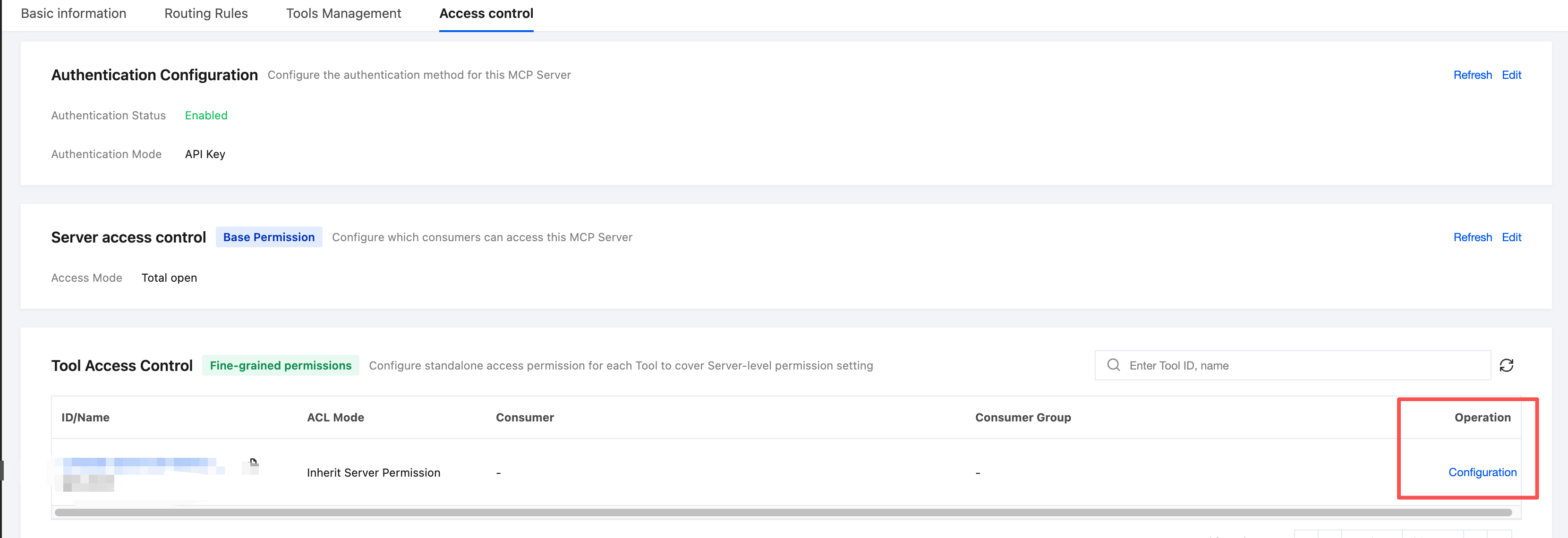
2. In the Configure Tool Access Control dialog box, select the appropriate permission mode and access mode based on your actual requirements:
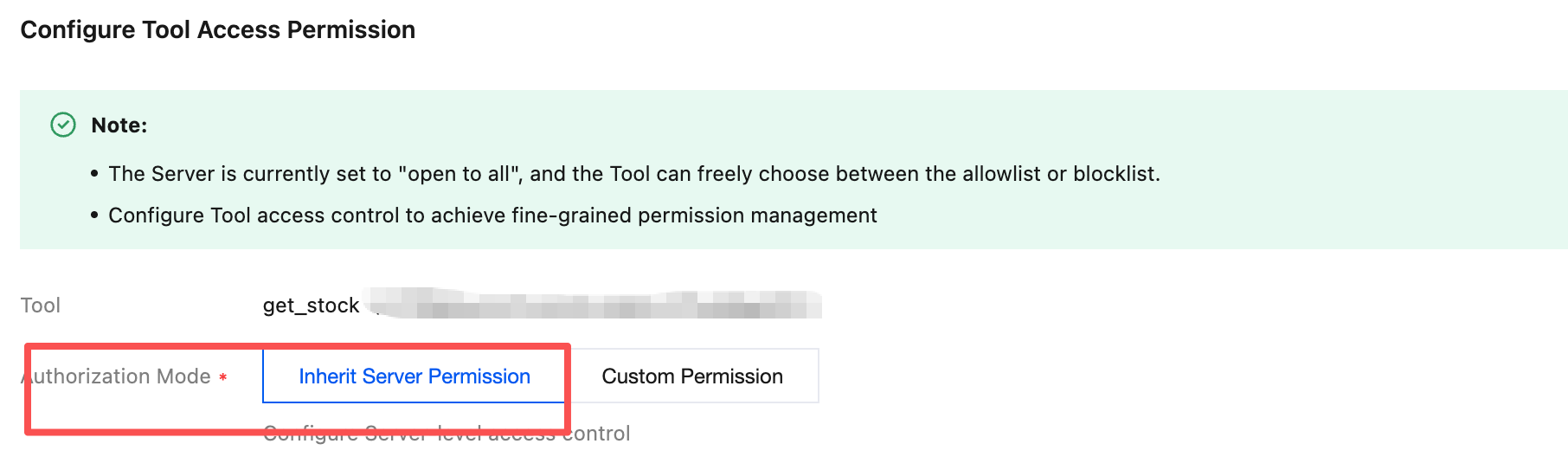
Note:
The Custom Permissions mode for Tool access control is available only when the Server access mode is set to "Open to All".
In Custom Permissions mode, you can configure authorized Consumers for this Tool individually and further select an access mode (allowlist/blocklist).
3. Click Save to apply the configuration.
Related Instructions
Authentication and allowlist/blocklist are structured in two layers: Server and Tool. Tool-level rules further restrict permissions based on the Server-level rules.
Configuration changes take effect immediately. Please ensure that the caller credentials have been correctly issued to avoid mistakenly blocking normal business traffic.
피드백