Bind a plugin
下载
聚焦模式
字号
This article introduces how to bind a layer to SCF via Serverless Console.
Directions
1. Log in to Serverless Console, select Function Service in the left sidebar, and enter the "Function Service" list page.
2. Can bind a plugin directly in advanced configuration when creating a function, or edit an existing function and perform binding on the Plugin Management tab.
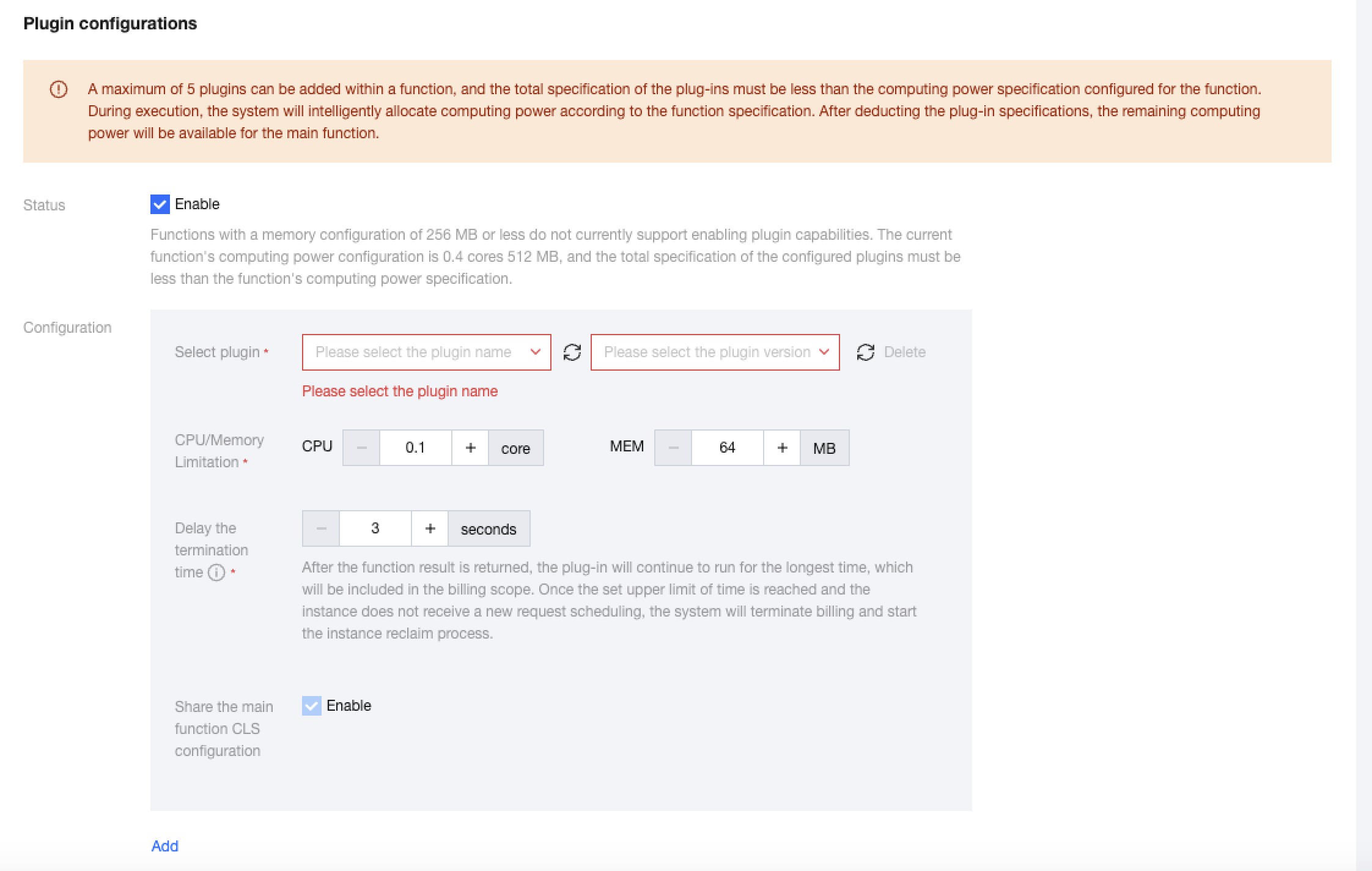
3. When creating a new function, as shown below:
Select the corresponding plug-in to bind, and set the CPU and memory specifications, delay termination time, and whether to share CLS configuration assigned to the plug-in.
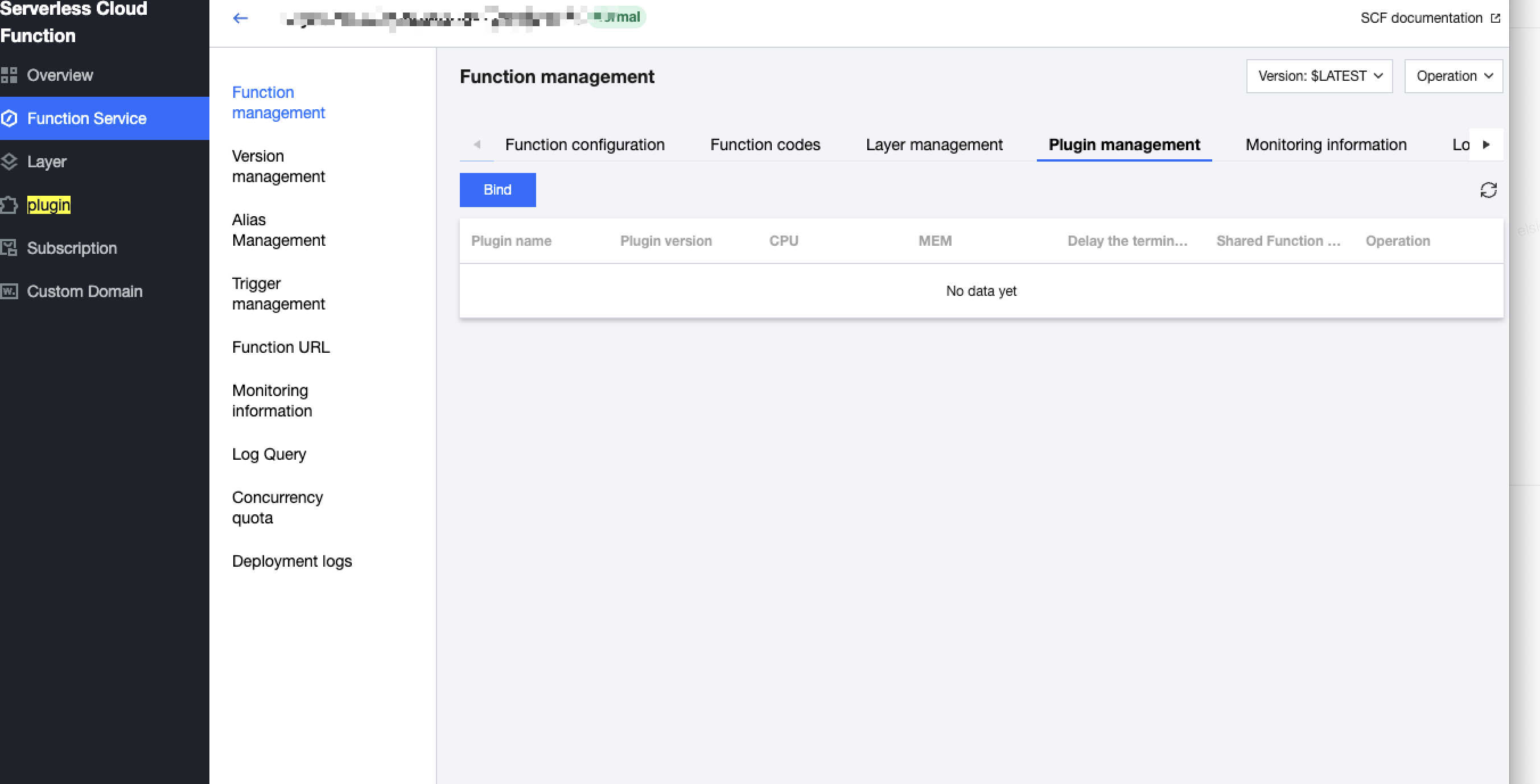
4. Complete the function configuration item filling, then click OK to finish creating the function. At this point, you can view the plugin details bound to this function version in Function Management - Plugin Management.
文档反馈