Creating CLB
下载
聚焦模式
字号
This article describes how to create a CLB in Tencent Cloud CDC.
Prerequisites
You have created a Tencent Cloud CDC. For specific operations, see create a dedicated cluster.
The CLB service has been purchased for the local cluster. For purchase methods, see create and pay for orders.
Directions
1. Log in to Tencent Cloud CDC console.
2. In the left sidebar, click Dedicated Cluster to go to the Tencent Cloud CDC management page.
3. Click any cluster to go to the cluster basic information page.
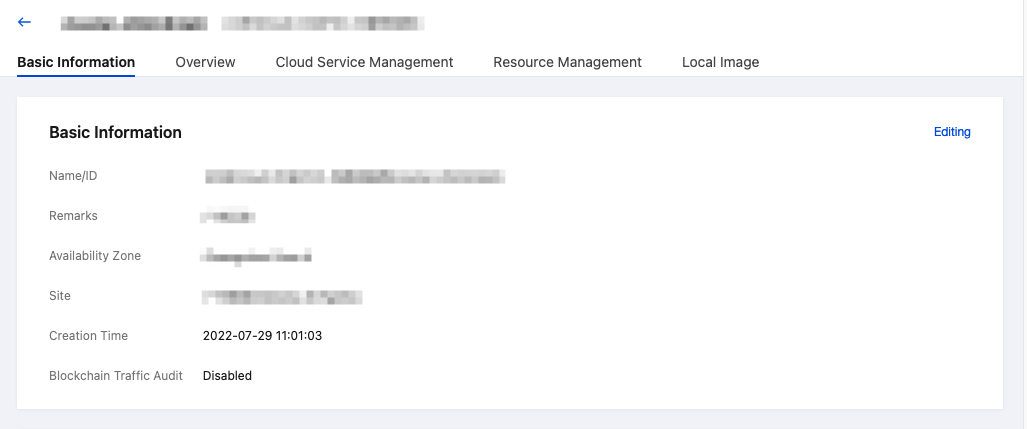
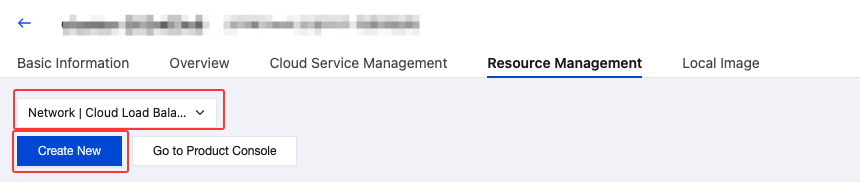
4. Click Resource Management, select the CLB Tag, and click New to configure CLB.
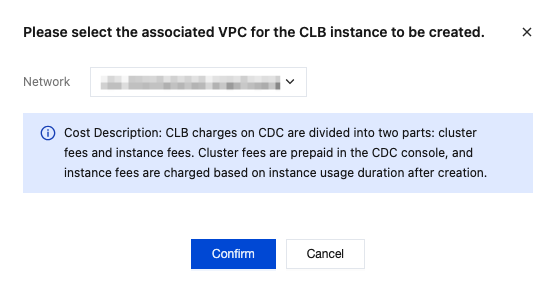
5. On the configuration page, select associated network according to your business requirements, and click OK.
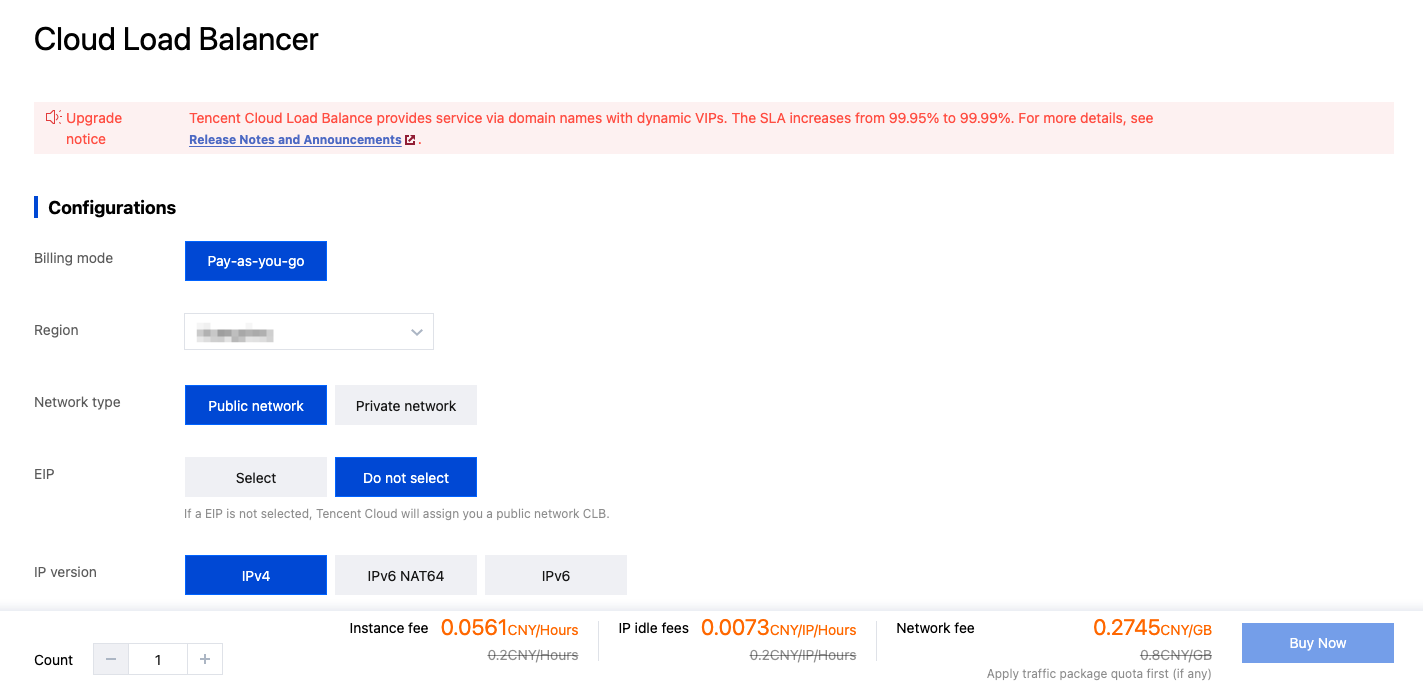
6. Select your configuration, click Buy Now to complete the CLB creation.
文档反馈