SQL Window
Download
Focus Mode
Font Size
Overview
The SQL window provides users with an SQL editor, supporting common SQL templates and the ability to save custom SQL. It also supports displaying and exporting SQL results.
Execute SQL commands and view results
Optimize SQL formats
View SQL command execution plans
Save common SQL
Template SQL
Export SQL results
Note:
The operations described in this document use MySQL databases as examples.
Directions
1. Log in to the DMC Console, switch to the top navigation tab, and click SQL Window.
2. After selecting the database, enter the SQL statement and click Execute.
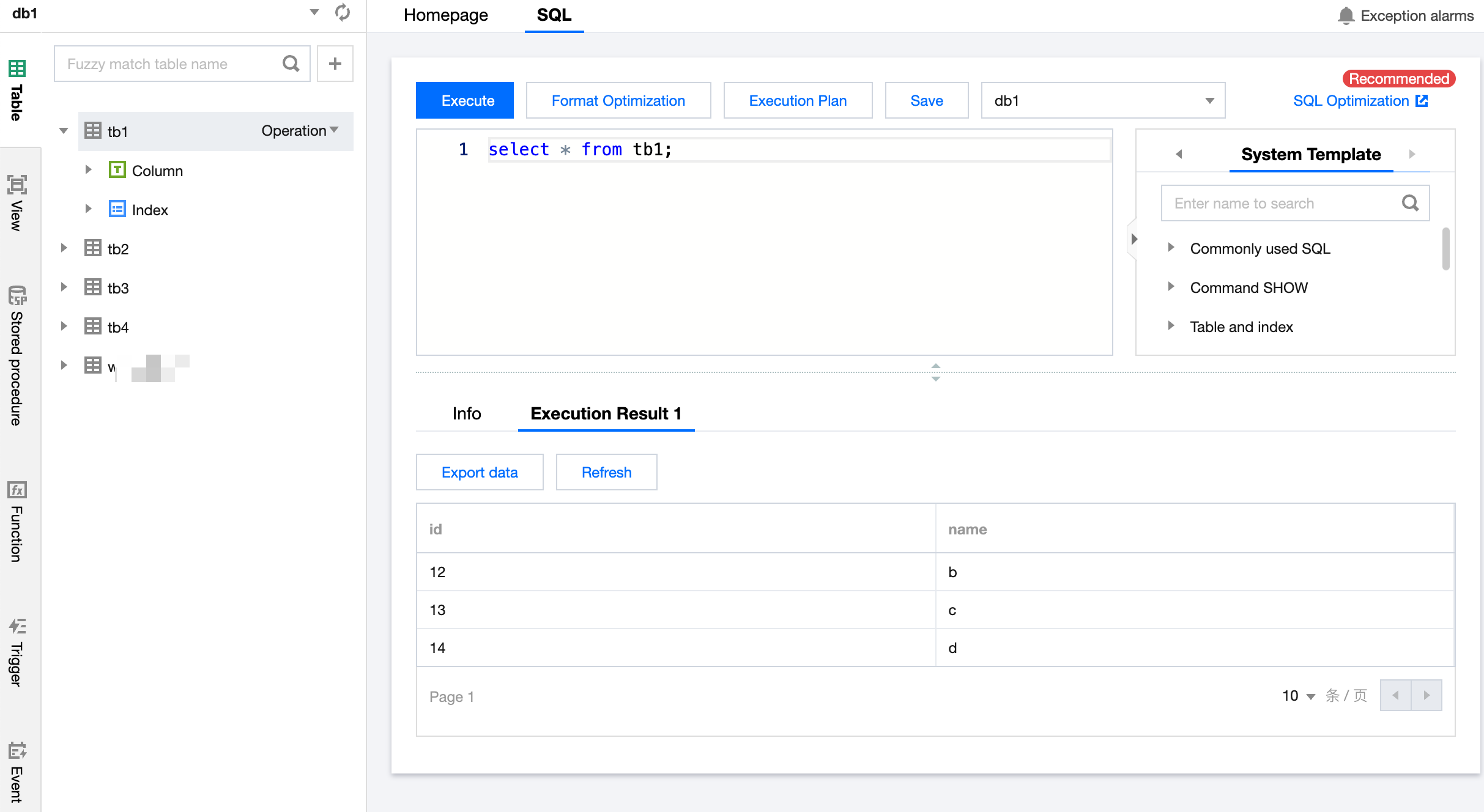
3. Click Save to save the current SQL statement as a template.
Note:
In the Quick Templates section, go to the My Template tab to view saved templates.
Help and Support
Was this page helpful?
You can also Contact sales or Submit a Ticket for help.
Help us improve! Rate your documentation experience in 5 mins.
Feedback