Data Management
Download
Focus Mode
Font Size
Overview
This scenario introduces how to perform data import or export using DMC.
Data Import
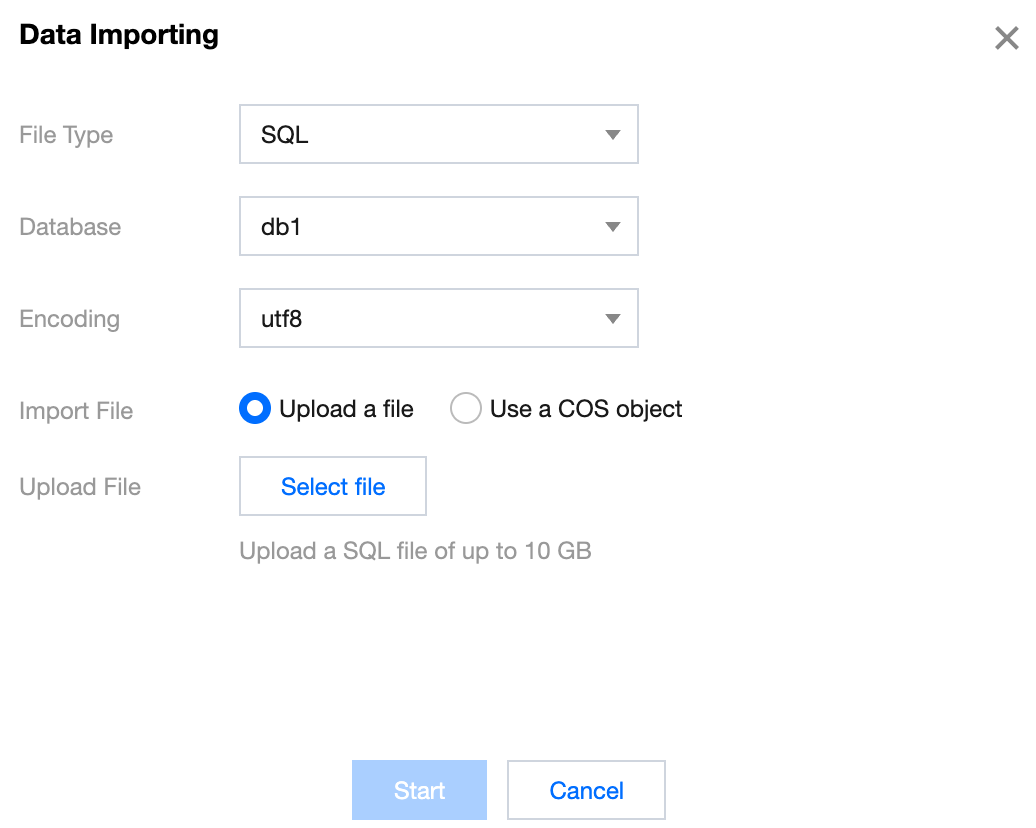
Log in to the DMC Console, switch to the top feature tab, select Import/Export and Data Importing, configure the import parameters, and click Start.
File type: Supports SQL and CSV.
Database: Select the name of the database to import data into.
Encoding: Supports utf8, utf8mb4, gbk, gb2312, and latin1.
Data Export
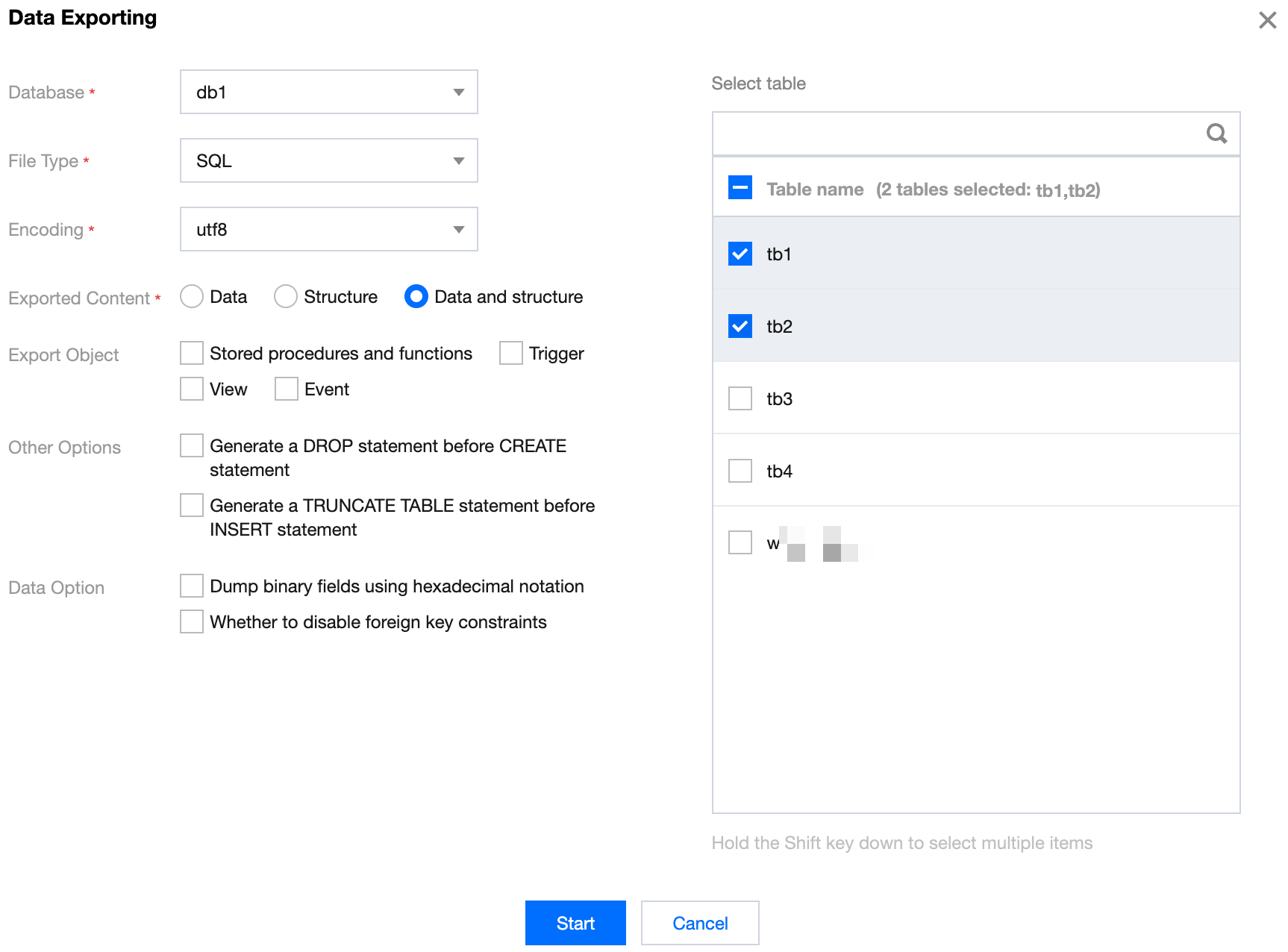
Log in to the DMC Console, switch to the top feature tab, select Import/Export and Data Exporting. Configure the export parameters, check the databases and tables to be exported on the right, and click Start.
Help and Support
Was this page helpful?
You can also Contact sales or Submit a Ticket for help.
Help us improve! Rate your documentation experience in 5 mins.
Feedback