Batch User Authorization (Administrator)
Download
Focus Mode
Font Size
This document introduces how to authorize one or more users simultaneously with operation permissions for a specified database, including query, modification, data import/export permissions, and the validity period.
Prerequisites
The authorized users need to be added to System Management > User Management first. For detailed instructions, see Adding Users.
The operating user should hold the DMC administrator role.
Directions
1. Log in to the DMC console.
2. In the top menu bar, click Instance List.
3. In the Operation column corresponding to the target database instance, select More > Batch Authorize.
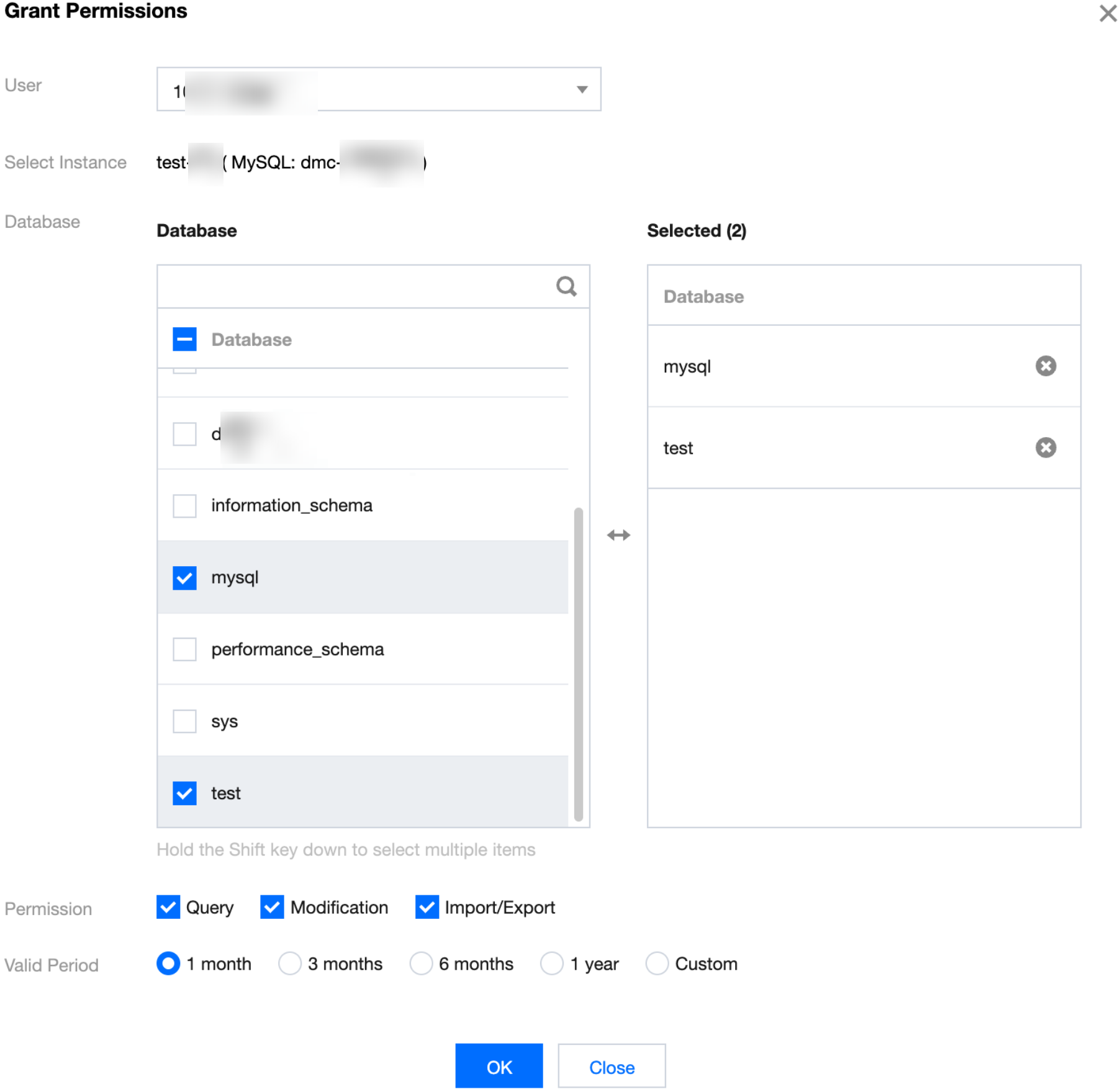
4. In the pop-up dialog box, select one or more users to be authorized, the database to be authorized, the permissions, and the validity period, then click OK.
Related Operations
If you need to view database instance authorization details or reclaim permissions, see Viewing and Reclaiming Instance Permissions.
Help and Support
Was this page helpful?
You can also Contact sales or Submit a Ticket for help.
Help us improve! Rate your documentation experience in 5 mins.
Feedback