Views Management
Download
Focus Mode
Font Size
This document introduces the operations for creating and dropping views.
Prerequisites
Creating a View
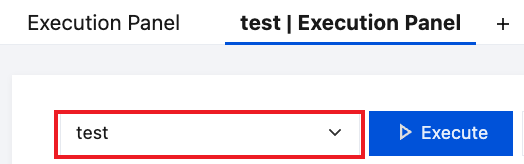
1. In the execution panel, select the database to be executed.
2. Enter the SQL statement for creating a view and click Execute.
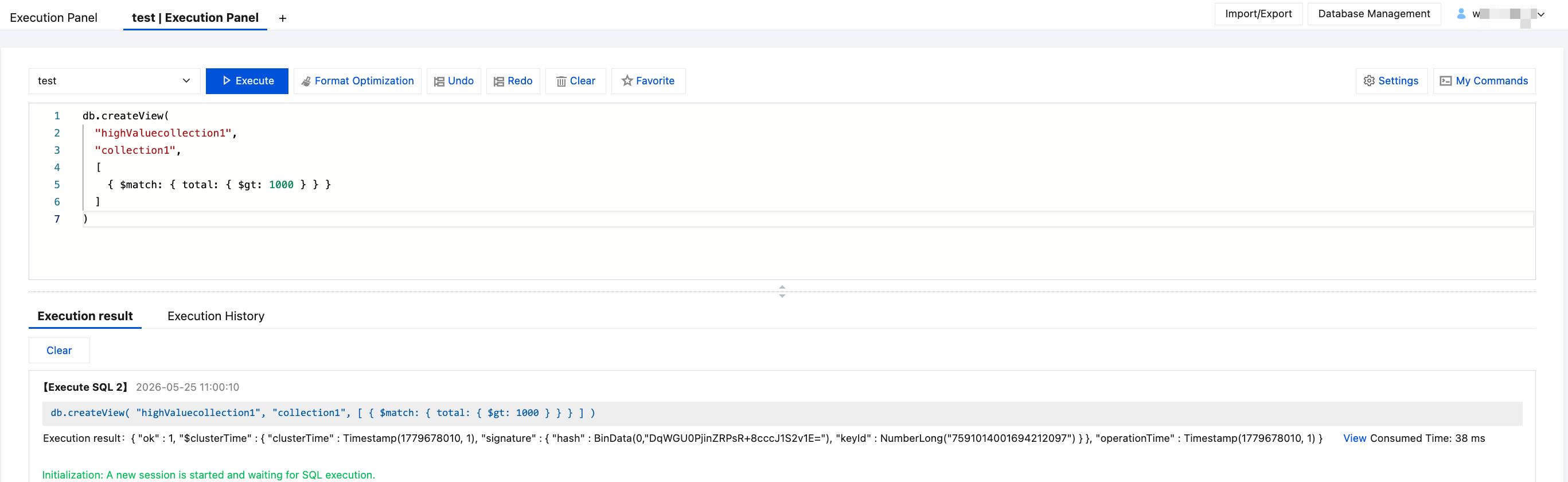
The created view will be displayed under the corresponding database in the left database and table panel.
Drop View
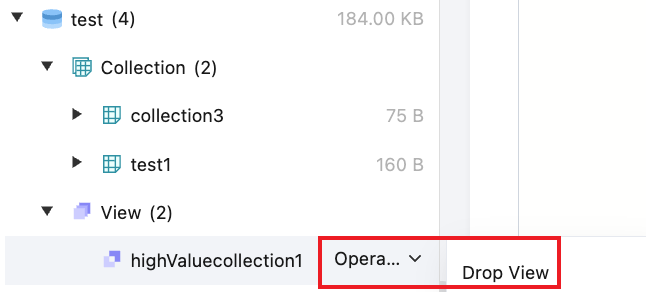
1. In the left database and table panel, hover over the view name and select Operation > Drop View.
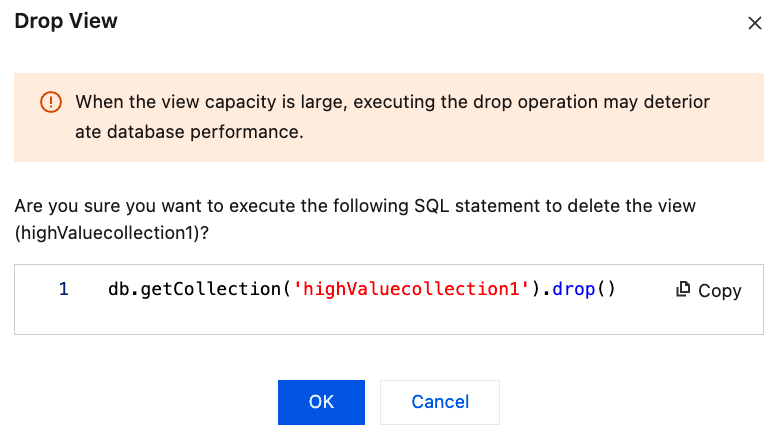
2. In the pop-up dialog box, click OK.
Help and Support
Was this page helpful?
You can also Contact sales or Submit a Ticket for help.
Help us improve! Rate your documentation experience in 5 mins.
Feedback