This document describes how to create a version in a configuration group for configuration management.
Note:
1. This feature only supports sites linked to Standard and Enterprise Edition packages.
2. A version cannot be deleted after it is created. Add versions with caution.
Scenarios
Assume that you need to create a new version in a Layer 7 acceleration configuration group for configuration changes.
User Guide
1. Log in to the Tencent Cloud EdgeOne console, enter Service Overview in the left menu bar, and click the site to be configured under Website Security Acceleration.
2. On the site details page, click Version Management in the left navigation.
3. In the operation column of the configuration group list, click Enter.
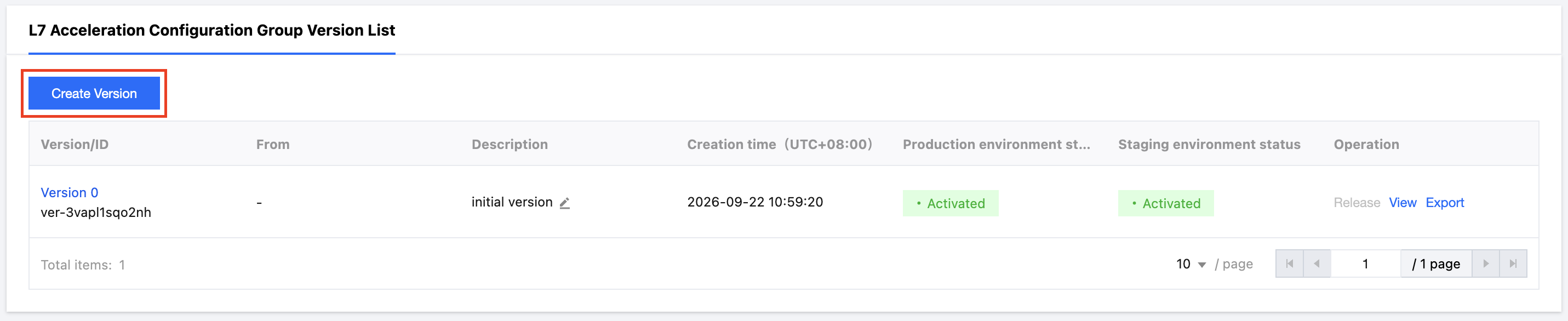
4. On the version list page, click Create Version.
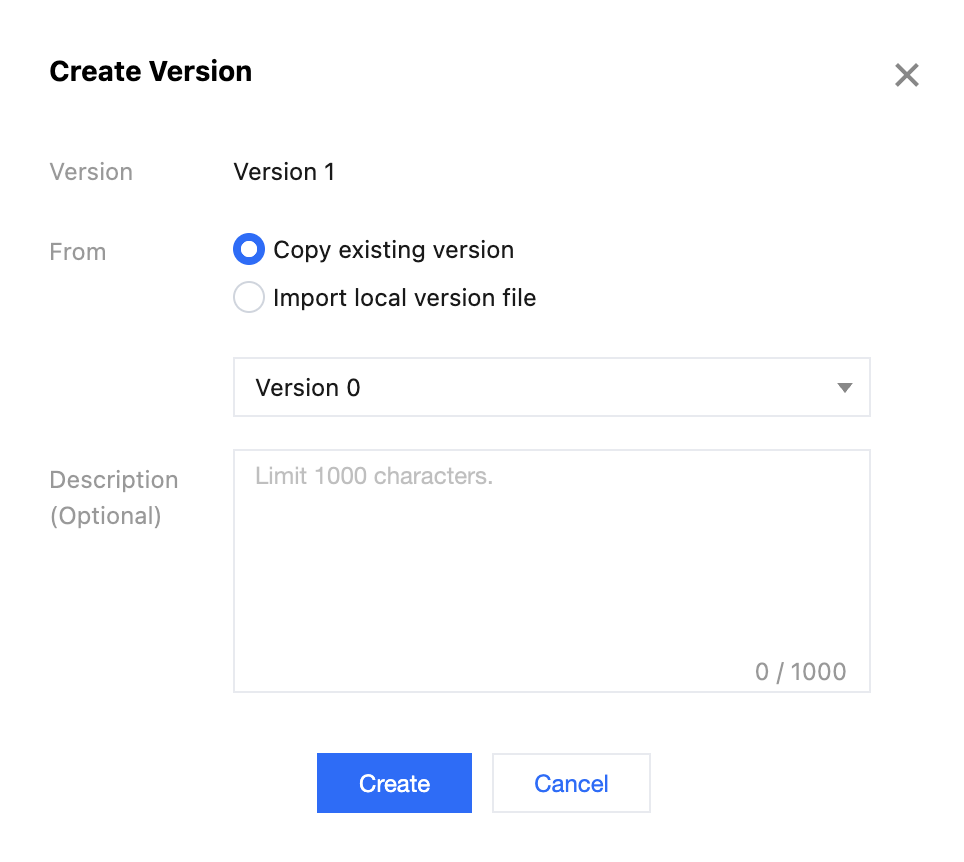
5. In the Create Version dialog:
The version number is automatically incremented based on the current version and does not need to be entered.
There are two version sources: copying the configuration of an existing version and importing a local version file.
Copy existing version configuration: allows you to modify and generate a new version based on the existing version, making it easier to change the current site configuration.
Import local version file: allows you to import a version file directly from local storage to generate a new version, making it easier to reuse the same configuration across sites.
The description is optional and can be used to enter a version description, with a maximum limit of 1,000 characters.
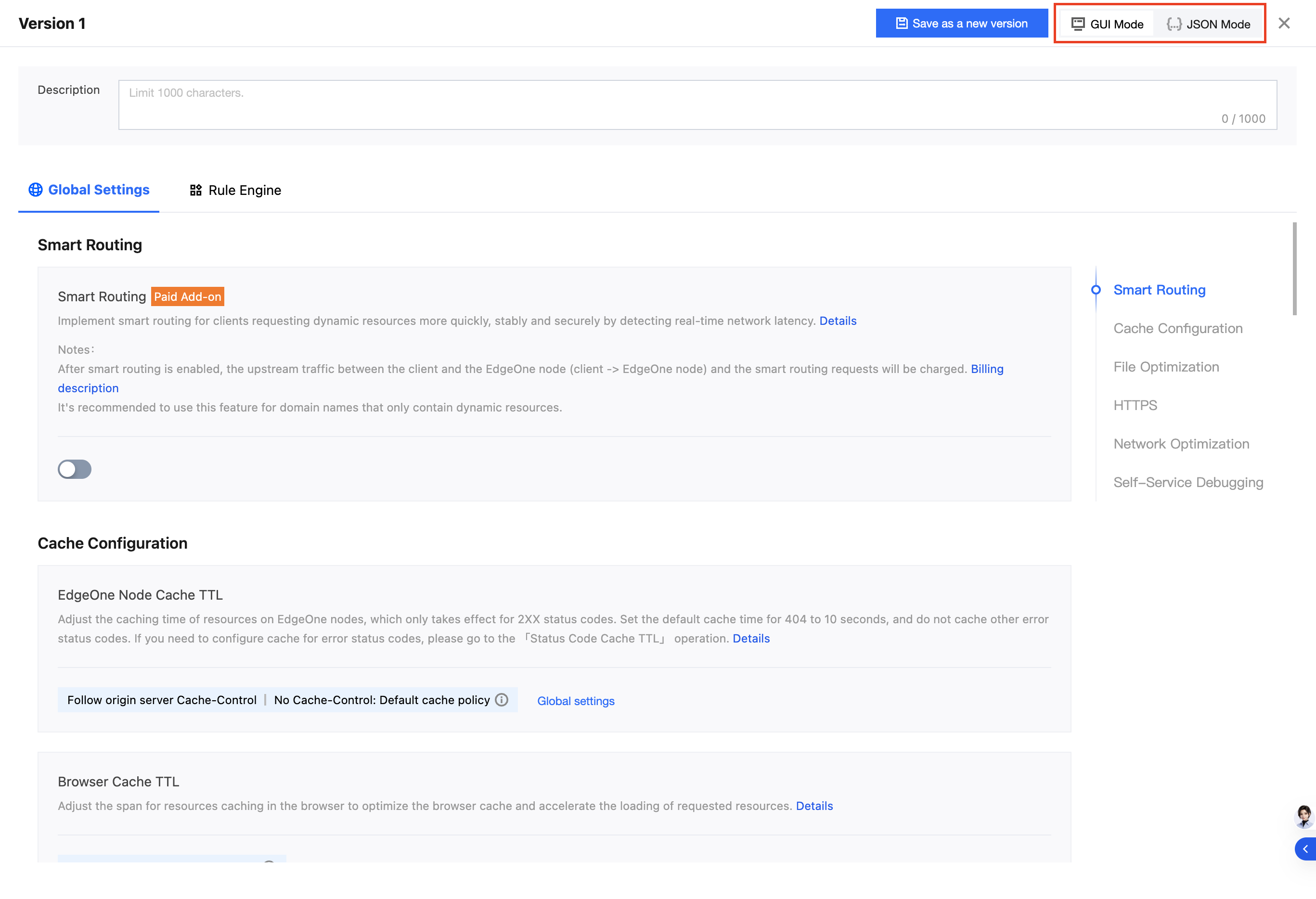
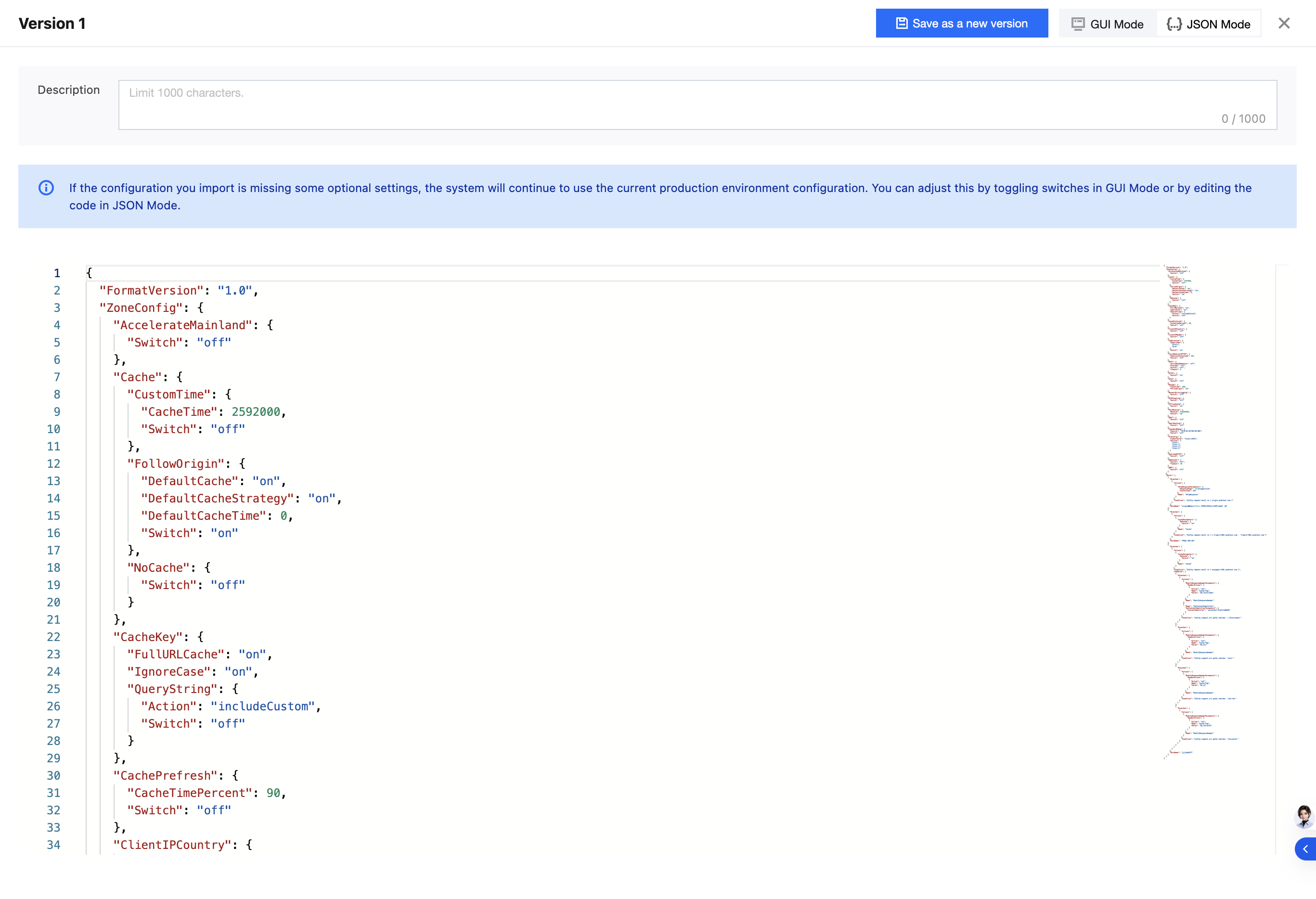
6. The version editing page provides GUI Mode for graphical interface operations and JSON Mode for writing configuration files directly through code. We recommend that you perform operations in GUI Mode. If you need to modify configurations through code in JSON Mode, please contact us. After editing, click Save as New Version in the upper-right corner.