An enabled authentication source cannot be edited. You must disable it first.
Operation Steps
1. Log in to the IDSEC console, choose Authentication Management > General Authentication Source in the left sidebar, and go to the General Authentication Sources page.
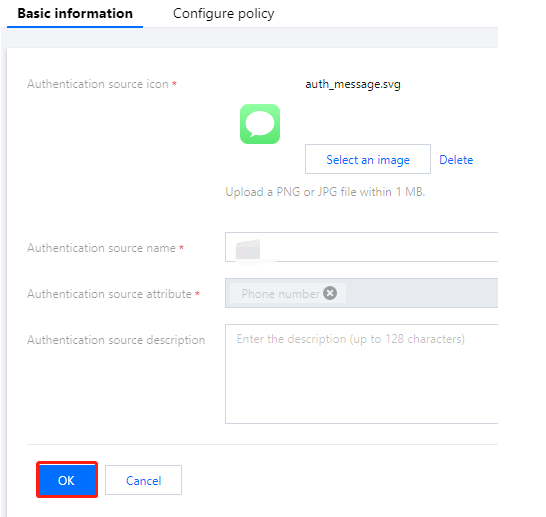
2. On the General Authentication Source page, select SMS OTP Authentication, click Edit, and go to the Edit SMS OTP Authentication Basic Information page.
3. On the Basic Information page, modify the basic information as needed, click OK, and the information will be updated.
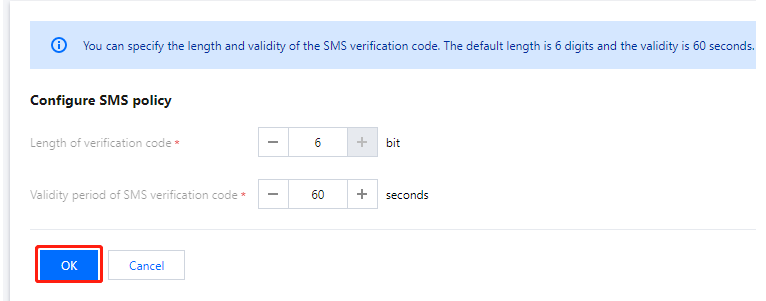
4. Click Configure SMS policy to go to the Edit SMS OTP Authentication SMS Policy page.
5. On the Configure SMS policy page, modify the authentication source policy, click OK, and the authentication source SMS policy will be updated.
Note:
Length of verification code : It is configured as the length of the verification code generated when a user sends an SMS, ranging from 1 to 6 digits.
Validity period of verification code : Users configure the validity period for this code, which ranges from 1 to 300 seconds.