Distributed Session Cache
Download
Focus Mode
Font Size
Scenarios
When your MCP gateway uses multiple data plane nodes (multiple replicas) to provide services, the session established by an MCP client via the SSE or Streamable HTTP protocol is, by default, stored only in the memory of a single node. If a subsequent request is routed by the CLB to a different node, the session information is lost, resulting in connection interruption or session invalidation.
By enabling distributed session caching for the MCP service, the gateway stores session states uniformly in an external Redis. This allows any node to recognize and process requests from the same session, thereby ensuring the stability of SSE/Streamable HTTP long connections in a multi-node environment.
Prerequisites
The cloud-native AI gateway instance has been created.
The MCP Server has been created, and its transport protocol is SSE or Streamable HTTP.
Prepare a Redis instance that is accessible to the gateway (it is recommended to deploy it in the same VPC as the gateway), and obtain its connection address, port, username, and password.
Operation Steps
1. Log in to the Cloud Native Gateway console and go to the target gateway instance.
2. In the left-side menu, choose MCP Management > MCP Service to go to the MCP Service List page.
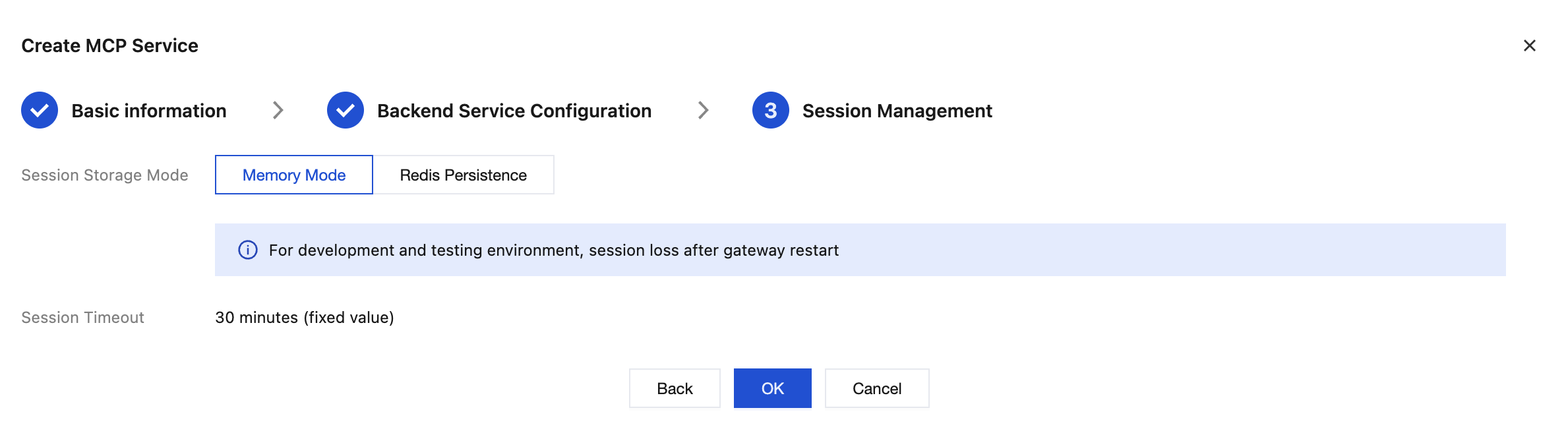
3. Click the New button. After completing the "Basic Information" and "Backend Service Configuration", go to the "Session Management" configuration page.
4. Session Storage Mode: In-Memory Mode / Redis Persistence
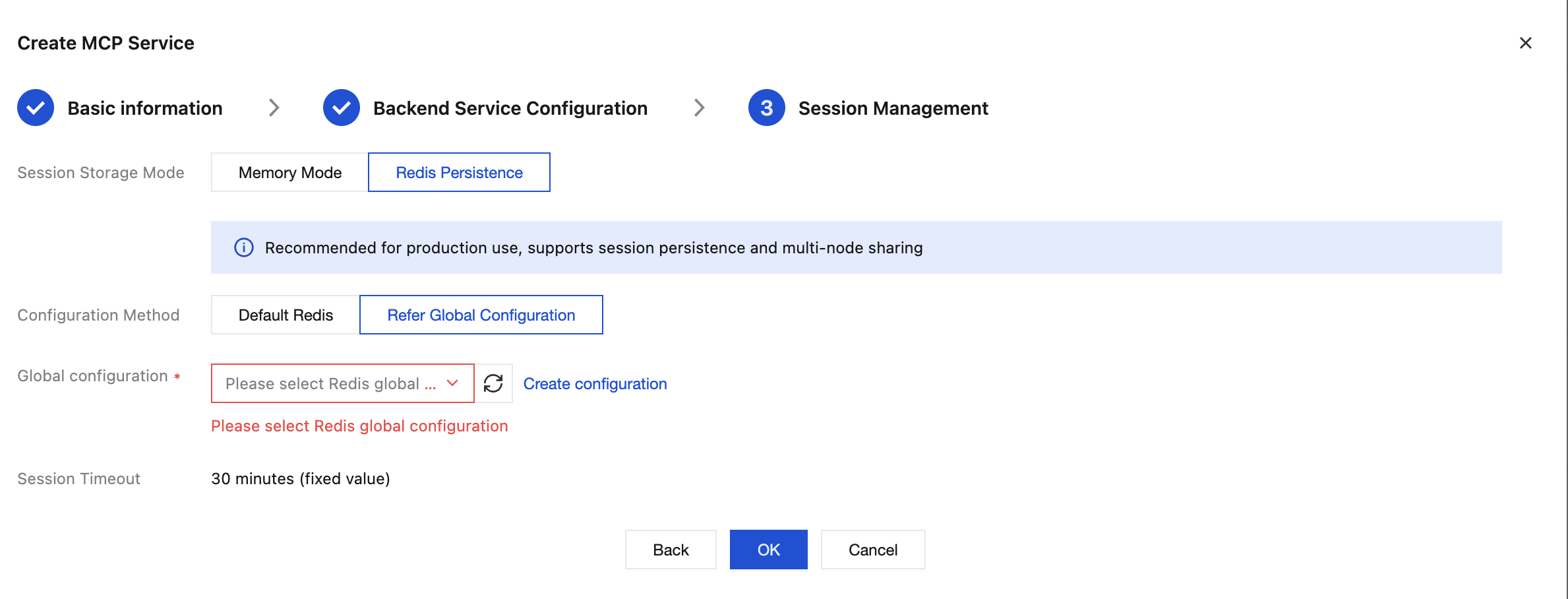
Parameter | Required | Valid Values / Default Value | Description |
Address (Host) | Yes | Valid IP address or domain name | Redis instance connection address |
Port | Yes | 1 to 65535, default 6379 | Redis service port |
Username | No | String, can be left blank | Redis 6.0+ ACL username |
Password | No | String | Redis access password |
5. Click Save. The configuration takes effect immediately.
Related Instructions
Session Validity Period (TTL): A session is retained in Redis by default for 30 minutes (1800 seconds) and automatically expires after the timeout. This value is currently fixed.
Applicable Protocol Version: The SSE protocol uses the
2024-11-05 version, with the two endpoints being GET /sse (for establishing a connection) and POST /message (for message transmission).After Redis storage is switched to, existing sessions are not automatically migrated. It is recommended to perform this operation during off-peak business hours.
If Redis is unreachable, new sessions cannot be established. Ensure that network connectivity and authentication information are correct.
Help and Support
Was this page helpful?
You can also Contact sales or Submit a Ticket for help.
Help us improve! Rate your documentation experience in 5 mins.
Feedback