Deployment
Download
Focus Mode
Font Size
Connect Tencent Cloud capabilities and deliver them to the target environment with one click.
CodeBuddy provides multiple deployment entry points to help you deliver projects from development preview and team debugging to production environments. You can choose an appropriate deployment method based on the form of your project deliverables, such as static sites, server-side applications, or Serverless applications. All entry points support completing the connection, configuration, and publishing processes within CodeBuddy, reducing repetitive configuration costs.
Quick Select
Deployment Mode | Applicable Scenarios | Core Features |
EdgeOne Pages | Static Websites/Frontend Applications | Global CDN acceleration, automatic build |
CloudBase | Integrated Frontend + Cloud Development | Integrate backend capabilities, environment isolation |
Cloud Studio | Temporary Preview/Quick Demo | Instant preview, no domain required |
Tencent Lighthouse | Full-Stack Applications/Custom Services | Full server control |
Deployment Entry Point
EdgeOne Pages
Applicable to: purely static websites and frontend applications
Purpose: Publish build artifacts as an accessible website, such as a documentation site, official website, or frontend SPA.
Typical scenarios: personal blogs, corporate websites, SPAs, and marketing landing pages
Features: Global CDN edge node acceleration, automated CI/CD, free HTTPS, and automatic certificate management
CloudBase
Applicable to: integrated frontend and cloud development projects
Purpose: Deploy applications and APIs in a managed, function-based manner, with seamless integration with CloudBase databases and SCF.
Typical scenarios: applications that require user authentication and databases, integrated frontend and backend development, and lightweight backends and function APIs.
Features: environment isolation (development, testing, and production), built-in CDN acceleration, and secure domain configuration
Cloud Studio
Applicable to: development-stage preview and joint debugging
Purpose: Run projects in a cloud development environment and quickly obtain an accessible preview URL.
Typical scenarios: prototype validation, quick demos for customers, internal test previews, and temporary sharing links
Features: instant deployment with no domain configuration required. Temporary links are not suitable for production environments.
Tencent Lighthouse
Applicable to: service deployment that requires a complete runtime environment
Purpose: Deliver applications to a lightweight CVM environment, suitable for scenarios that require system-level dependencies or long-running services.
Typical scenarios: backend services, full-stack applications, Next.js SSR (server-side rendering), and custom server configurations
Features: full CVM control, support for any backend language, and the ability to run services such as databases and Nginx.
Selection Guide
Select the deployment entry based on the deliverable type:
If your project consists of pure frontend static assets (HTML/CSS/JS), we recommend using EdgeOne Pages.
If your project has already integrated CloudBase database/authentication, or if you need full-stack integrated capabilities, we recommend using CloudBase.
If you need to quickly share it with others and do not require long-term access, use Cloud Studio for temporary previews.
If you need full server control or need to run non-static backend services, choose Tencent Lighthouse.
Or ask CodeBuddy for smart suggestions.
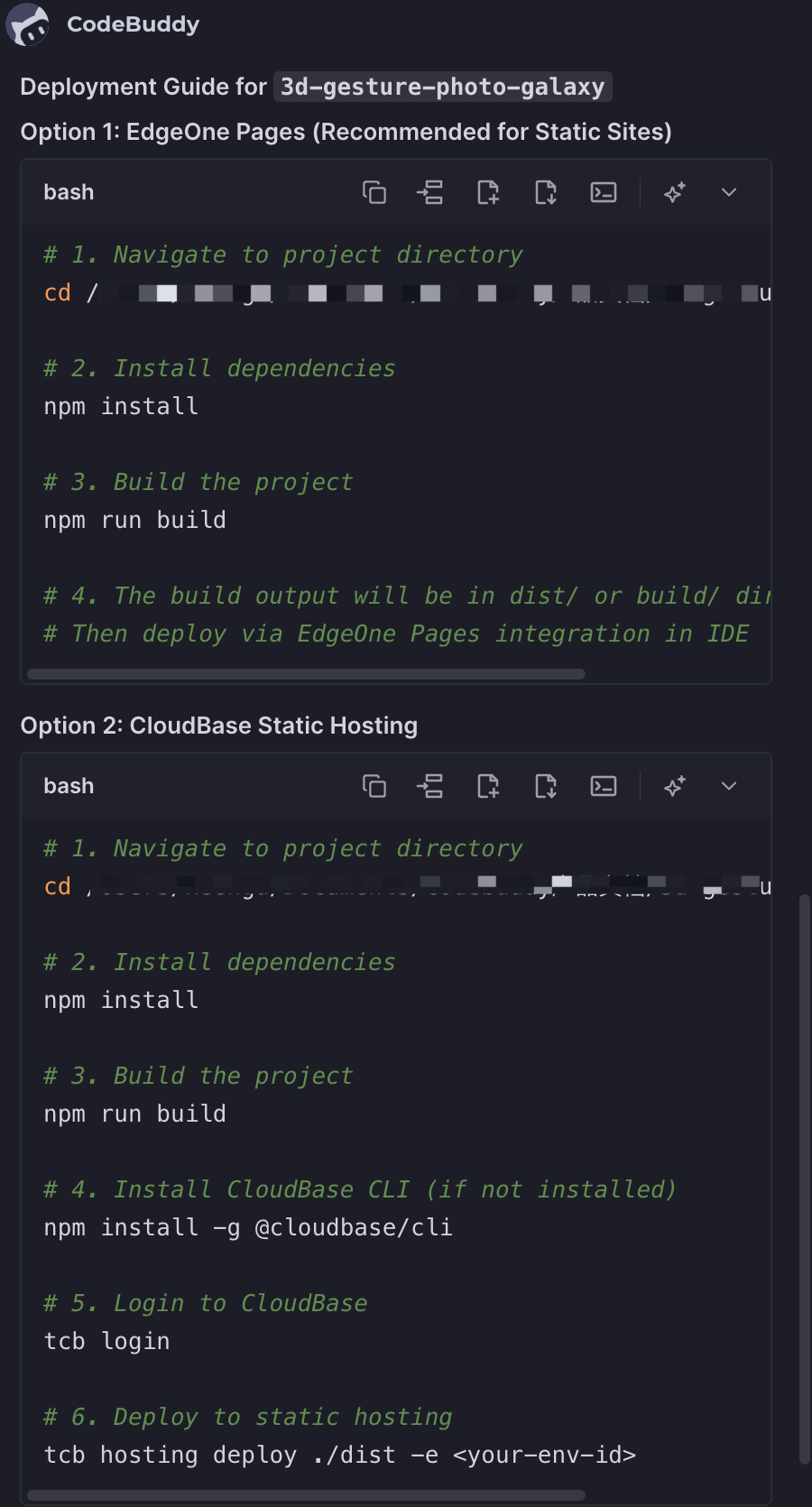
You can also choose an appropriate deployment method based on your team's practices and the actual project conditions.
Cloud Studio
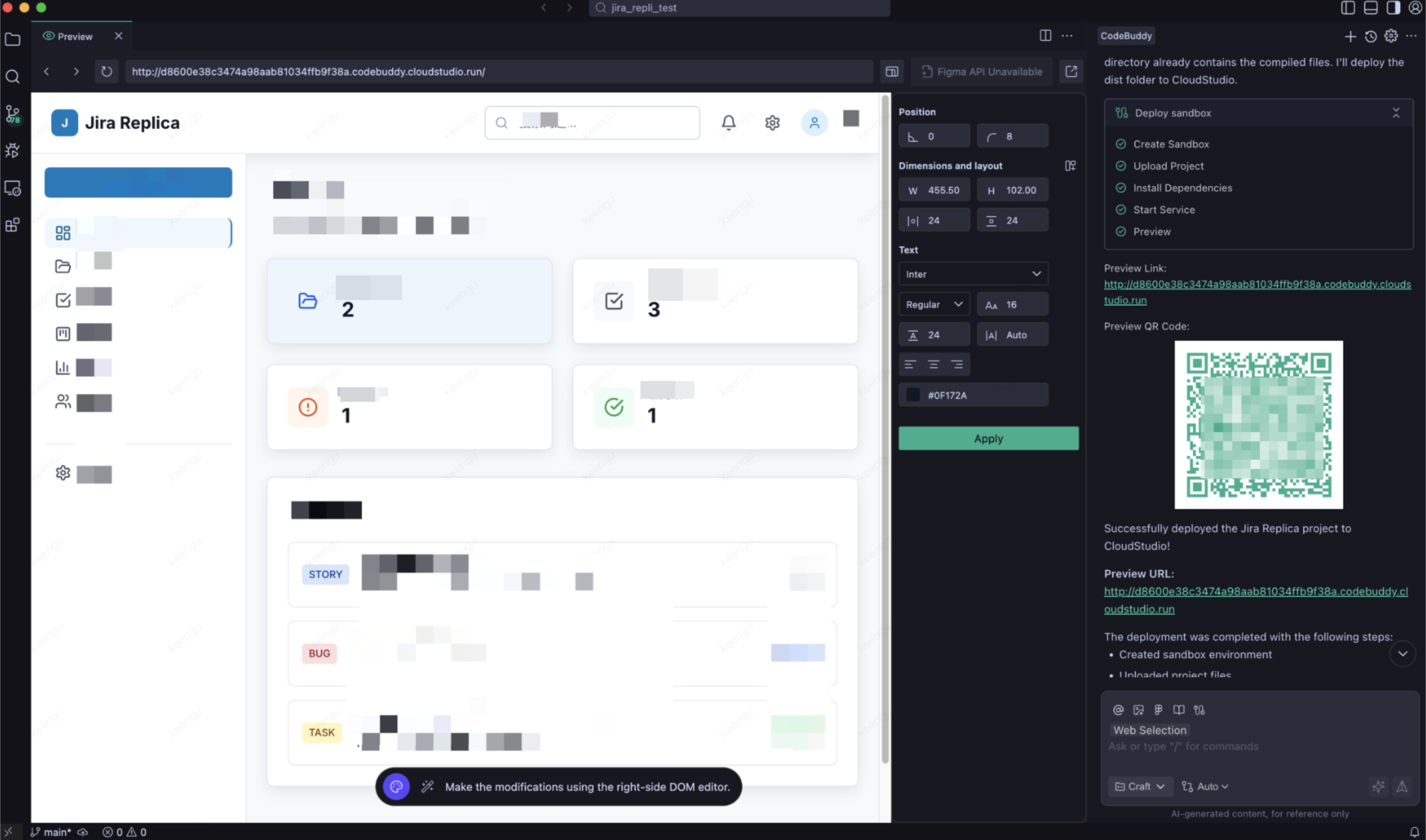
Cloud Studio provides one-click deployment capabilities, allowing you to quickly publish applications to a cloud sandbox environment and generate a shareable access link for immediate team testing and feedback.
Deployment Process
1. Click Cloud Studio to trigger Deploy.
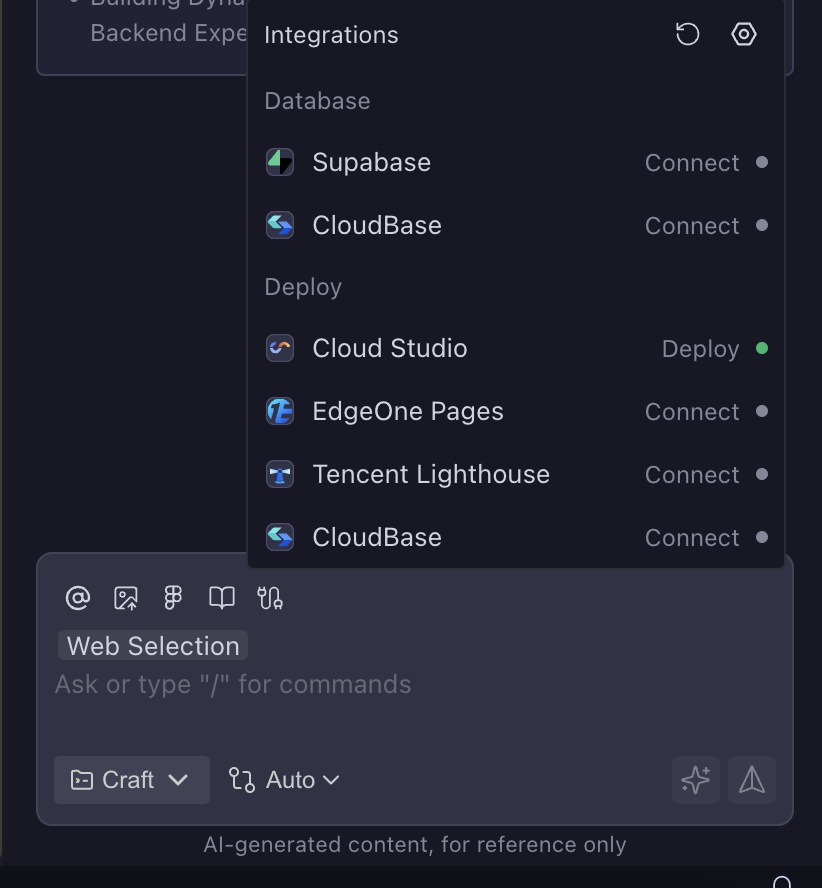
2. The Agent first scans the entire codebase, analyzes the project type, and then chooses to deploy using the Cloud Studio sandbox environment.
Deployment Result
After successful deployment, a temporary publicly accessible address is generated.
EdgeOne Pages
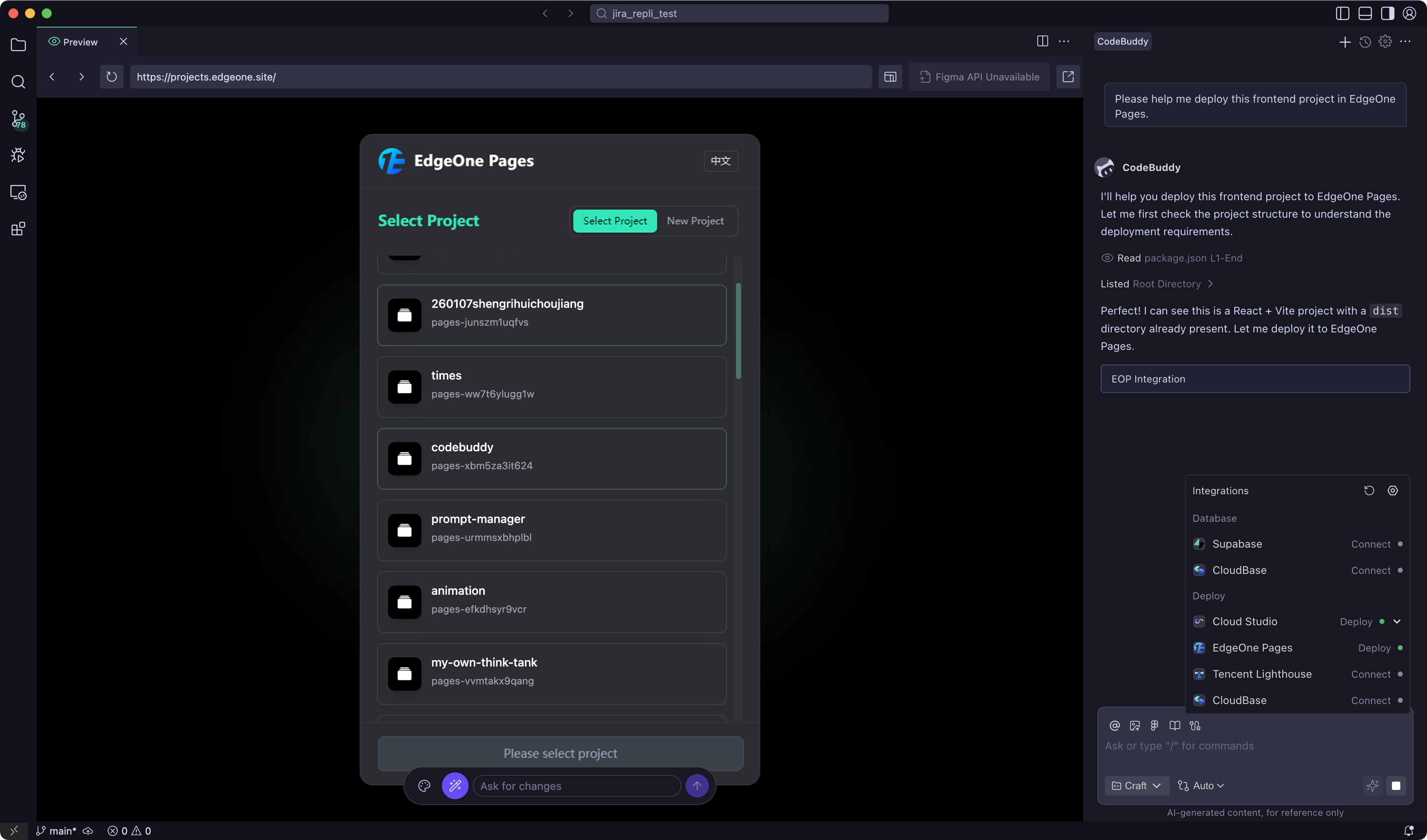
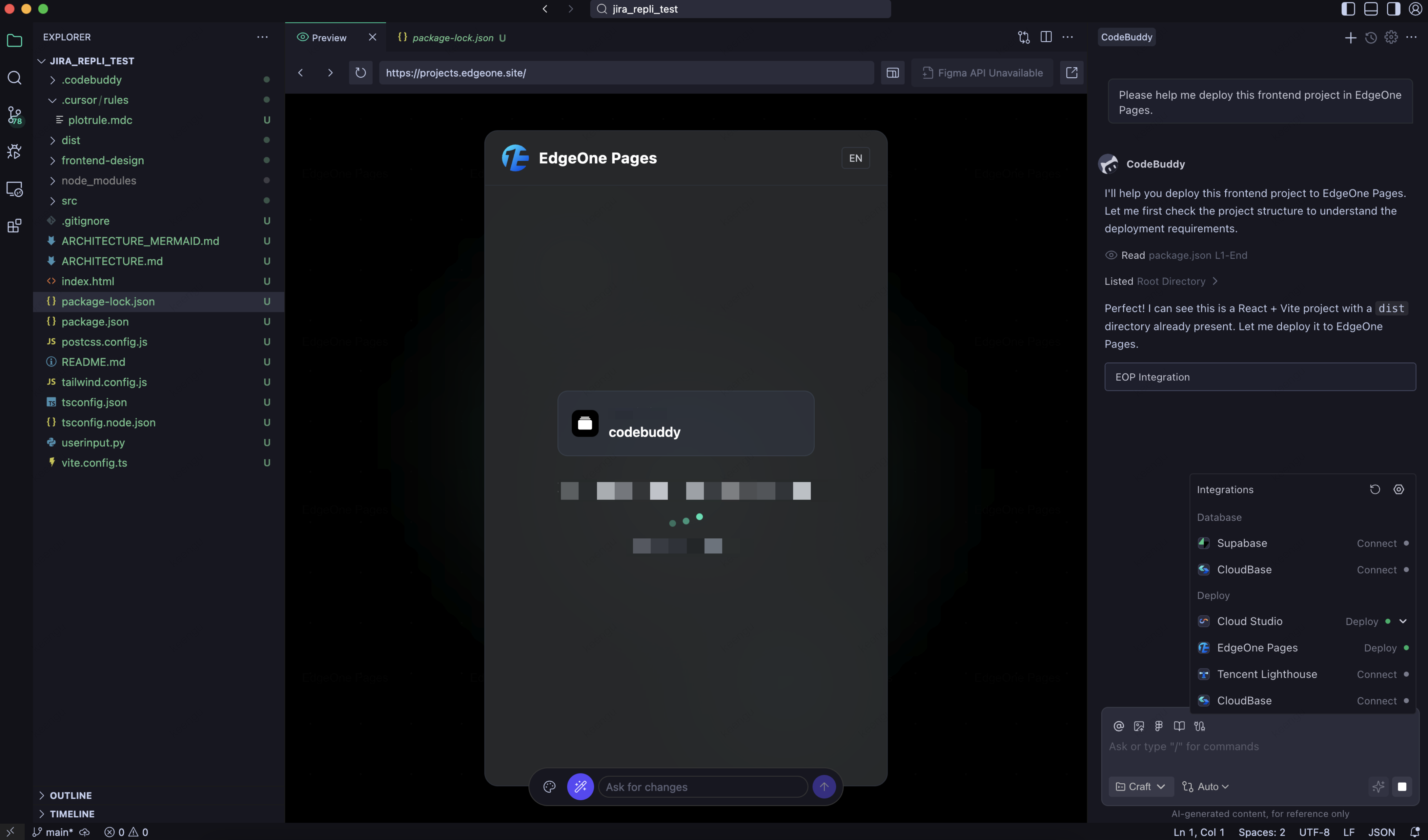
EdgeOne Pages is an efficient production-grade site deployment platform that can quickly build and publish static sites and Serverless applications, enabling fast delivery from code to live services.
Scenarios
Publishing a formal website for public access.
Requires a stable, high-performance production environment.
Static sites that require CDN acceleration.
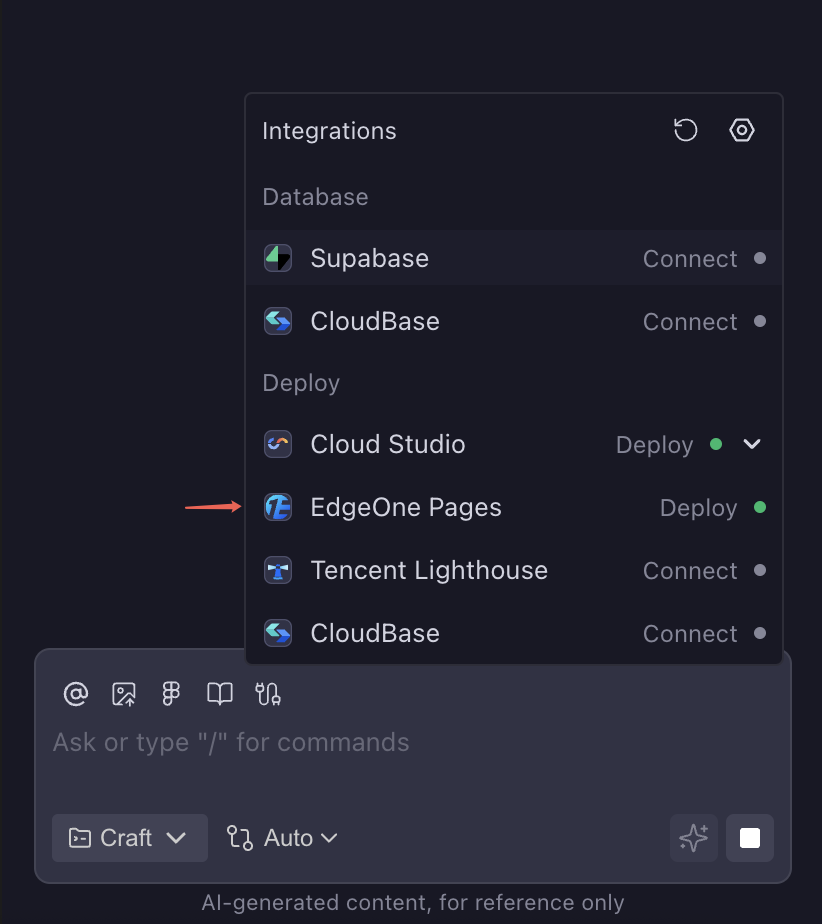
Deployment Process
FAQs
Q1: What Should I Do If Deployment Fails?
Please check the following points:
Whether the project code contains syntax errors.
Whether the dependencies are installed correctly.
View the error information in the deployment logs.
Q2: How Long Is a Temporary Address Valid?
Temporary addresses generated by Cloud Studio have a validity period limit. For long-term use, deploy your site formally with EdgeOne Pages.
Q3: How Do I Update a Deployed Application?
After modifying the code, trigger deployment again to update automatically.
Help and Support
Was this page helpful?
You can also Contact sales or Submit a Ticket for help.
Help us improve! Rate your documentation experience in 5 mins.
Feedback