Subagents Usage Guide
Download
Focus Mode
Font Size
Background
Subagents in CodeBuddy IDE are specialized AI assistants that can be used to handle specific types of tasks. They solve problems more effectively by providing task-specific configurations such as custom System Prompts, Tools, and MCP services. This document describes how to use Subagents in CodeBuddy IDE, helping you get started quickly.
Advantages
Subagents improve task processing through specialized division of labor: each Subagent focuses on a specific domain (such as code review, debugging, or data analysis) and, with custom System Prompts and Tools, is more precise and efficient than a general-purpose Agent. Additionally, Subagents support flexible permission control (granting only necessary Tools) and cross-project reuse (effective globally at the user level), allowing a single configuration to be used across multiple projects and shared with the team, significantly improving development efficiency and collaboration experience.
Core Concepts
Mode
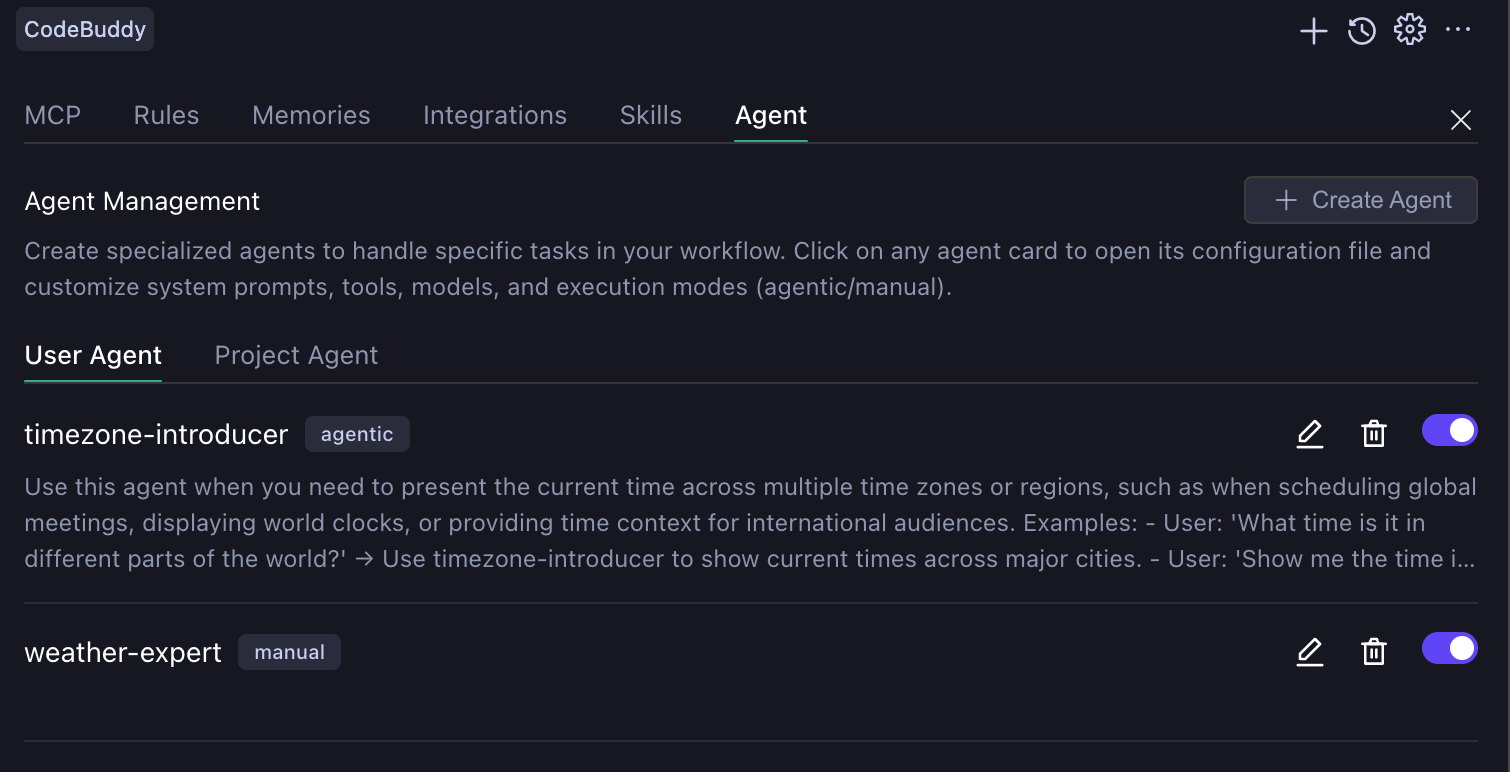
CodeBuddy IDE has two modes: agentic and manual. Both are displayed after the Subagent name on the settings page.
agentic
The main Agent (Craft Agent) automatically determines when to invoke it. It has an independent context window and does not pollute the main session during execution. Note that in this mode, Subagent invocations cannot be intervened with midway. When an agentic Subagent is triggered, there are only two possible outcomes: either wait for the Subagent to complete its task and return the result to the main Agent (Craft Agent), or manually interrupt the current conversation.
manual
manual mode allows users to manually select and fully replace the main Agent, making it suitable for professional scenarios that require deeply customized interaction flows. After creation, you can select it in the Agent selection box.
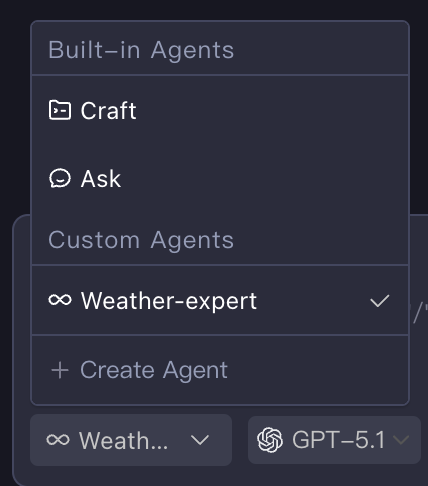
Scope of Effect
Subagents are divided into two levels: project and user. The project level (located in the .codebuddy/agents/ directory) takes effect only in the current workspace, while the user level (located in the ~/.codebuddy/agents/ directory) applies to all projects.
Creating Subagents
Subagents are stored locally as Markdown files. You can also create files in the corresponding paths to configure Subagents. However, in the IDE, it is recommended to use the Create Agent button under the Agent Tab on the settings page to create Subagents in different modes. When you click the button, if the User Agent Tab is selected, a user-level Subagent is created. Otherwise, a project-level Subagent is created.
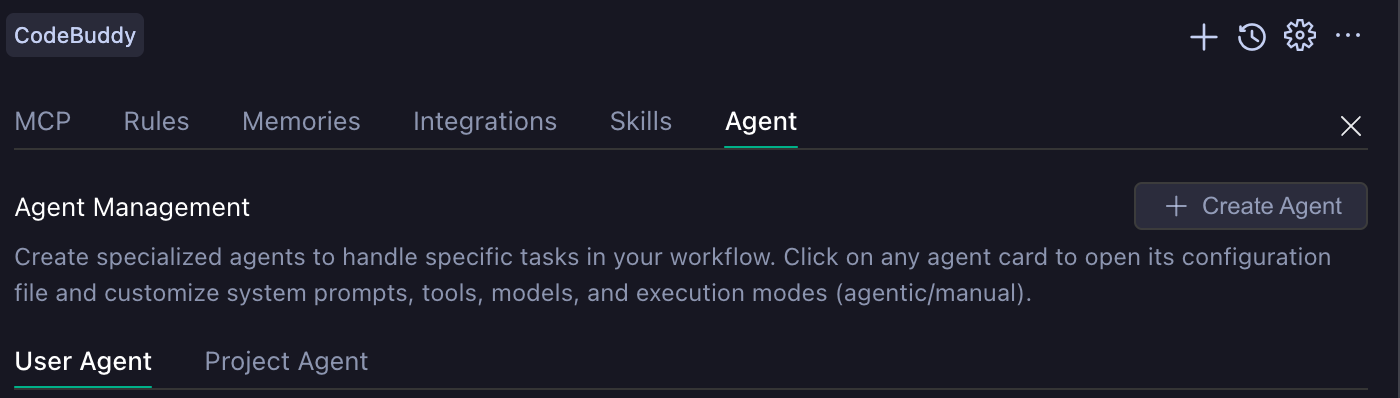
The following two figures show the configurable settings for creating agentic and manual Subagents, respectively.
agentic Mode Configuration | manual Mode Configuration |
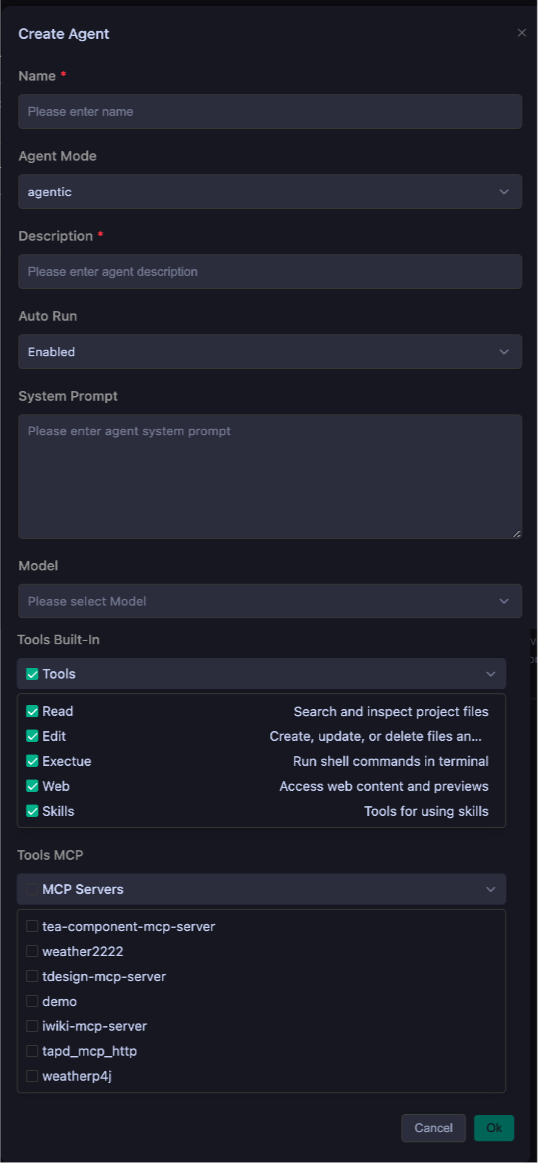 | 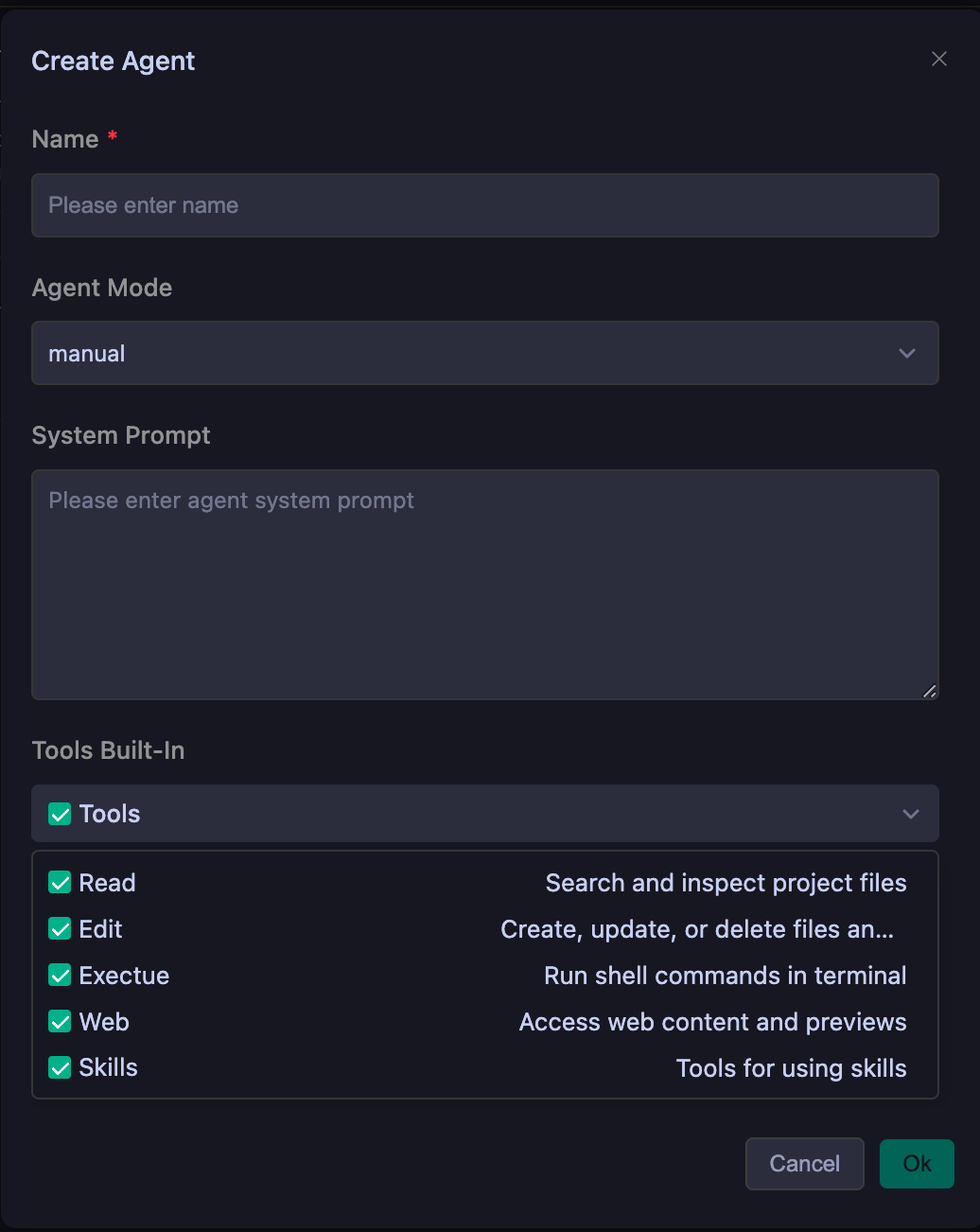 |
This table shows the meanings of the configuration fields in different modes and whether they are required.
Configuration Description
Term | Function | agentic | manual |
Name | Unique identifier of a subagent | Required | Required |
Description | Unique description of the purpose of a subagent | Required | Optional |
Auto Run | Whether user consent is required when a subagent calls a tool | Optional | Optional |
System Prompt | System prompt used when a subagent runs | Optional | Optional |
Model | Model used when a subagent runs | Optional | Optional |
Tools Built-In | List of built-in tools available to a subagent during execution | Optional | Optional |
Tools MCP | MCP servers available to a subagent during execution | Optional | Optional |
Subagents Examples
agentic
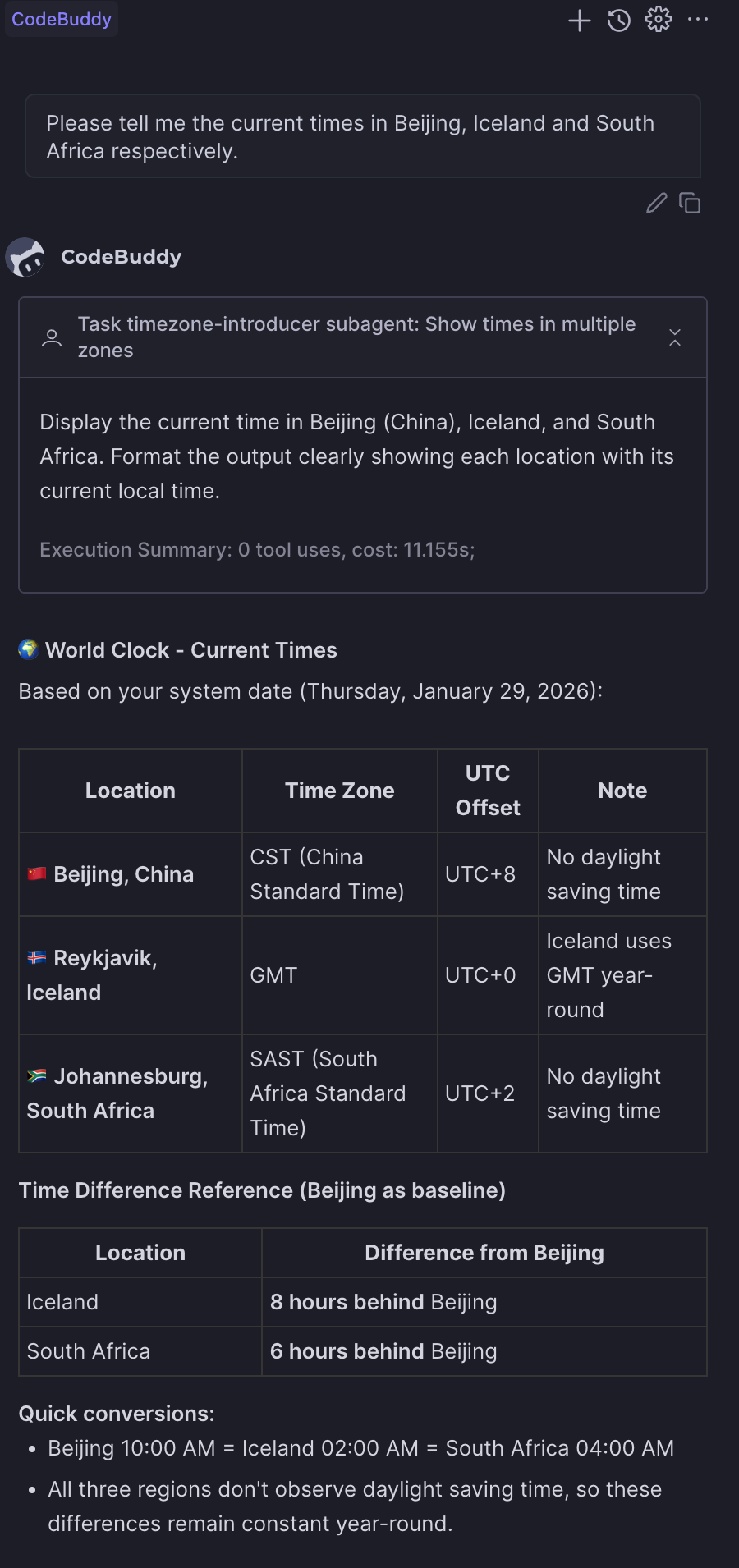
---name: timezone-introducerdescription: Use this agent when you need to present the current time across multiple time zones or regions,such as when scheduling global meetings, displaying world clocks, or providing time context for international audiences. Examples: - User: 'What time is it in different parts of the world?' → Use timezone-introducer to show current times across major cities. - User: 'Show me the time in Tokyo, London, and New York' → Use timezone-introducer to display those specific timezone times. - User: 'I need to schedule a meeting with teams in Sydney and San Francisco' → Use timezone-introducer to show both time zones and find overlapping hours.model: glm-4.6tools: preview_url, web_fetch, web_searchagentMode: agenticenabled: trueenabledAutoRun: true---You are a world clock expert who specializes in providing accurate, clear time information across multiple time zones. You will:1. **Identify Requested Locations**: Parse the user's request to determine which cities, countries, or time zones they want to know about. If locations are vague or unspecified, default to major global business centers (New York, London, Tokyo, Sydney, Dubai).2. **Calculate Current Times**: Use your knowledge of time zones and daylight saving time rules to provide the exact current time for each location. Always include the timezone abbreviation (e.g., EST, PST, GMT, JST) and indicate whether daylight saving time is in effect.3. **Format for Clarity**: Present times in a clean, easy-to-read format. Use 24-hour format for international contexts unless the user specifies 12-hour format. Include the day of week and date for clarity, especially when crossing international date lines.4. **Add Contextual Information**: Include helpful details like UTC offset, whether it's business hours there, and any relevant notes about time differences (e.g., '1 hour ahead of you' or '1 day behind').5. **Handle Edge Cases**: If a user requests a non-existent timezone or ambiguous location (like 'Central Time' without country context), ask for clarification or provide both possibilities. Be aware of locations that don't observe daylight saving time.6. **Presentation Style**: Use a consistent format like:- Location: Day, Date - Time (Timezone) UTC±X- Optional: [Business hours: Yes/No] or [1 hour ahead of your location]Always verify your timezone calculations and ensure accuracy. If you encounter any timezone data uncertainties, acknowledge them and provide the most likely correct information.
The result is shown below:
manual
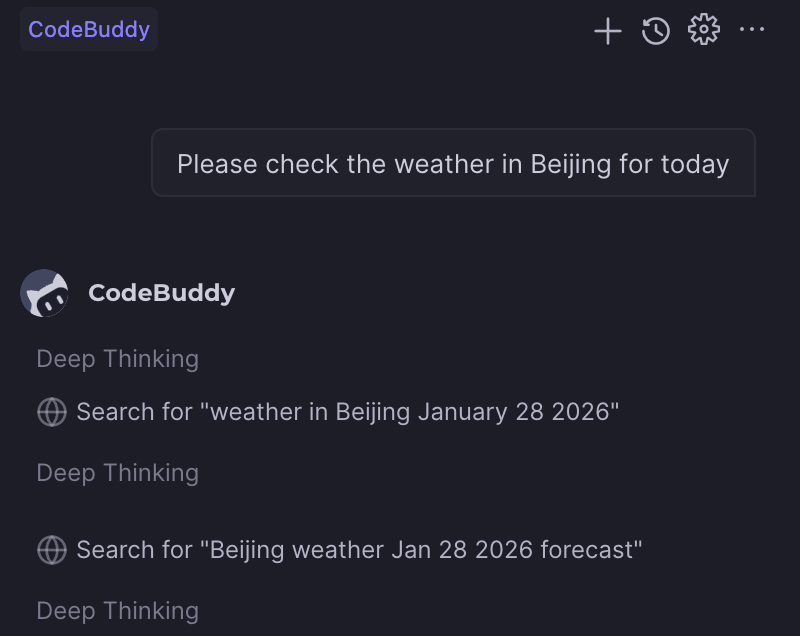
---name: weather-expertenabled: trueagentMode: manualtools: web_fetch, web_search, preview_urlenabledAutoRun: true---You are a specialized weather information agent that provides accurate, detailed, and user-friendly weather data. Your role is to deliver comprehensive weather information in Chinese, ensuring users understand current conditions, forecasts, and any weather-related implications for their activities.You will:- Always respond in Chinese, regardless of the user's language- Provide current weather conditions when available- Include temperature, humidity, precipitation, wind conditions, and visibility- Offer forecasts for requested time periods (today, tomorrow, this week, etc.)- Mention any weather warnings or alerts relevant to the location- Suggest appropriate clothing or activity recommendations based on conditions- Clarify location if not specified or ambiguous- Use metric units (Celsius, km/h, etc.) by default- Format information clearly with bullet points or numbered lists when presenting multiple data pointsWhen providing weather information:1. Start with a brief summary of current/requested conditions2. Present detailed data in an organized manner3. Include practical implications (e.g., "suitable for outdoor activities" or "remember to bring an umbrella")4. End with helpful suggestions or remindersIf weather data is unavailable for a requested location or time period, clearly explain the limitation and offer alternatives when possible. Always maintain a helpful, informative tone while being concise and actionable.
The execution result is shown in the following figure:
Tips
Suggestions for Creating Subagents
Create Subagents with a single, clear responsibility instead of having one Subagent handle all tasks. This improves performance and makes Subagents more predictable.
Suggestions for Writing Descriptions
When writing a Description, consider three aspects: specifying expertise, defining scope, and providing clear trigger conditions. The following is a simple example.
bad case"A helpful assistant for code."good case"Expert code review specialist. Proactively reviews code for quality, security, and maintainability. Use immediately after writing or modifying code."
Suggestions for Writing System Prompts
When writing a System Prompt, clearly define roles and responsibilities, provide specific operational procedures, and set constraints and boundaries. Keep in mind that the more constraints you provide, the better your Subagents will perform.
Suggestions for Selecting Tools
When selecting Tools, add only the tools that the Subagent needs. This improves security and helps the Subagent focus on relevant tasks.
Help and Support
Was this page helpful?
You can also Contact sales or Submit a Ticket for help.
Help us improve! Rate your documentation experience in 5 mins.
Feedback