Model Management
Download
Focus Mode
Font Size
Enterprise administrators can deploy and manage large models in the enterprise management console. Super administrators can configure different types of models for different members, enabling flexible management and control of models to boost team productivity. The following describes how to deploy and manage models.
Model Deployment
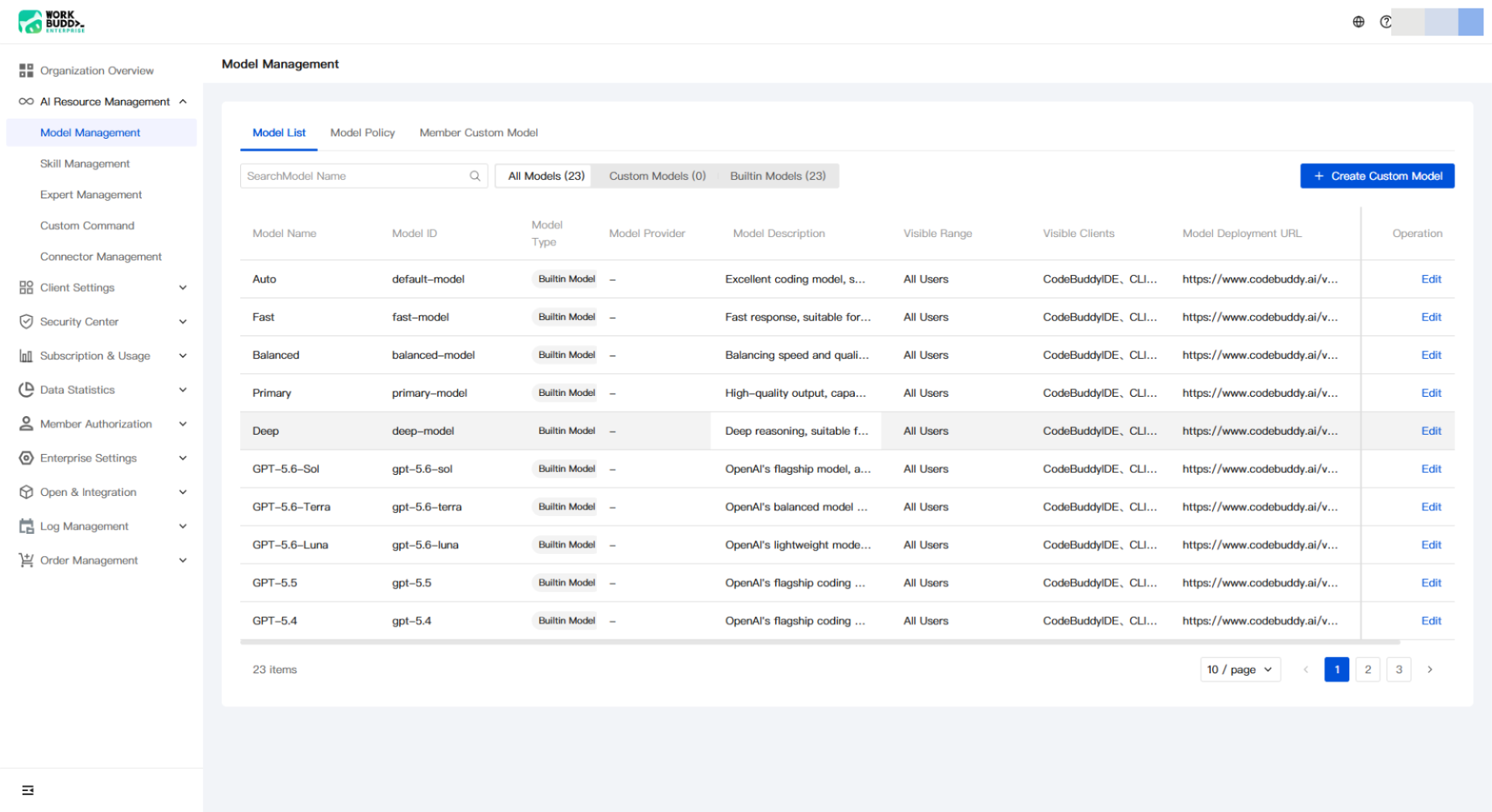
1. Log in to the enterprise management console, and select Model Settings under AI Resource Management in the left sidebar. All models under the enterprise are displayed in the list, including the official models built into WorkBuddy/CodeBuddy and models added by the enterprise.
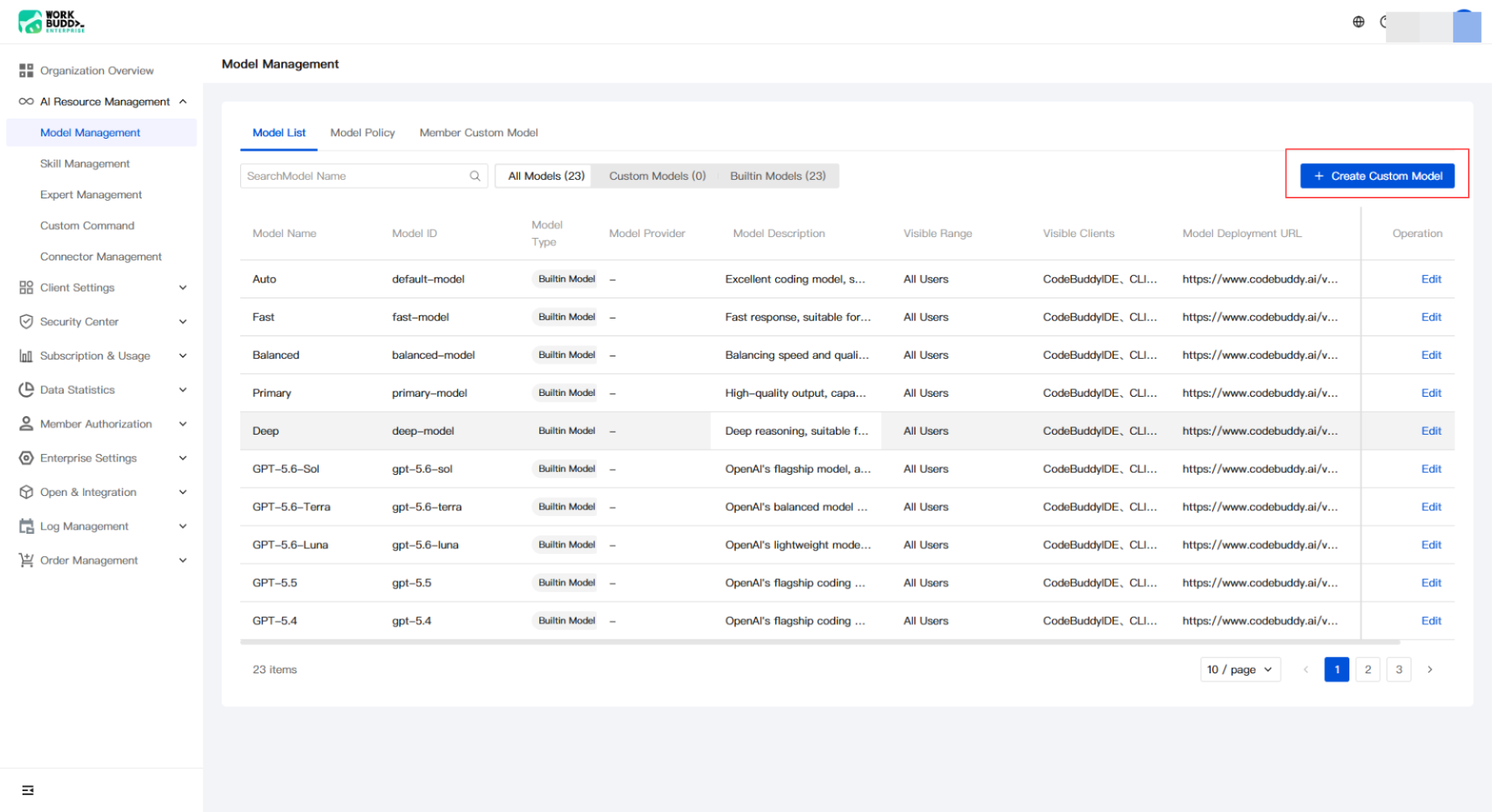
2. Click Add Custom Model.
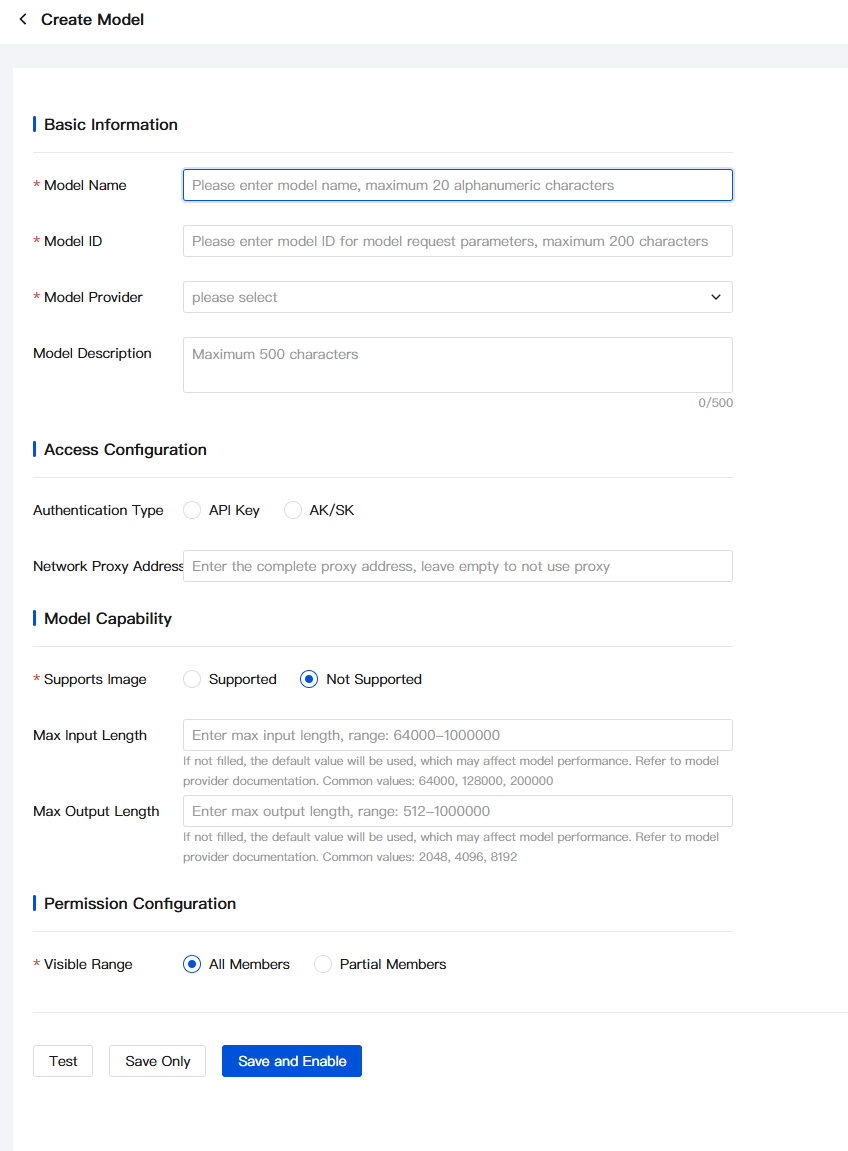
3. Enter the model information:
Note:
The API_KEY and model deployment address must be obtained from the model service provider. For example, to deploy a Hunyuan model, you can go to the Tencent Hunyuan official website to purchase it.
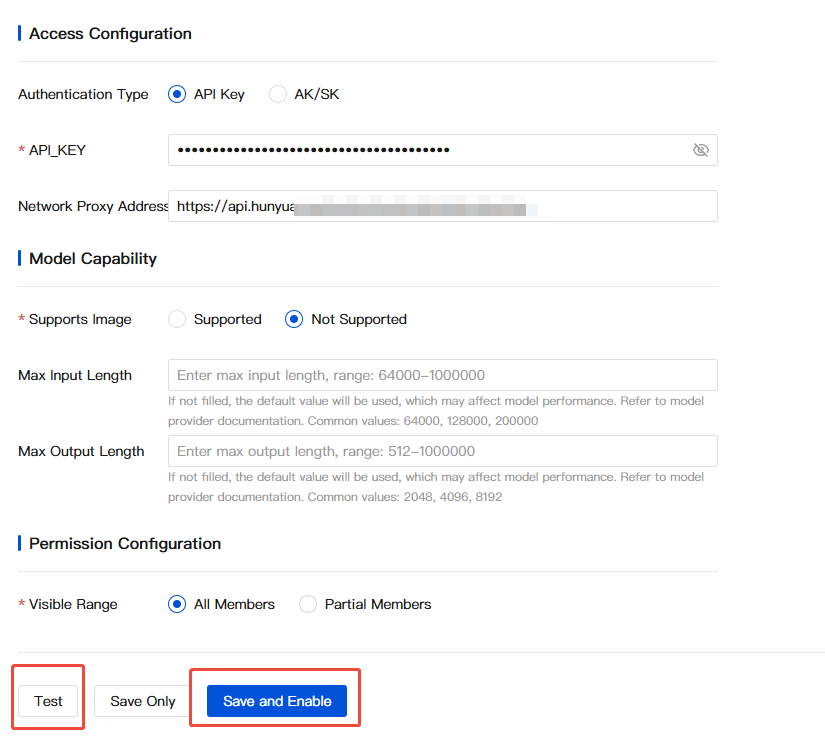
4. After filling in the information, you can first test whether the model configuration passes, and then click Save and Enable to complete the configuration.
Note:
If the dialog box shown in the following figure appears, the model configuration has failed:

5. After the model is enabled, wait a moment and you will see the deployed model in WorkBuddy/CodeBuddy.
Model Management
1. In the enterprise management console, you can enable/disable, edit, and delete models.
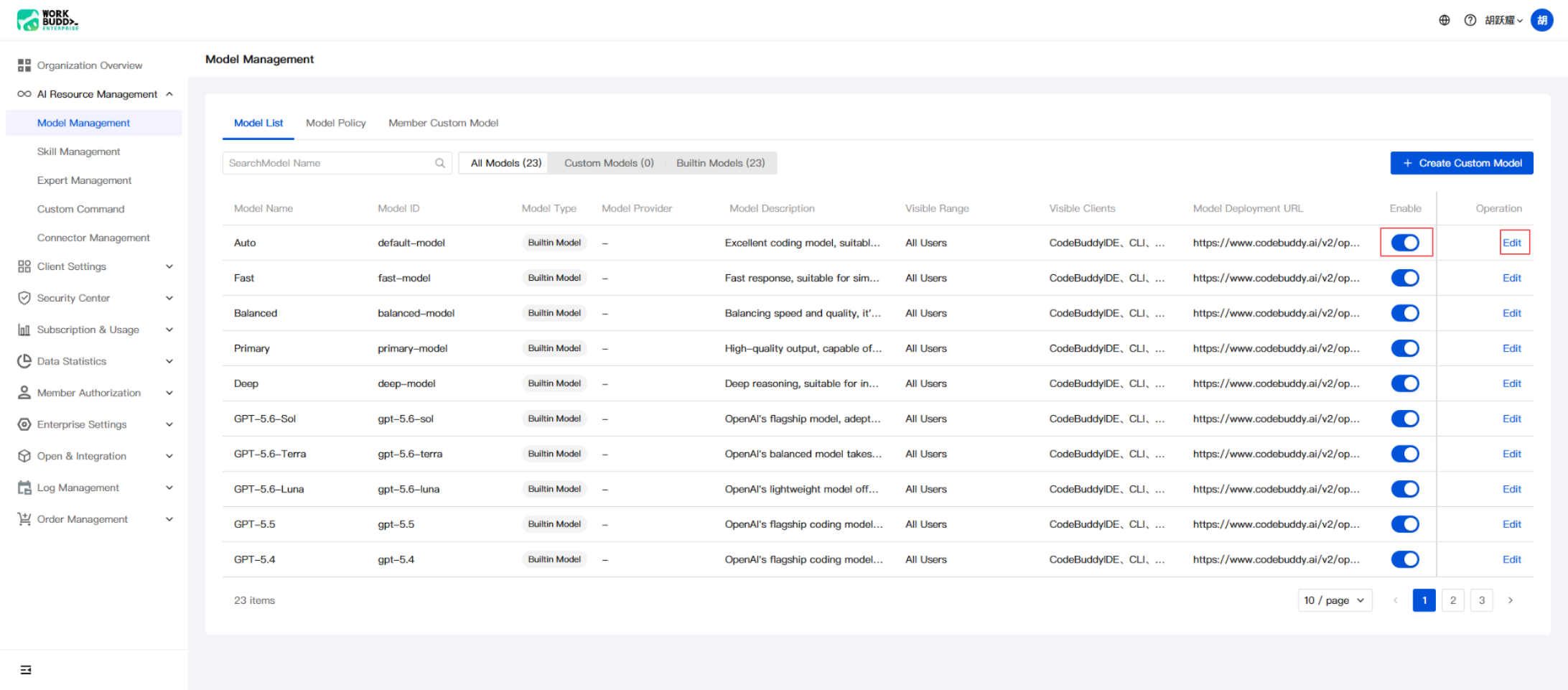
Note:
Only custom-deployed models can be deleted. Built-in models cannot be deleted. The delete operation is irreversible, so proceed with caution.
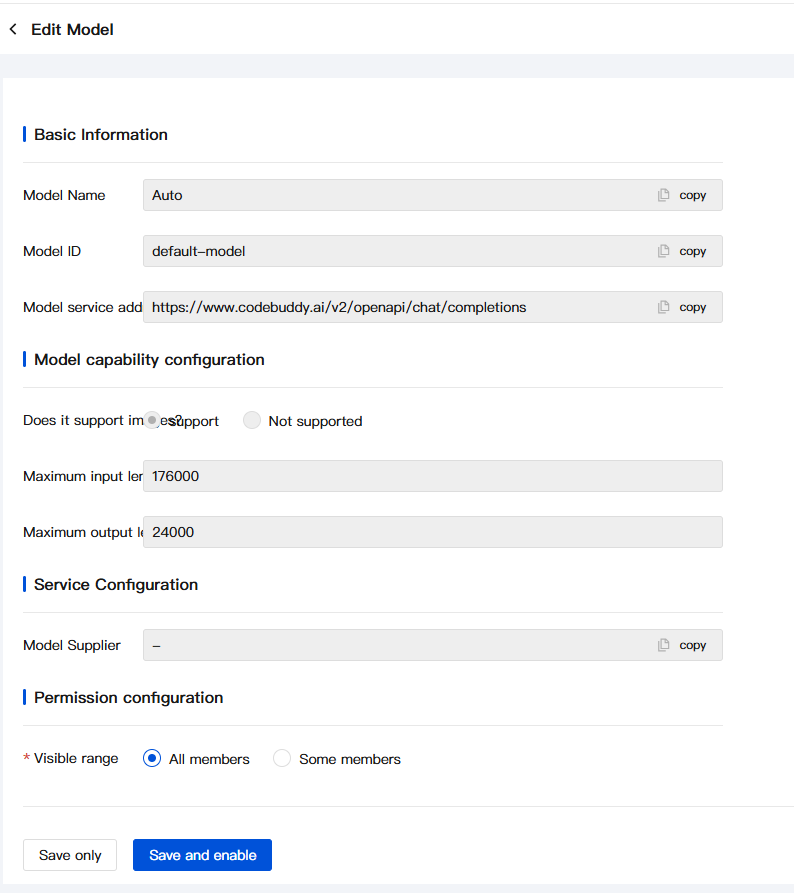
2. In Edit Model, you can edit the model, including configuring settings such as the member visible scope.
Help and Support
Was this page helpful?
You can also Contact sales or Submit a Ticket for help.
Help us improve! Rate your documentation experience in 5 mins.
Feedback