Order Management
Download
Focus Mode
Font Size
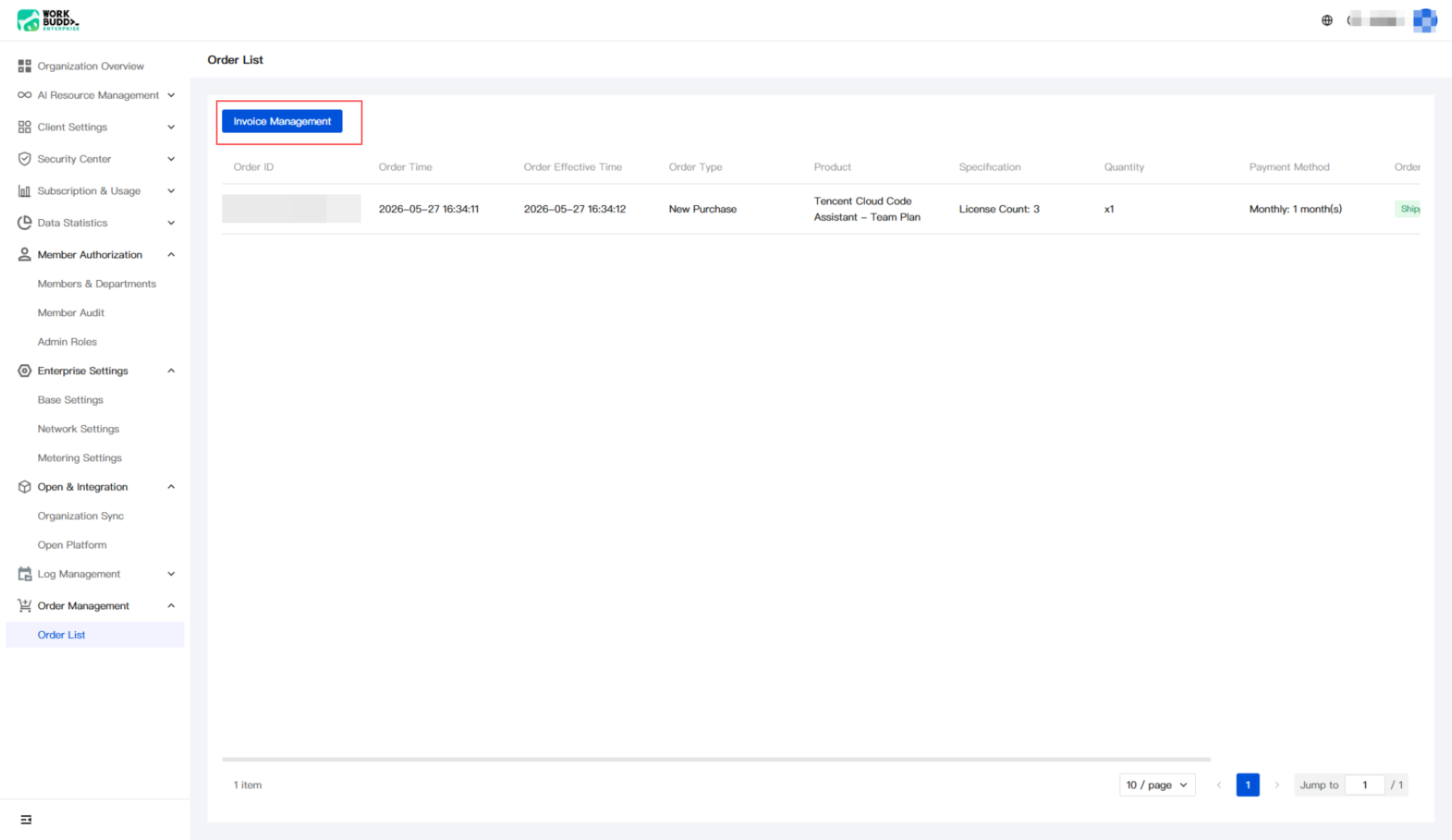
Order Management helps enterprise administrators view and manage the enterprise's purchase order records in the enterprise admin console. After an enterprise successfully purchases a product, the generated order is recorded in the order list, covering information such as order type, product specifications and quantity, payment method, order status, and order amount. Meanwhile, administrators can go to the Tencent Cloud console through Invoice Management to perform operations such as invoicing.
Operation Steps
1. Log in to the Enterprise Admin Console, choose Order Management > Order List in the left sidebar to go to the order list page.
2. View enterprise order records on the order list page. To issue an invoice, click Invoice Management in the upper-left corner of the page to go to the Tencent Cloud console and view invoices. Log in to the Tencent Cloud console with the Tencent Cloud UIN bound to the enterprise.
Help and Support
Was this page helpful?
You can also Contact sales or Submit a Ticket for help.
Help us improve! Rate your documentation experience in 5 mins.
Feedback