Checkpoint
Download
Focus Mode
Font Size
Checkpoint, also known as Restore to this checkpoint. When CraftAgent is used for coding, Craft automatically creates a checkpoint for the file changes in each conversation round after those changes occur, and automatically performs version management for that round. You only need to hover over a previous conversation version to roll back to that version or edit it again. It is a core version rollback and state recovery feature in CodeBuddy IDE, designed specifically to address misoperations, experimental code failures, or requirement changes during coding. The following sections introduce this feature.
Checkpoint
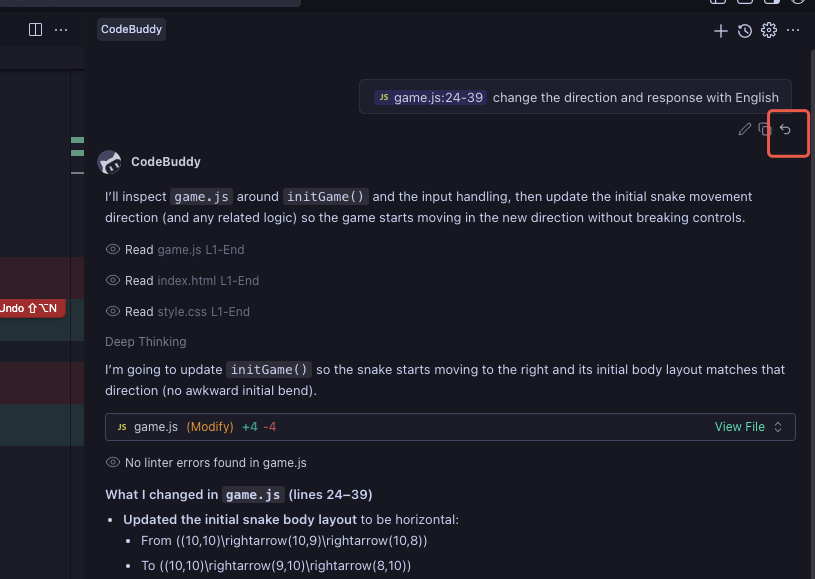
1. In the conversation panel, you can select a checkpoint to restore based on your actual scenario. Click the Rewind button in the lower-right corner of a conversation.
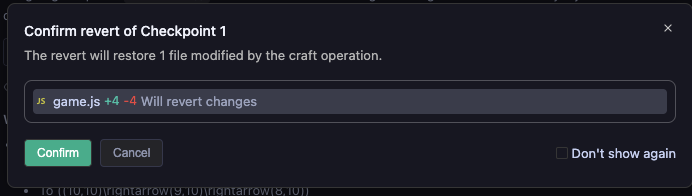
2. After you click, a dialog box appears and asks whether to confirm the rollback. To confirm, click Confirm. Otherwise, click Cancel. You can also select Do not show again on the right. After you select this option, the dialog box will no longer appear, so choose carefully.
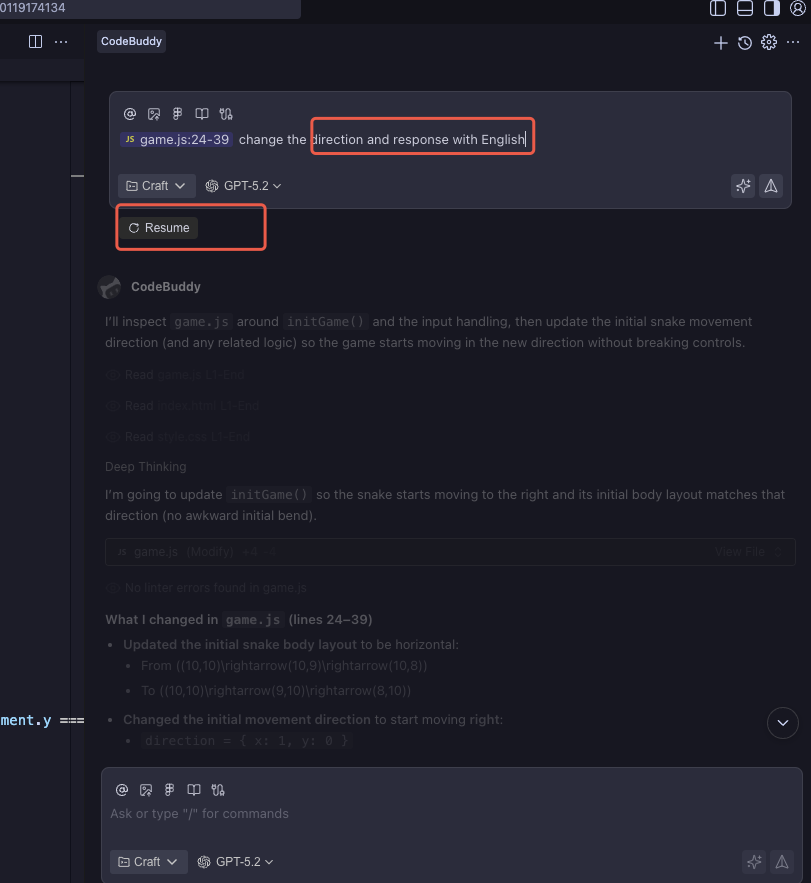
3. After you click Confirm, the state is immediately restored to that before the checkpoint. You can then enter a requirement description in the dialog box based on the checkpoint to continue the previous task. Clicking Restore restores the state to that before the checkpoint, and the task associated with the checkpoint is also canceled.
Help and Support
Was this page helpful?
You can also Contact sales or Submit a Ticket for help.
Help us improve! Rate your documentation experience in 5 mins.
Feedback