History
Download
Focus Mode
Font Size
This document describes how to manage historical chat records, such as searching for historical chat records, continuing previous conversations based on historical chat records, and deleting historical chat records.
Click the History button in the upper-right corner of the sidebar conversation panel in CodeBuddy IDE to view the historical conversation list.
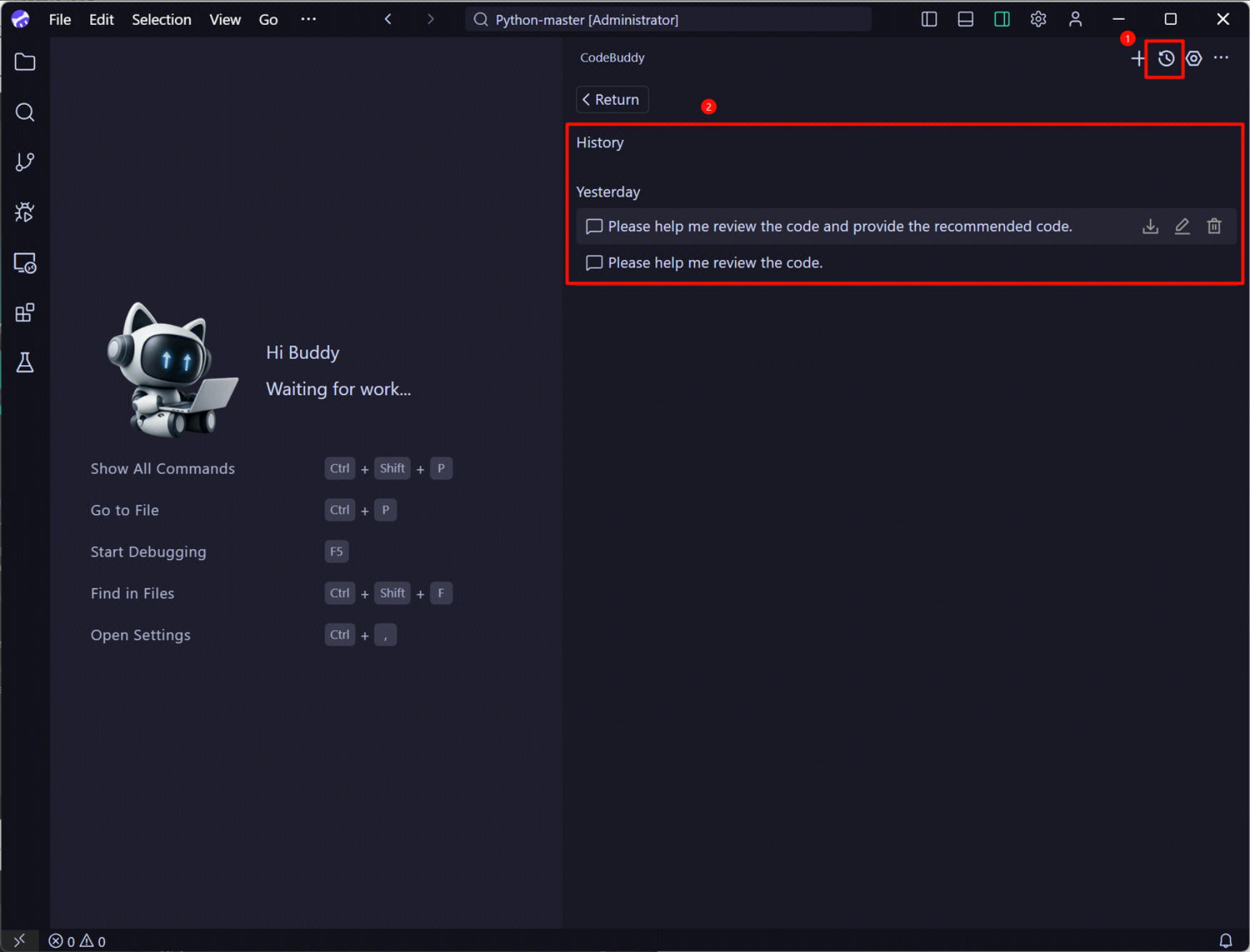
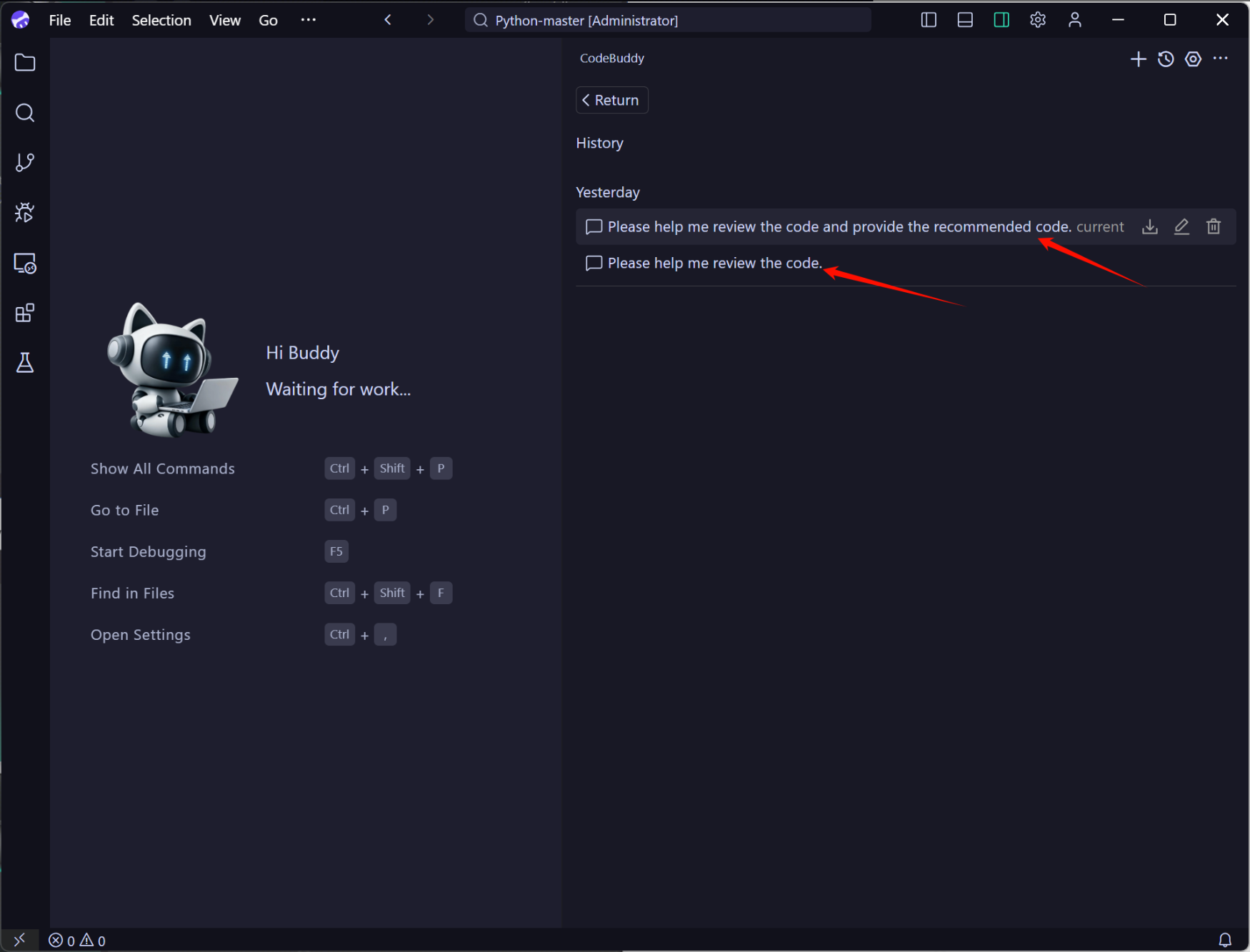
In the historical conversation list, you can click a historical chat record as needed. For example, clicking the first historical chat record returns you to the previous conversation, allowing you to continue your task based on that conversation.
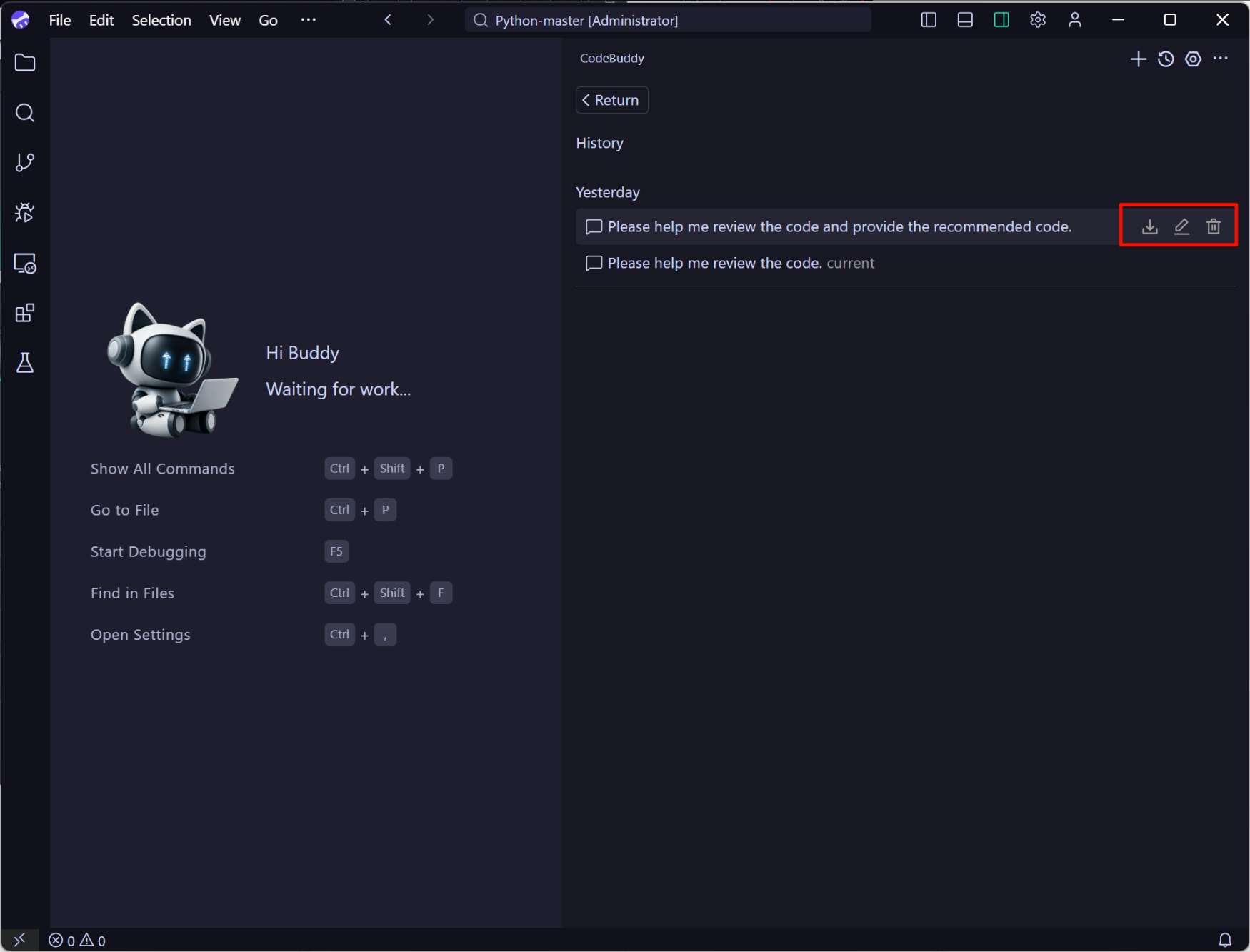
In the historical conversation list, you can export, edit, and delete historical chat conversations.
Help and Support
Was this page helpful?
You can also Contact sales or Submit a Ticket for help.
Help us improve! Rate your documentation experience in 5 mins.
Feedback