Memory
Download
Focus Mode
Font Size
What Is Memory
The memory feature enables AI Agent to automatically remember your preferences, habits, and important information based on conversations with you, providing personalized assistance across different conversations.
Just like your personal assistant, AI will remember:
Your coding style and preferences
Project technology stack and architecture
Common tools and commands
Important notes you mentioned
How to Use Memory
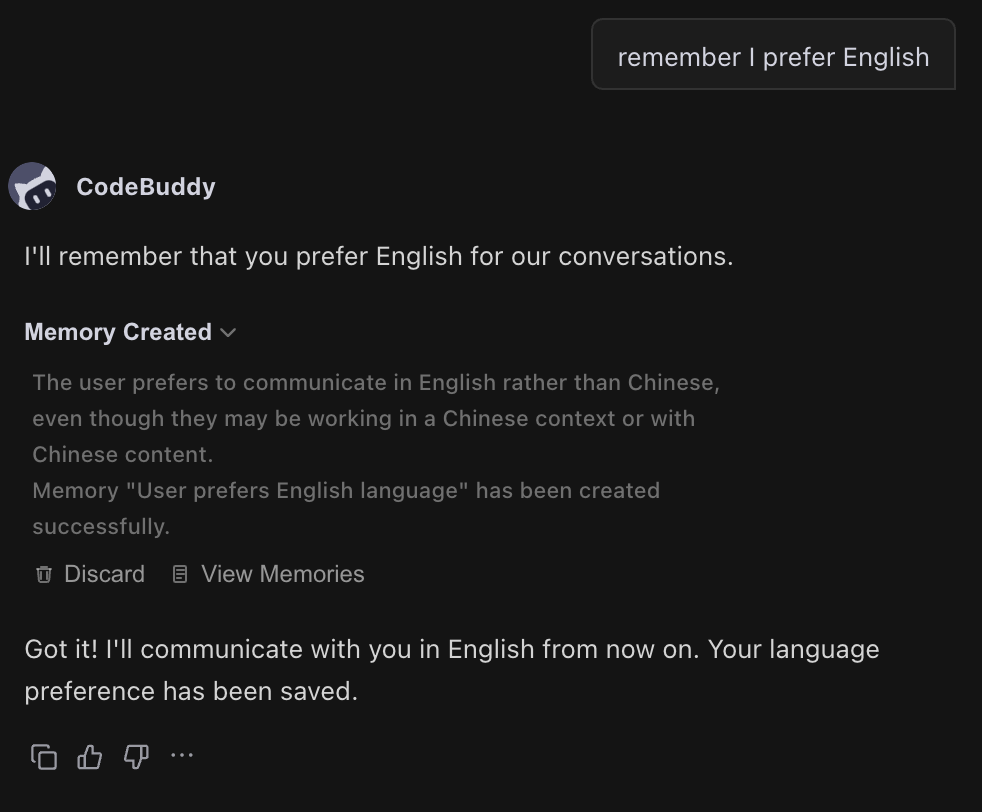
Creating a Memory
CodeBuddy automatically identifies and stores your important information. Of course, when you want to emphasize that AI should remember certain information, just tell it directly:
Please remember: I prefer to develop with TypeScript, and my code style follows the Airbnb style guide.
Remember that I prefer to answer questions in Chinese.
AI automatically saves this information as memory and uses it in future conversations.
Updating a Memory
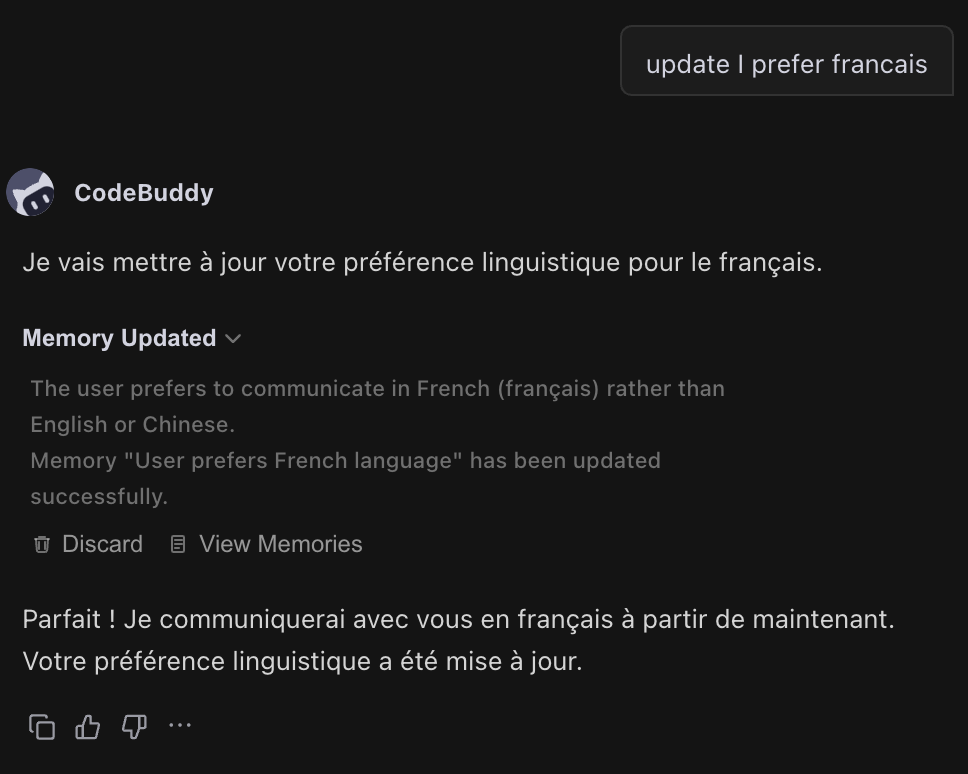
If your preferences or information change, simply tell AI the new content:
Update memory: I prefer to answer in English.
AI automatically updates the relevant memory.
Deleting a Memory
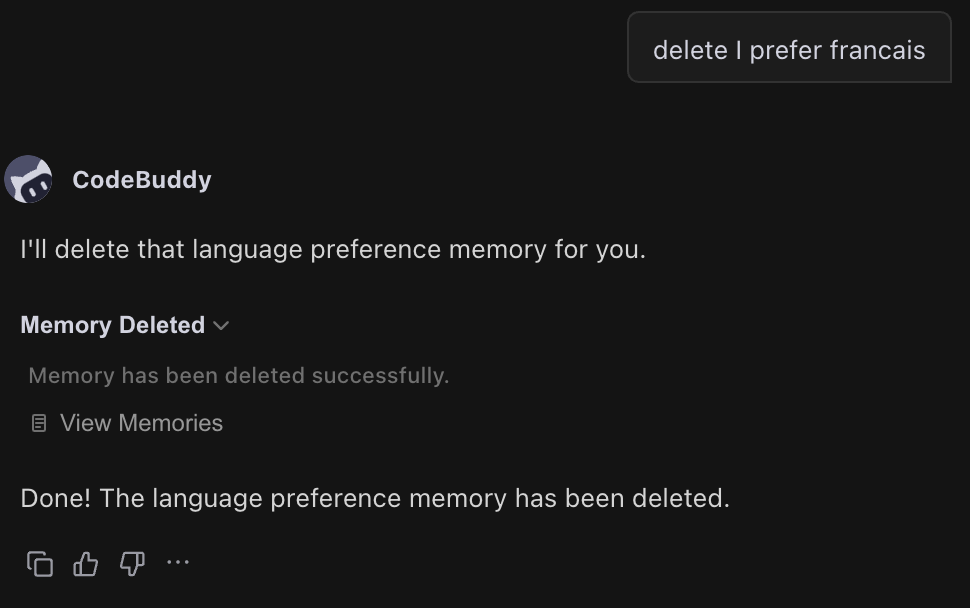
If a memory is no longer needed, you can request its deletion:
Delete the memory that I prefer to answer in English.
Memory Scope
Memories take effect across all projects and conversations, ensuring that AI always understands your preferences.
Viewing and Managing Memories
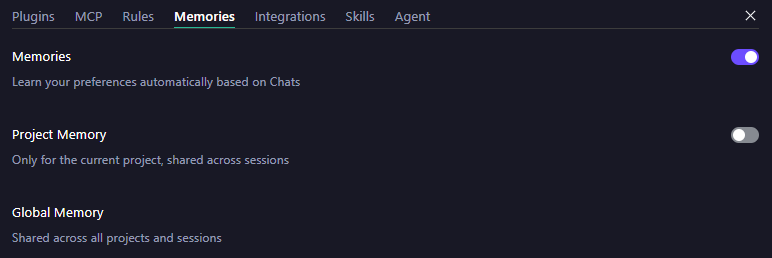
If you do not want to use the memory feature for now, you can disable it globally by turning off the memory feature button.
FAQs
Q1: What Are the Differences Between Memory and Rules?
Memory consists of facts and preferences that AI remembers (for example, "I prefer TypeScript"), created through conversations and managed automatically by AI. Rules are behavioral guidelines that you define (for example, "Code must include comments") and require manual creation of configuration files.
Q2: Can Memories Be Shared Across Different Projects?
Yes, memories are global and take effect across all projects.
Q3: Is There a Limit on the Number of Memories?
There is no limit on the number, but it is recommended to keep it within a reasonable range (usually 10-20) to avoid consuming too many tokens.
Q4: When Does AI Use Memories?
AI loads your memories at the beginning of each conversation and automatically considers this information when generating responses. You do not need to remind it manually.
Help and Support
Was this page helpful?
You can also Contact sales or Submit a Ticket for help.
Help us improve! Rate your documentation experience in 5 mins.
Feedback