Configuration Integration
Download
Focus Mode
Font Size
CodeBuddy integrates Supabase and Tencent CloudBase backend services, allowing you to obtain a runnable backend environment without tedious configuration.
Features
Out of the box: no manual configuration of backend services such as databases and authentication is required.
Multi-Platform Support: Supports two mainstream backend platforms, Supabase and Tencent Cloud CloudBase.
One-Click Connection: Complete backend service integration through a simple authorization process.
Supabase
Supabase is an open-source Firebase alternative that primarily provides the following backend services:
Service Type | Description |
Database service | A managed SQL database that eliminates the need for database Ops. |
Authentication service | Used for user login and user management of applications. |
Edge function | Used for API requirements and supports communication with third-party services such as Stripe. |
Connecting to Supabase
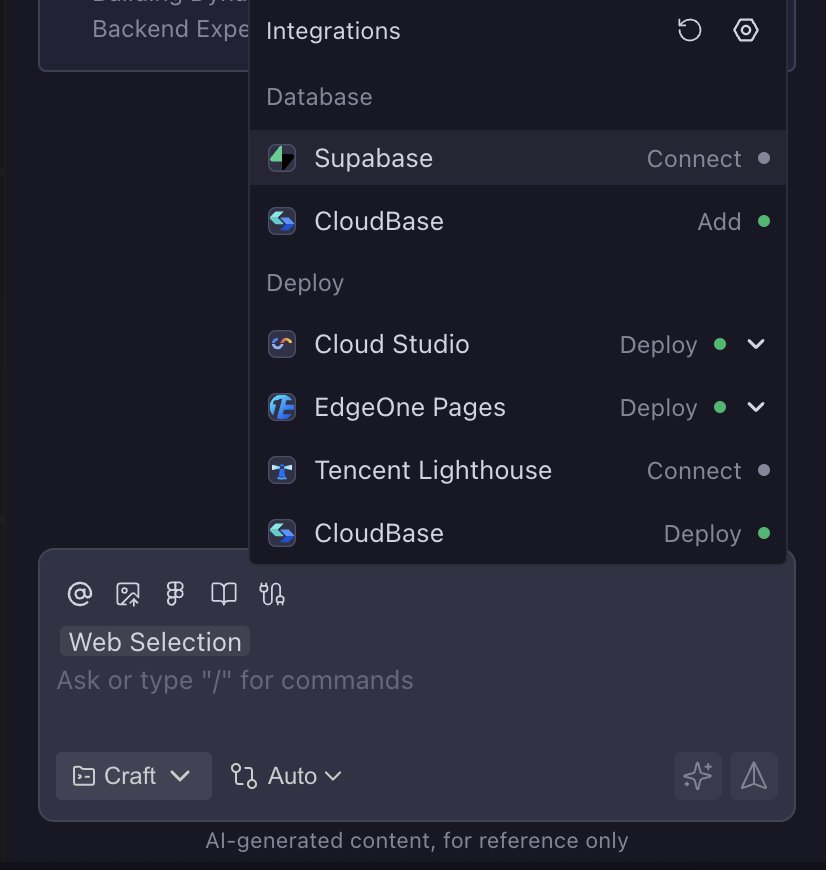
1. In the sidebar dialog, locate and click Supabase by following the path to connect.
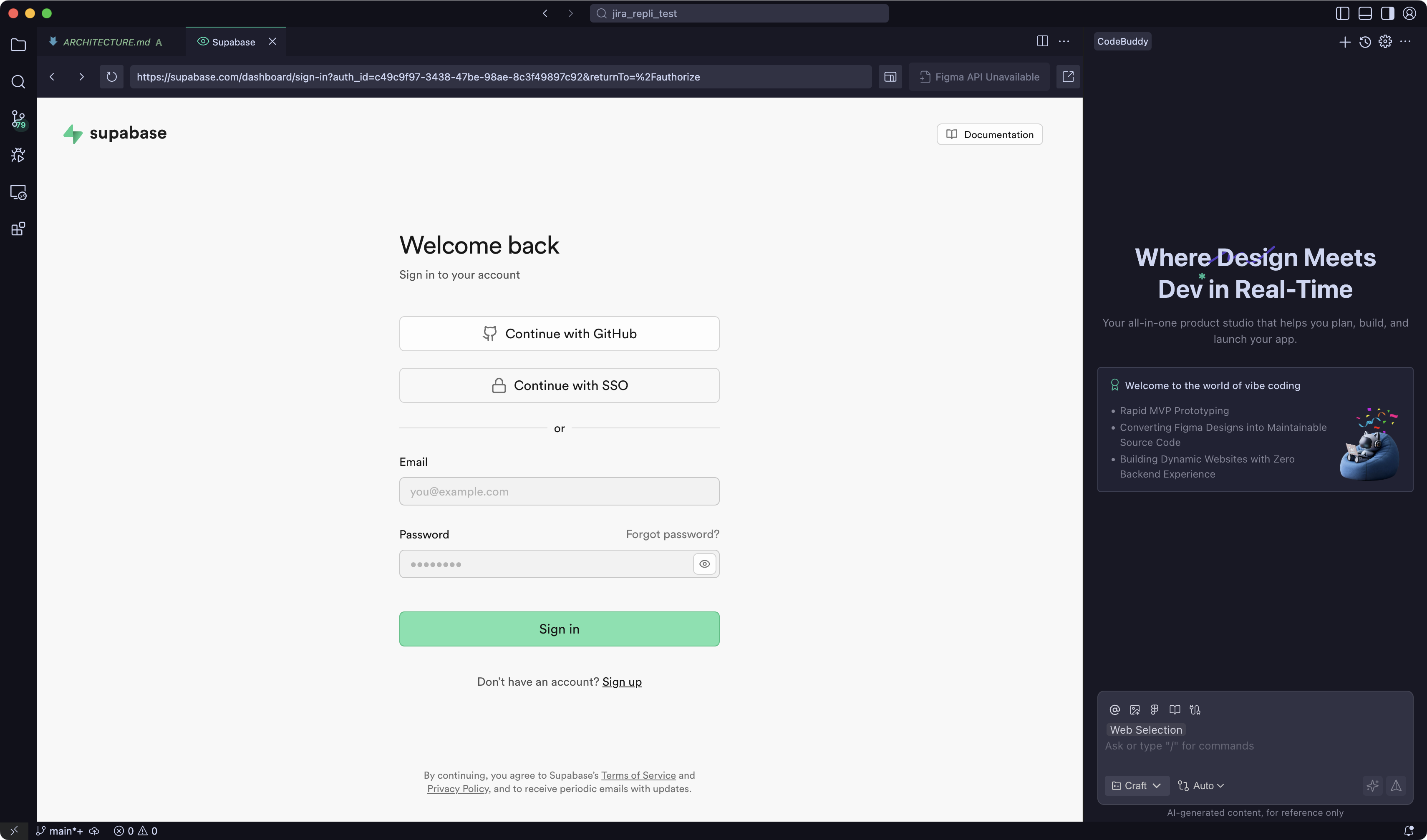
2. Log in or sign up for a Supabase account.
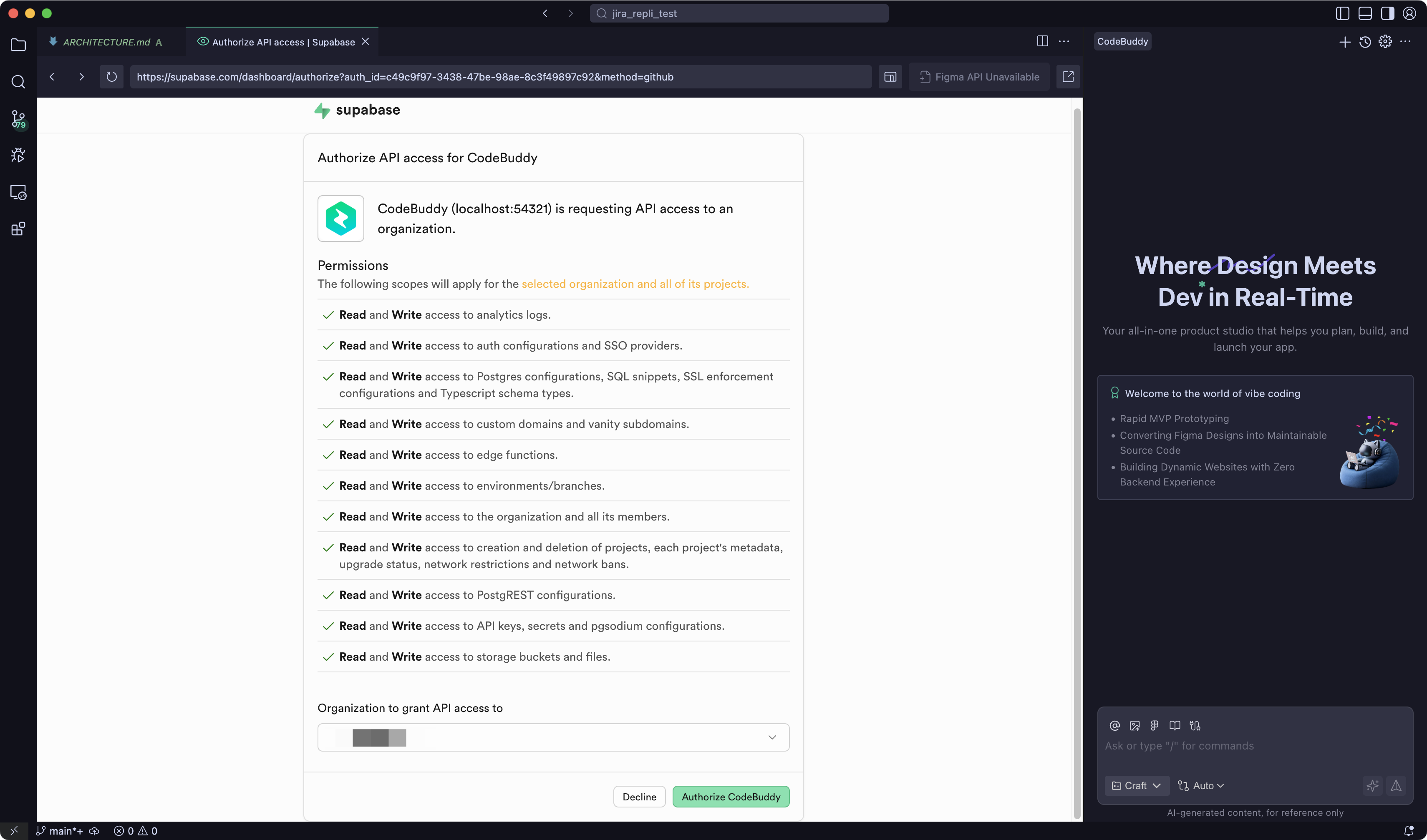
3. Complete the API authorization.
Using Supabase in Projects
1. Select an existing Supabase project to connect to, or create a new project.
2. Click Connect project to connect.
3. Connected successfully.
4. In your project, select the service you want to add.
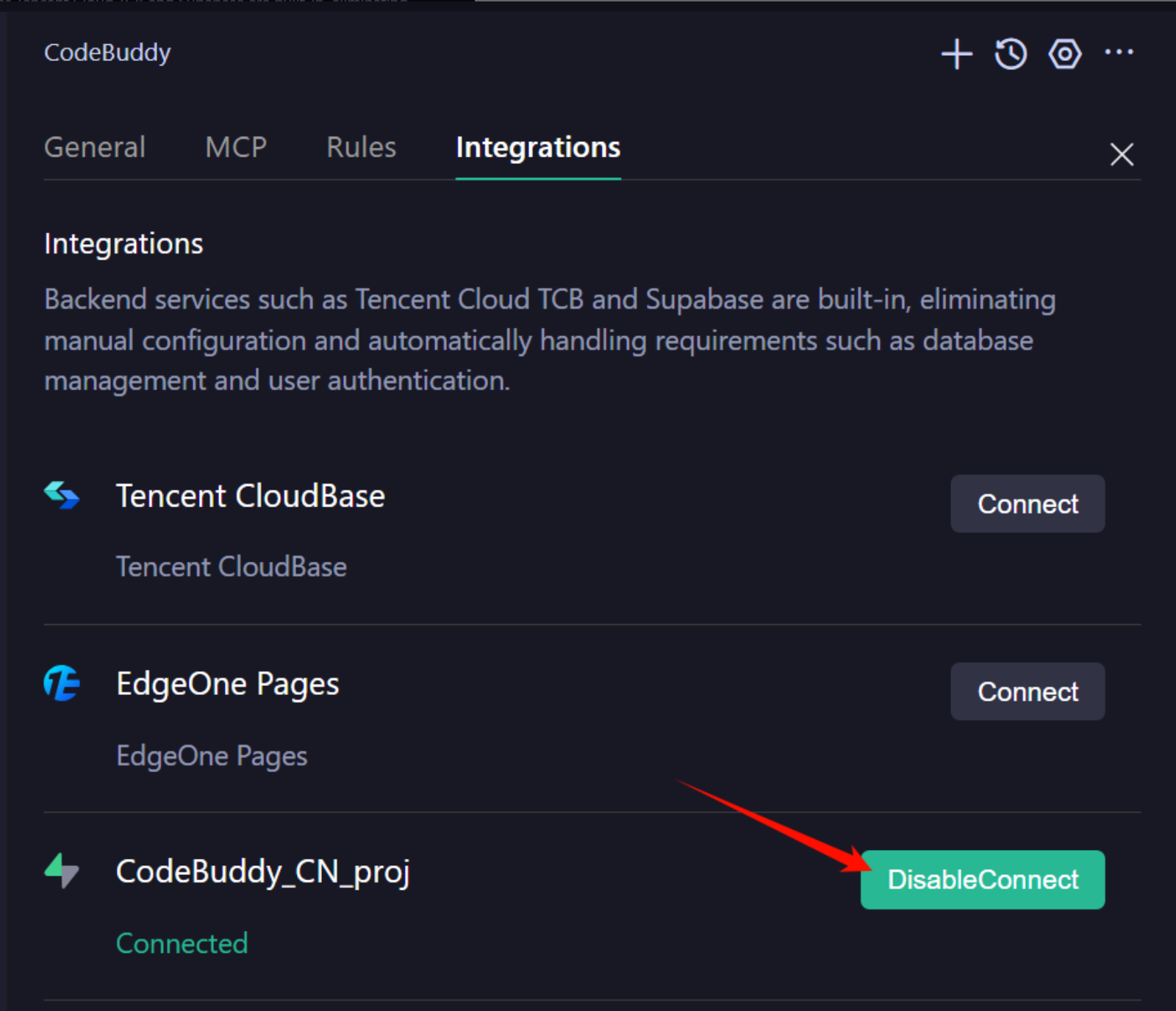
Disconnecting from Supabase
1. In the sidebar dialog, click the settings icon to the right of Integration to go to the CodeBuddy configuration page.
2. On the settings page, switch to the Integrations tab.
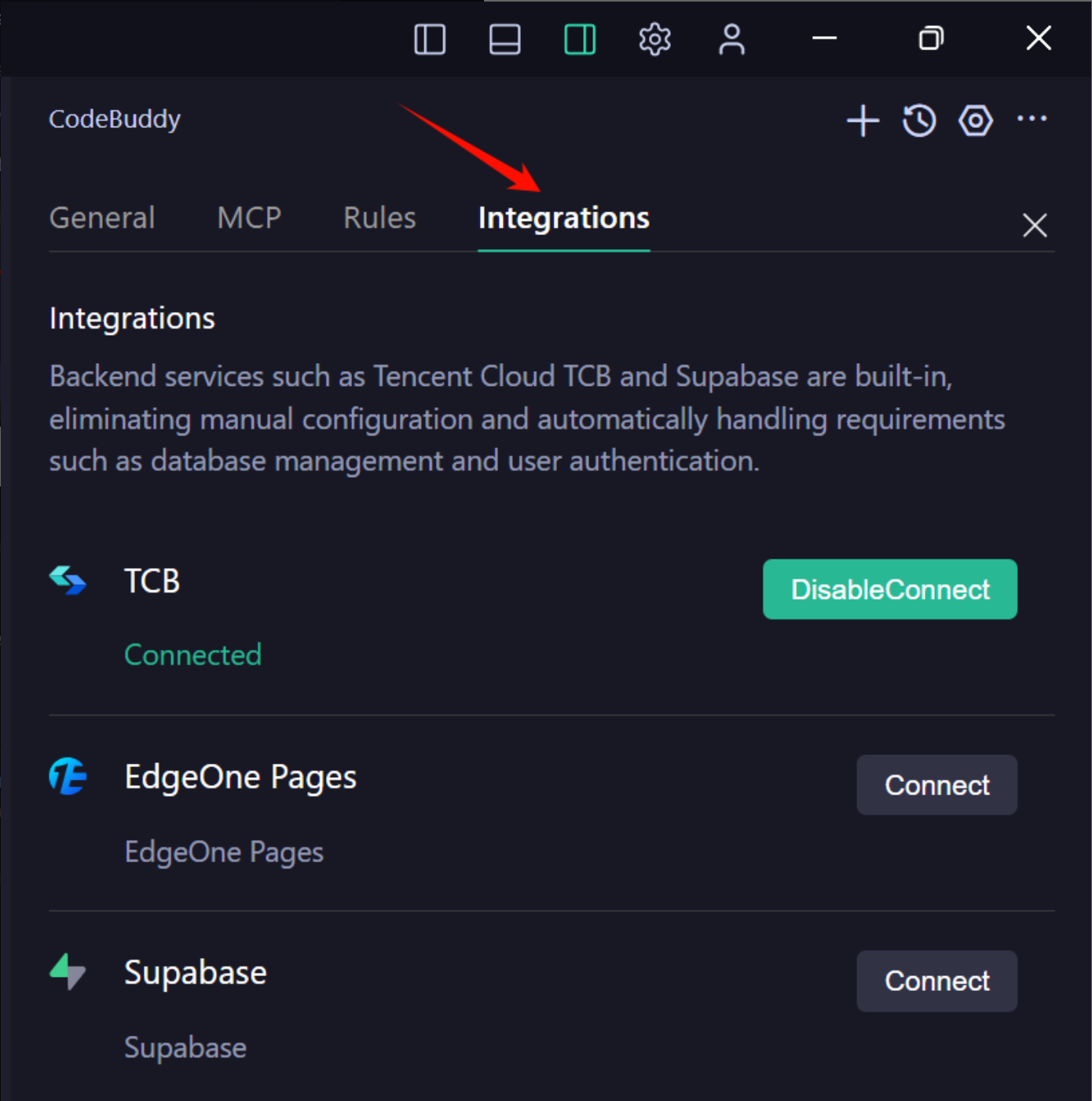
3. Click DisableConnect to the right of the connected Supabase project.
Tencent CloudBase
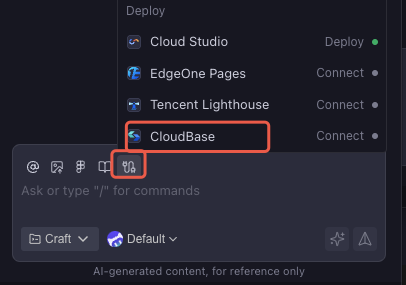
Tencent CloudBase (TCB) is a cloud-native integrated development platform provided by Tencent Cloud. It mainly provides the following backend services:
Service Type | Description |
Login authentication | A complete solution for user identity management and access control |
Database | A ready-to-use data management service built on the Serverless architecture |
SCF | Run backend code without managing servers |
Cloud storage | Support storage of unstructured data such as images, documents, and audio/video files |
FAQs
Q1: What to Do If the Connection Fails?
Please check the following points:
Ensure that the network connection is normal.
Confirm that you are logged in with the correct account.
Check whether the necessary authorization steps have been completed.
Q2: How to Switch Between Different Backend Services?
On the Integrations settings page, you can disconnect the currently connected service and then connect to another service.
Help and Support
Was this page helpful?
You can also Contact sales or Submit a Ticket for help.
Help us improve! Rate your documentation experience in 5 mins.
Feedback