Expert
Download
Focus Mode
Font Size
The Expert Center is the professional role portal of WorkBuddy AI, allowing you to select an expert or a team of experts based on task requirements, and to organize analysis, process materials, and generate content according to the working methods of the corresponding domain.
Expert
An expert is an AI role configured around a specific domain. It includes role descriptions, working methods, and task requirements, and can work with relevant skills to complete tasks, allowing you to reduce the steps of repeatedly explaining role backgrounds and output specifications.
An expert is suitable for tasks with clear objectives that are primarily handled by a single role, such as organizing product requirements, revising copy, or analyzing data. Before making a selection, review the expert's capability introduction and task examples to confirm whether they meet your needs.
Expert Team
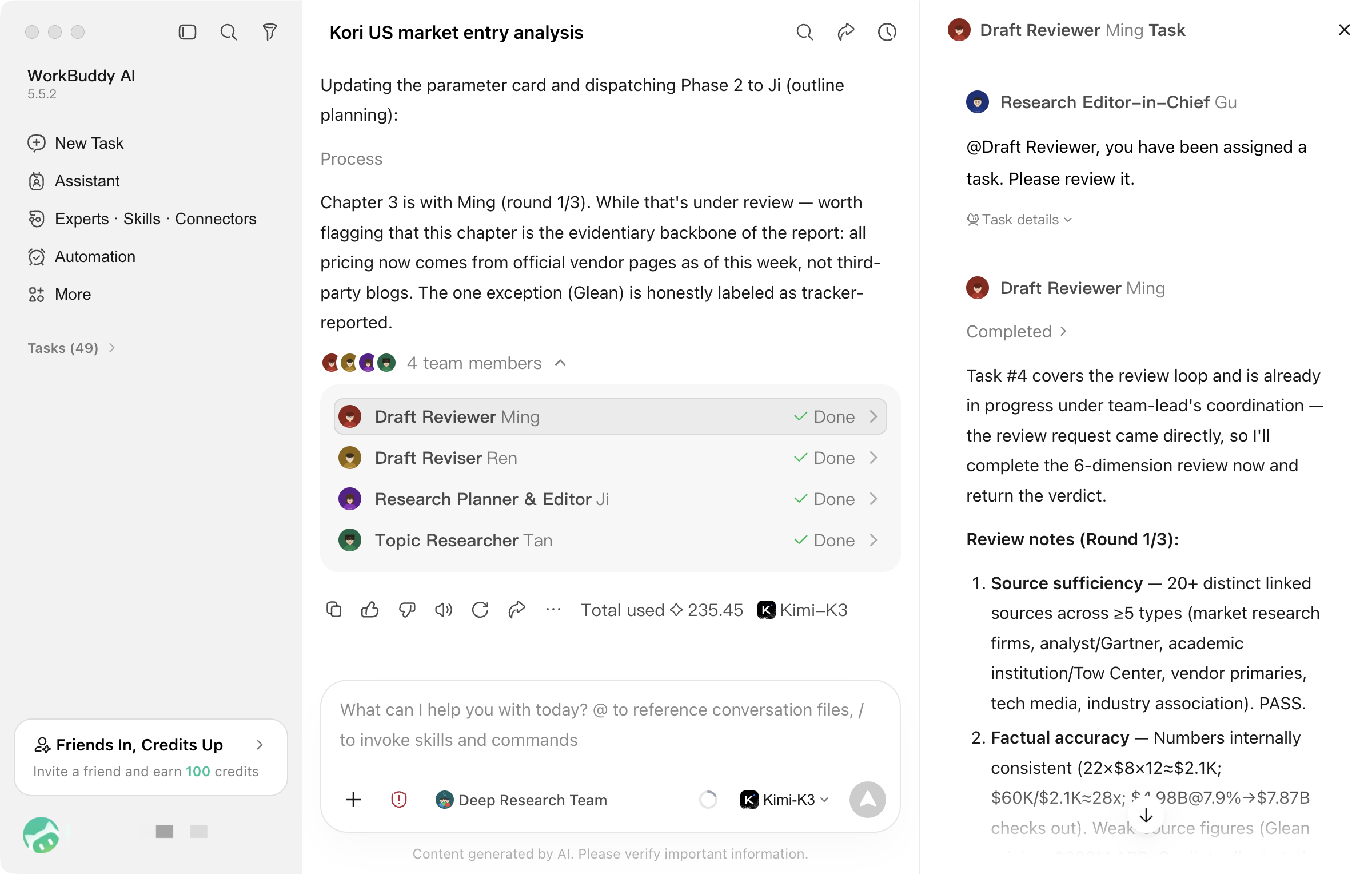
An expert panel is a collaborative team composed of multiple AI roles. It includes a lead responsible for overall coordination and members with different responsibilities, allowing you to use multiple roles for division of labor and collaboration around the same task.
During execution, the lead breaks down tasks, assigns work, and integrates member outputs based on requirements and team workflows. Steps that can be carried out independently can be processed in parallel, while steps with sequential dependencies need to be advanced in order. Not all tasks are executed simultaneously.
An expert panel is suitable for tasks that require the participation of multiple roles, such as projects involving requirements analysis, solution design, and review. Simple tasks typically do not require multi-role collaboration, so a single expert can be selected as a priority.
Operation Process
Opening the Expert Center
In the left sidebar of the WorkBuddy AI desktop app, click Expert to go to the Expert Center. You can browse by category or search for experts or expert panels by entering keywords.
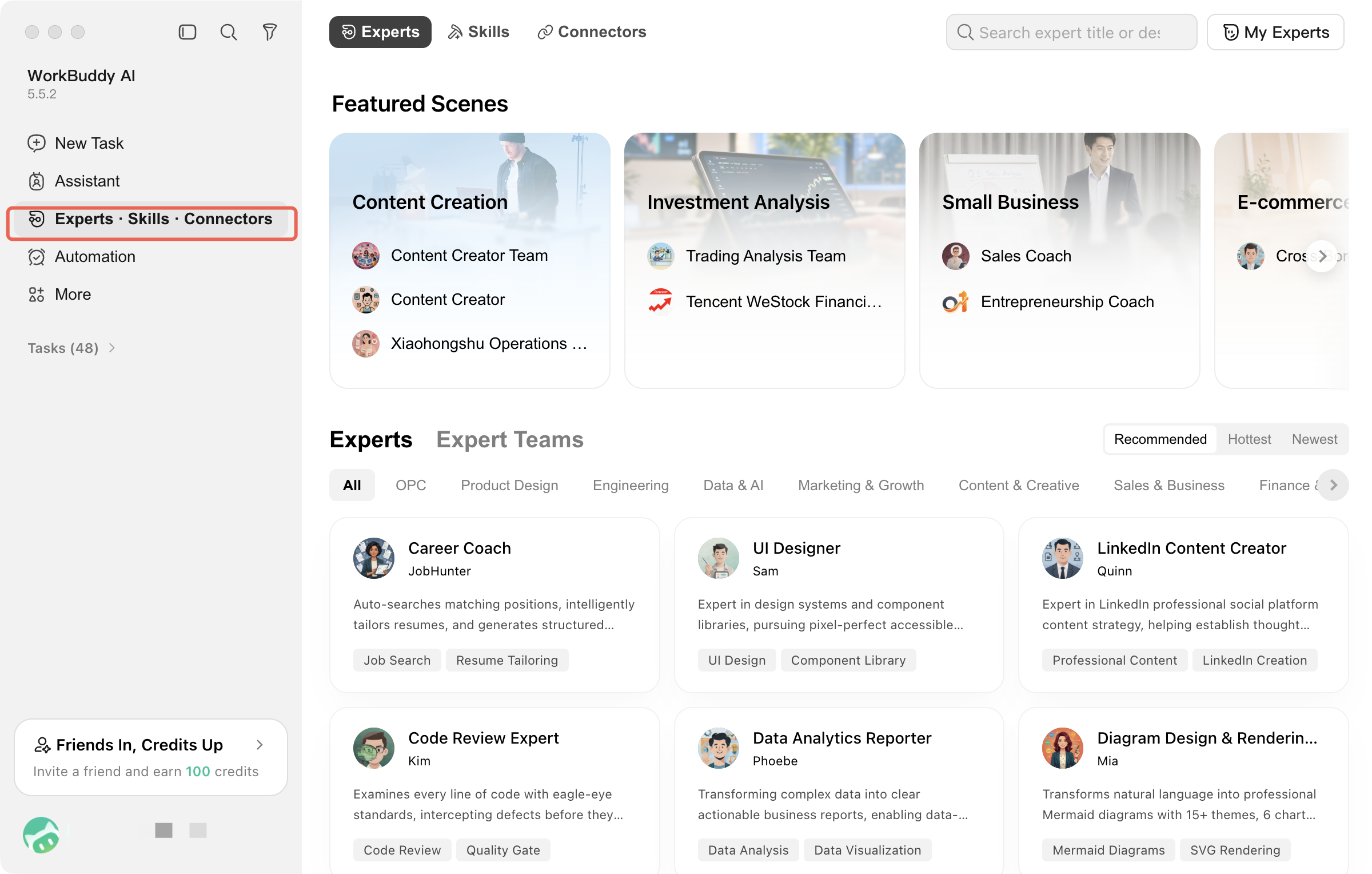
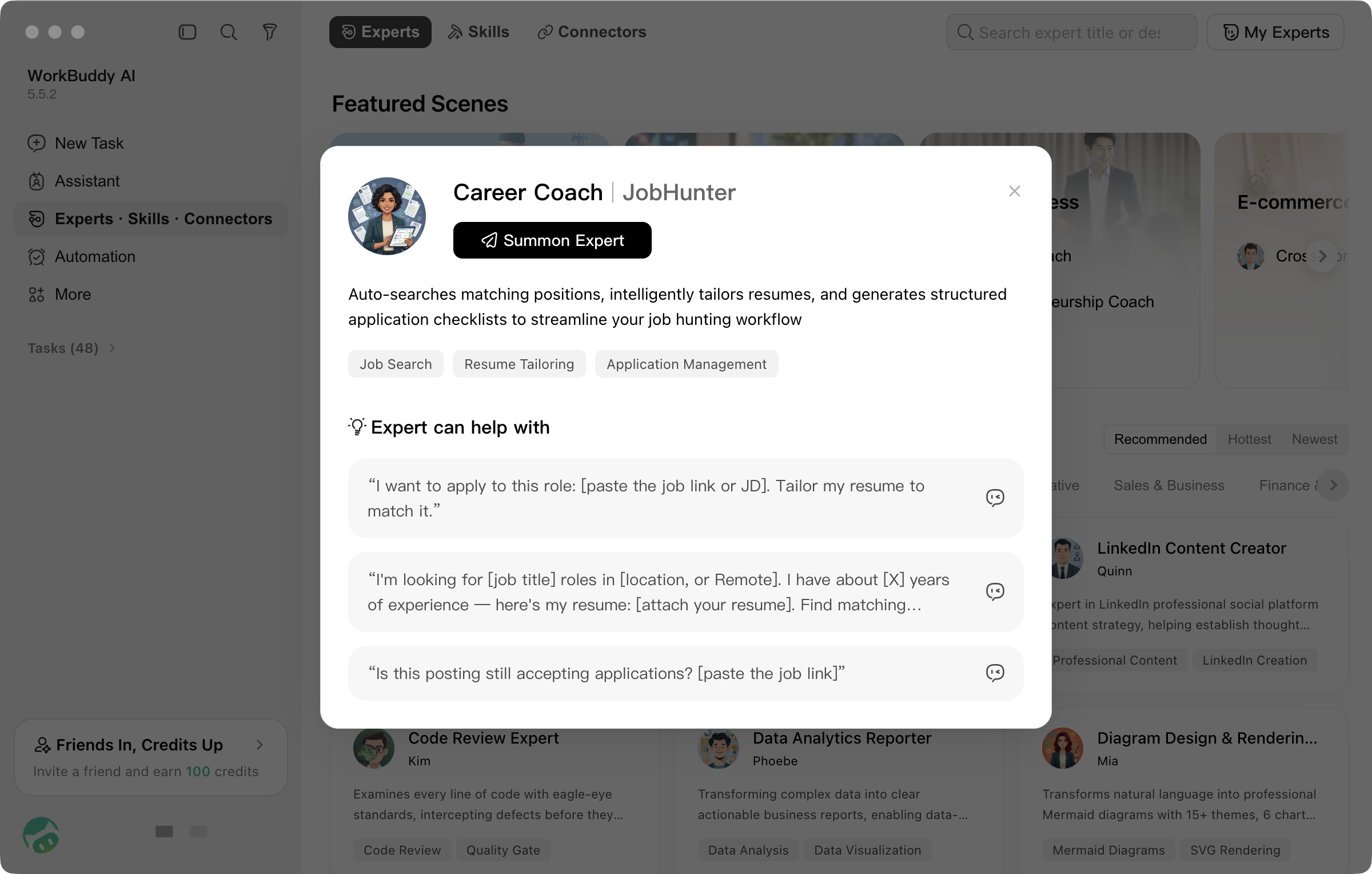
The Expert card displays the name, role introduction, and domain tags. Click the card to view the capability introduction, areas of expertise, and task examples in the details.
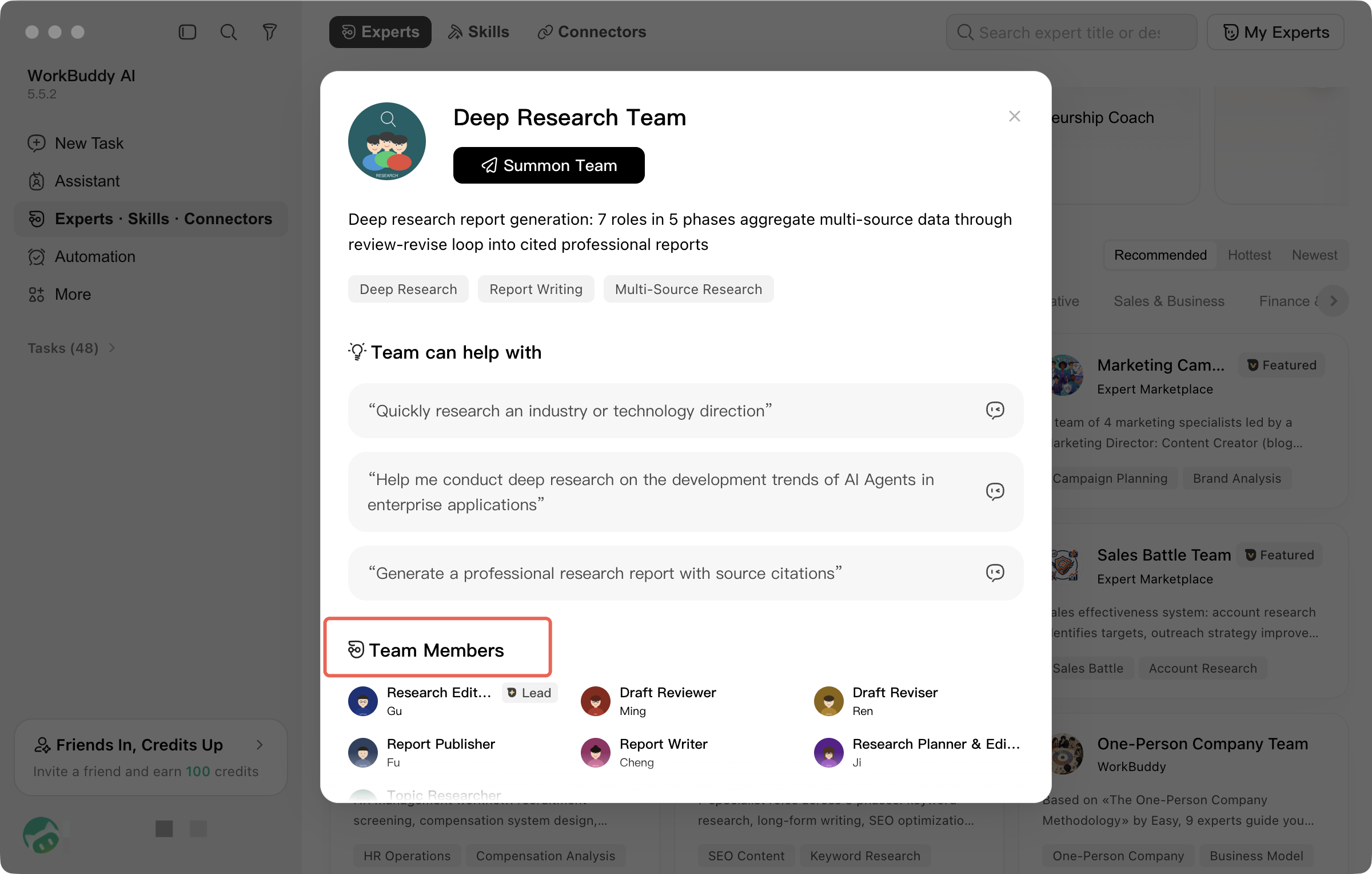
In the Expert Panel details, you can also view team member and role information to understand the division of labor within the team.
Summoning an Expert/Expert Team
Click Summon on the card, or click Summon Now in the details, and follow the prompts to go to the conversation page.
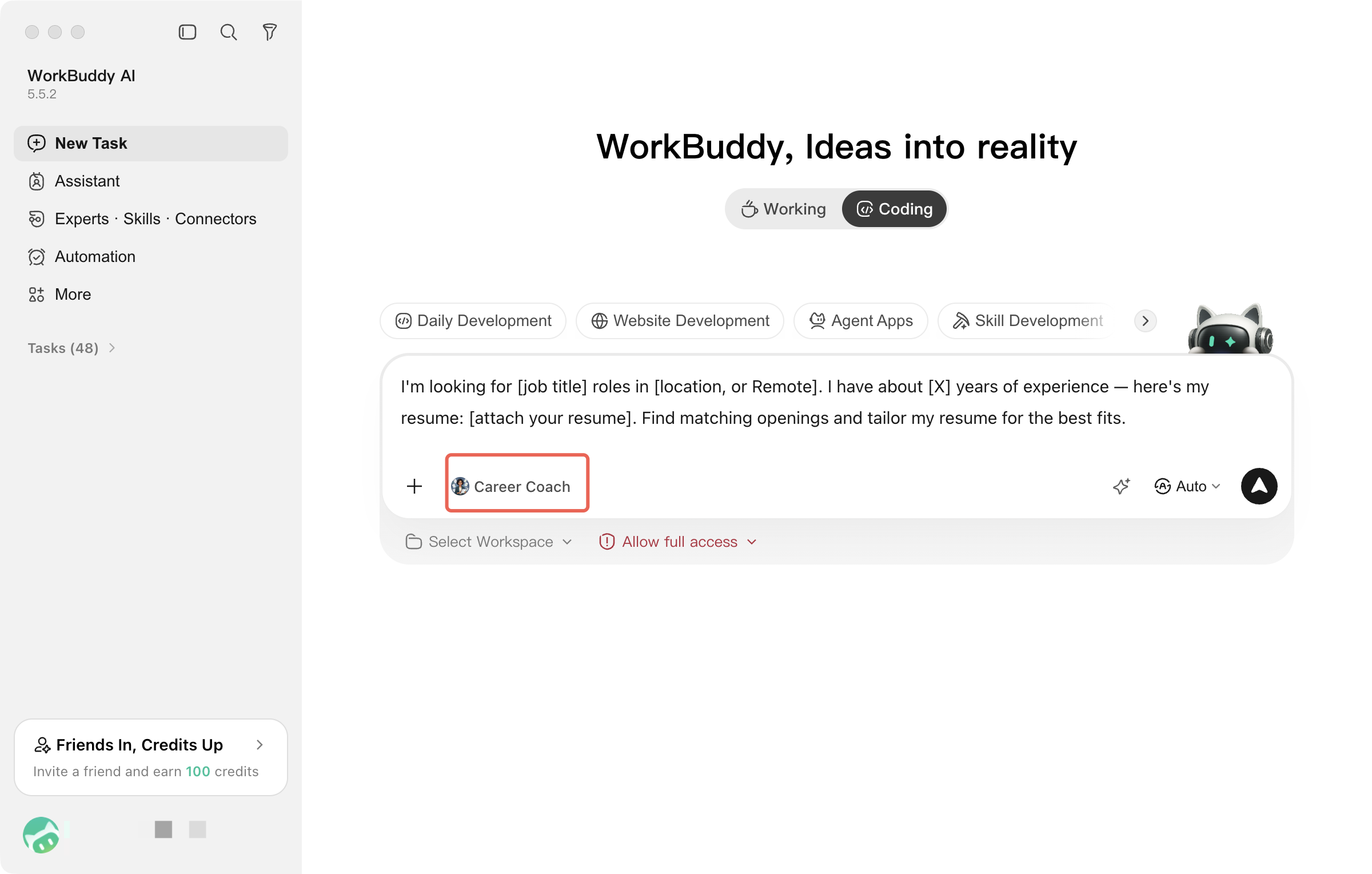
After selecting an expert, enter the task in the input box. If a task example is pre-filled, you can modify it before sending. Summoning an expert does not mean that the task has been submitted.
Points Consumption Reminder
An expert panel may involve multiple members and multiple rounds of invocation, so its credit consumption may be higher than that of a single expert and cannot be estimated by a fixed multiplier. Select based on your task requirements, and pay attention to the prompts and your account balance when summoning.
Note:
Experts and expert panels are both powered by AI. They are not equivalent to human practitioners, nor does it mean that their output has been reviewed by professionals. When important facts, data, or decisions are involved, verify them against original sources. Before using external services or local files, also confirm that the corresponding authorizations, skills, and files are available.
Describing a Task
Expert: Describe the work to be completed, and provide background information, reference materials, and output requirements. WorkBuddy AI will process the task based on the role configuration of the selected expert.
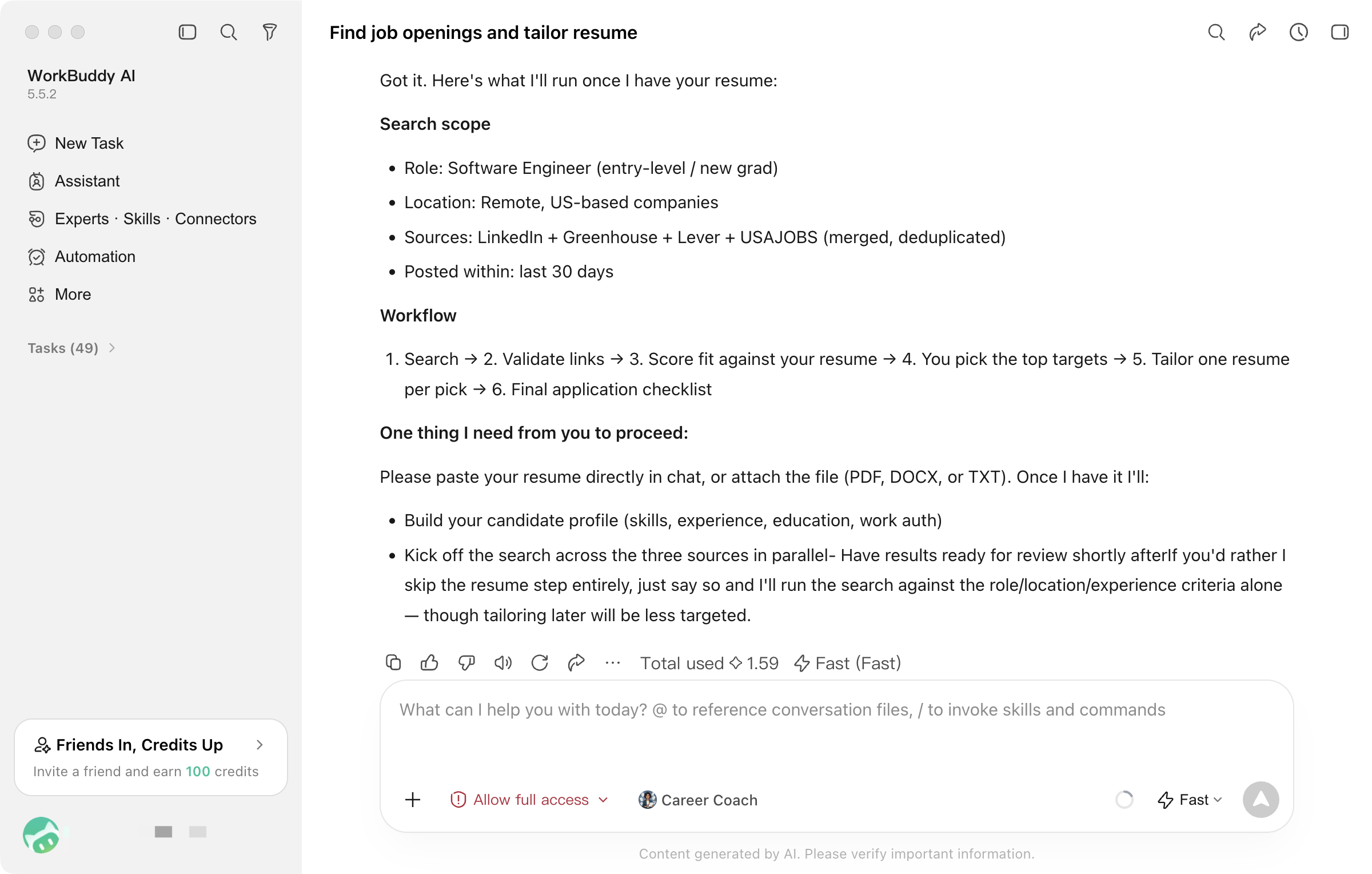
Expert Panel: Describe the overall goal, available materials, and delivery requirements. The lead will organize execution based on member roles and consolidate the results. During execution, you can continue to provide additional information or suggest modifications.
Make the task requirements clearer.
It is recommended to include four pieces of information: task objective, input materials, output format, and constraints.
For example, based on the provided product requirement materials, organize user scenarios, a feature list, and pending questions, and output a Markdown document. Use only the information in the materials, list any missing content separately, and do not supplement product facts on your own.
Skill VS. Expert VS. Expert Team
Dimension | Skill | Expert (Agent Type) | Expert Team (Team Type) |
What It Is | Reusable instructions, processes, or tool usage for a type of task | A single AI role configured for a specific domain | Multiple AI roles and their collaborative workflows |
Primary Purpose | Guides AI to process tasks in a specific way and call relevant tools as needed | Provide domain perspectives, working methods, and output requirements | Assign tasks to different roles and consolidate outputs. |
Suitable Tasks | Tasks that require specific processing workflows or tool operations | Tasks with clear objectives that are primarily handled by a single role | Tasks that require collaboration among multiple roles |
How They Work Together | Usable by experts or expert teams | Can complete tasks by combining skills | Members can combine their role configurations and relevant skills to carry out work. |
Skill focuses on how tasks are processed.
Expert focuses on the role's domain perspective and working methods.
Expert Panel focuses on the division of labor and collaboration among multiple roles.
The three can be used together, but this does not automatically grant access to services that have not yet been integrated, nor does it guarantee that every task can be fully completed. When making a selection, prioritize whether the task actually requires the corresponding capabilities.
Help and Support
Was this page helpful?
You can also Contact sales or Submit a Ticket for help.
Help us improve! Rate your documentation experience in 5 mins.
Feedback