Custom Instructions
Download
Focus Mode
Font Size
CodeBuddy has added a feature for the admin console to create and manage prompts, namely Custom Instructions.
Note:
Custom Instructions are currently available only for Team Edition accounts.
Custom Instructions
Overview
Purpose: Supports custom instructions to meet the need for custom extension instructions in coding scenarios.
Benefits of using custom instructions:
Improved efficiency: By setting custom instructions, developers can quickly invoke frequently used code snippets or functions, avoiding repeated typing and searching. This not only saves time but also allows developers to focus more on implementing logic and creativity.
Personalized coding experience: Every developer has their own coding style and habits. The custom instructions feature allows users to adjust how AI responds based on their needs, making it better align with their personal workflow and way of thinking.
Promoting team collaboration: In team development, using unified custom instructions can help team members maintain consistent coding styles and standards. This helps improve code readability and maintainability and reduces communication costs.
Creating a Custom Instruction
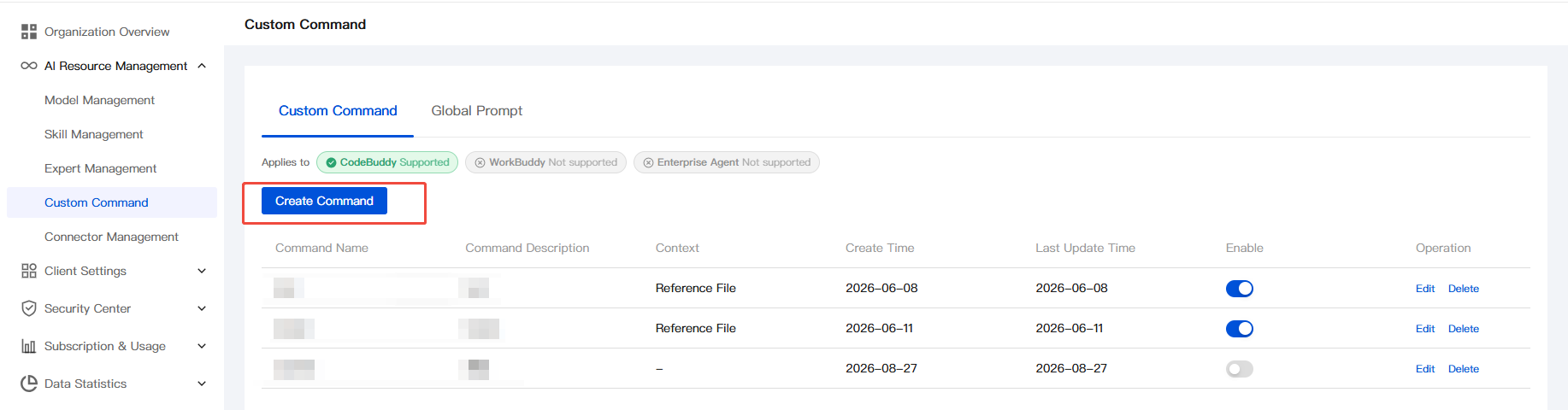
1. Log in to the Enterprise Admin Console, select Custom Instructions in the left sidebar, and click Create Instruction under Custom Instructions.
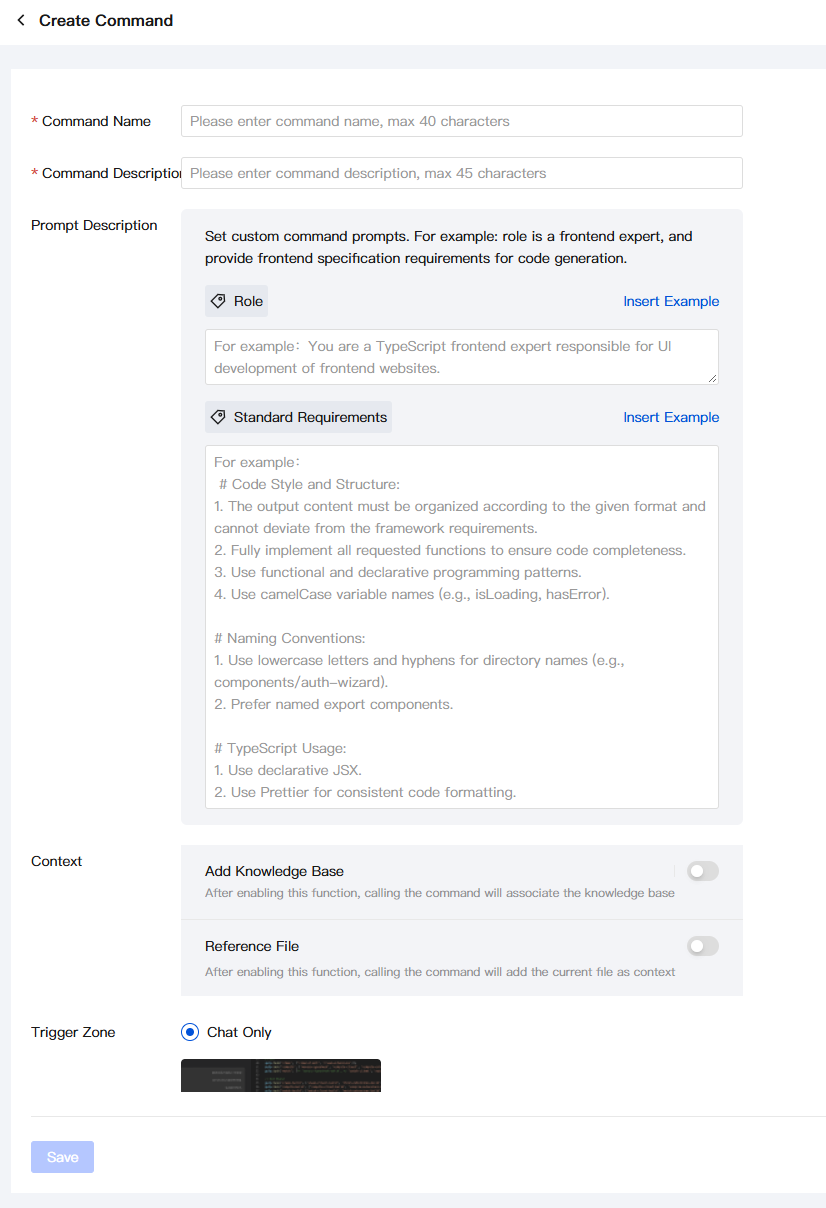
2. On the Create Custom Instruction page, enter the Instruction Name, Instruction Description, and Prompt Description as prompted, and select the Context.
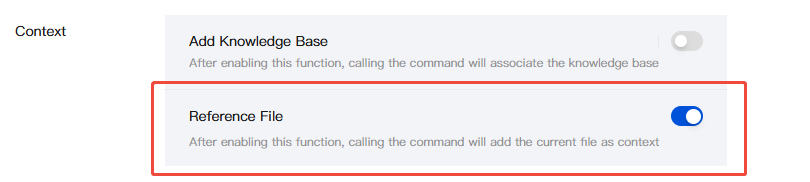
Reference Files in Context.
If you enable the Reference Files feature, invoking this custom instruction can associate the current project files.
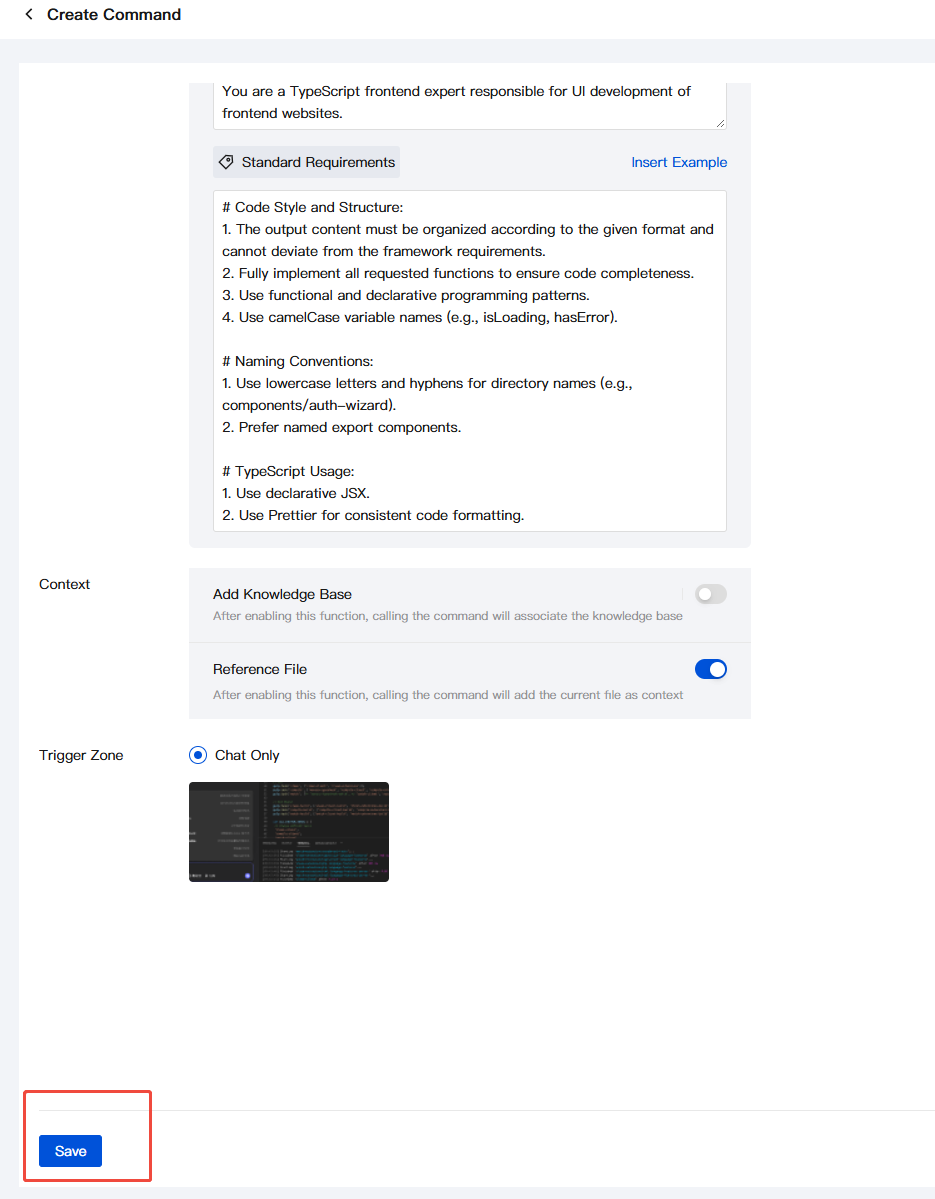
3. After completing the input, click Save.
4. Return to the Custom Instructions panel, and confirm that custom instructions are enabled. They are enabled by default.
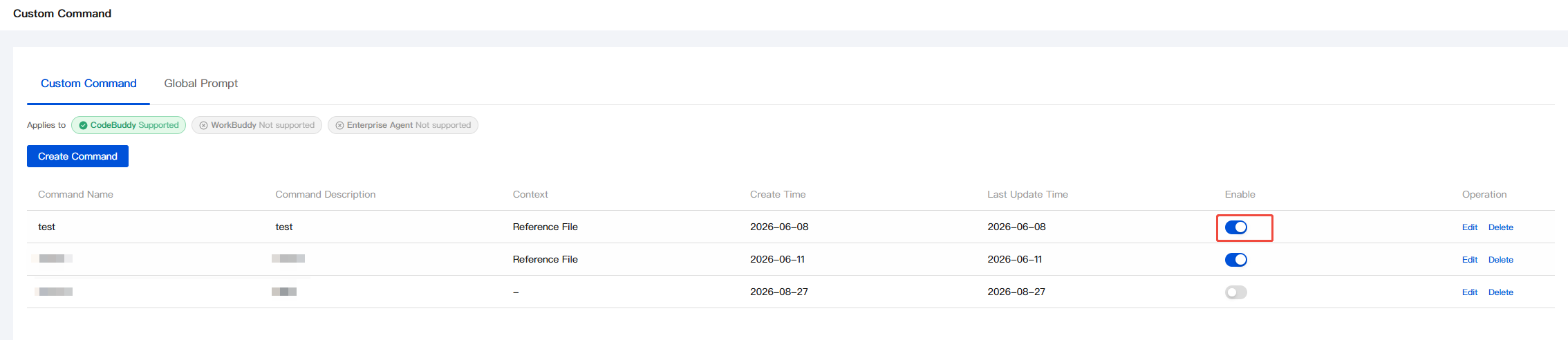
Example of Calling an Instruction
1. Enter
/ directly in the dialog box to invoke the instruction.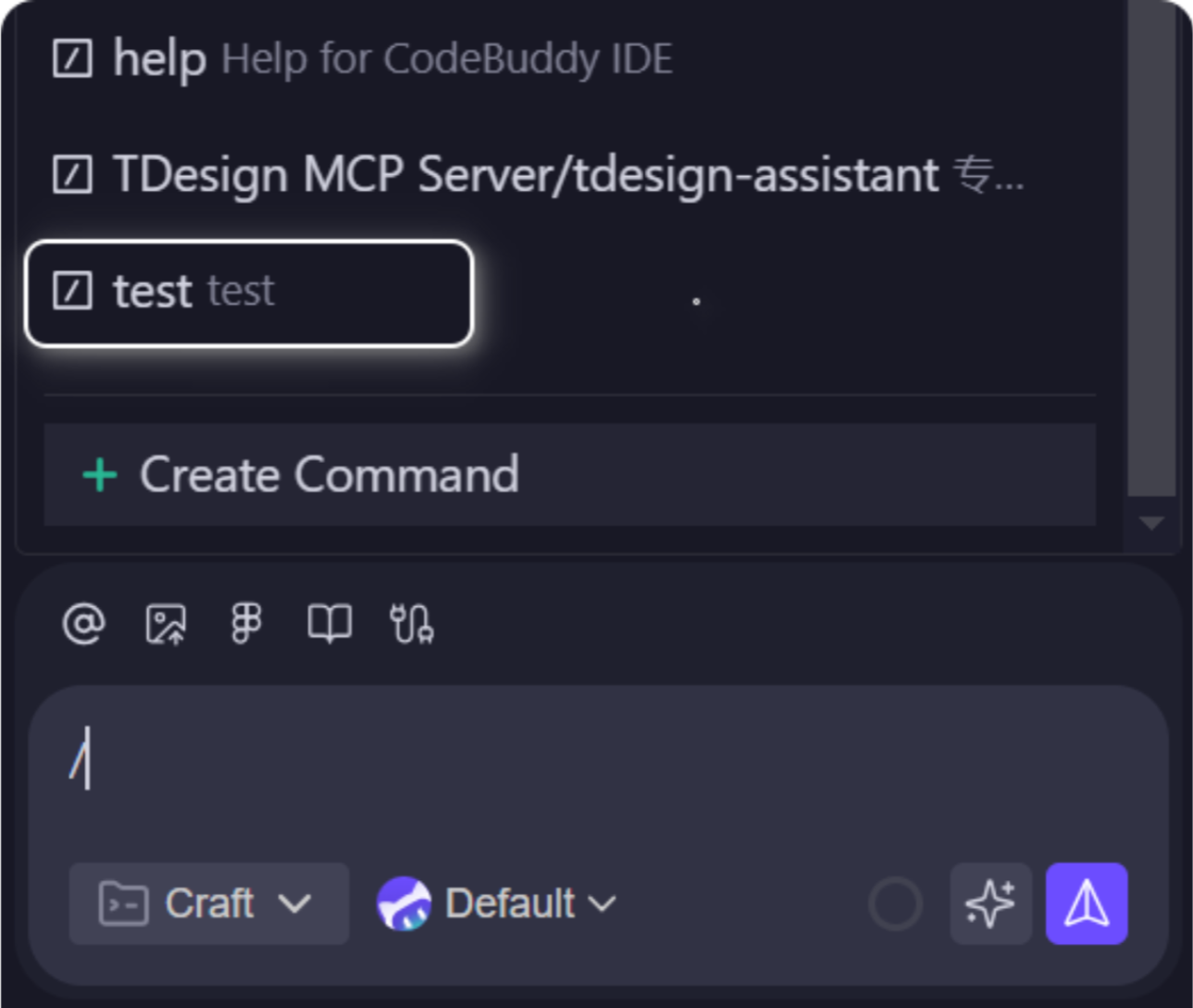
Note:
If the custom instruction you created is not available when it is invoked, try restarting the IDE or ensure that you are in a team organization.
2. Output the result.
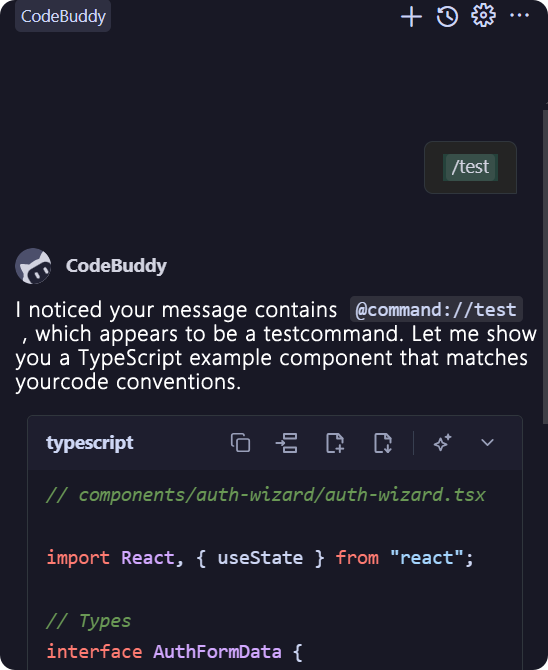
Help and Support
Was this page helpful?
You can also Contact sales or Submit a Ticket for help.
Help us improve! Rate your documentation experience in 5 mins.
Feedback