Administrator role
Download
Focus Mode
Font Size
Enterprise administrators can add the Super Administrator role to members in the admin console. Newly added administrators can log in to the admin console to perform operations, which facilitates better management of Team Edition resources and permissions and improves team management flexibility.
Operation Steps
Adding the WorkBuddy Administrator Role
Note:
Team Edition has integrated with Tencent Unified Identity for enterprise member management. To manage enterprise members, you need to add the Tencent Unified Identity administrator permission in addition to the WorkBuddy administrator role.
1. Enterprise administrators can log in to the enterprise admin console.
Note:
2. In the left sidebar, go to Member Authorization, find the Administrator Role, and click Add Super Administrator.
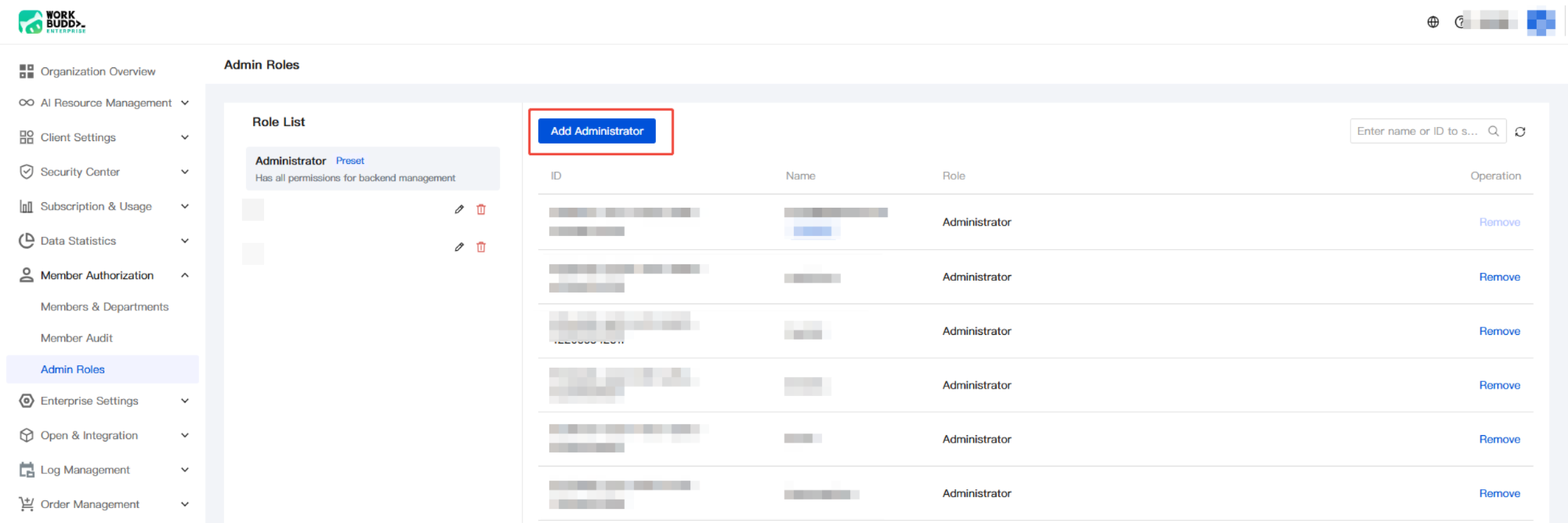
3. Select the members to be added as administrators and click OK to complete the addition.
Note:
If there are no members to be added as administrators, add members by following the Quick Start guide first.
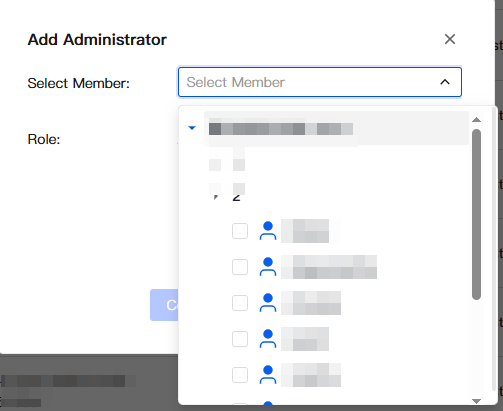
After successful addition, the administrator has all permissions for enterprise admin console management.
Adding the Tencent Unified Identity Administrator Role
1. The enterprise creator logs in to the enterprise admin console, clicks Add Member, and is redirected to the Tencent Unified Identity console without re-authentication.
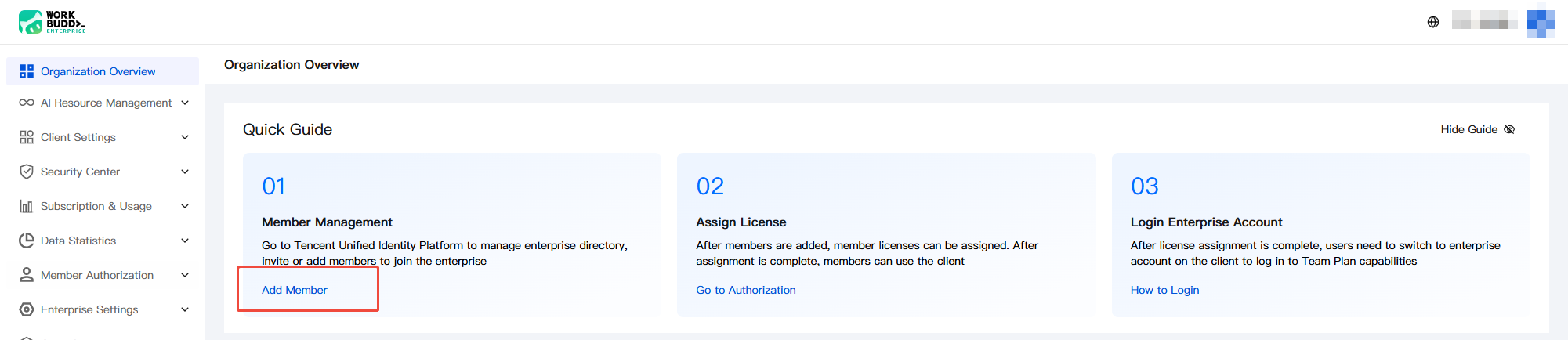
If you are unsure who the enterprise creator is, go to Member Authorization > Members and Departments to check.
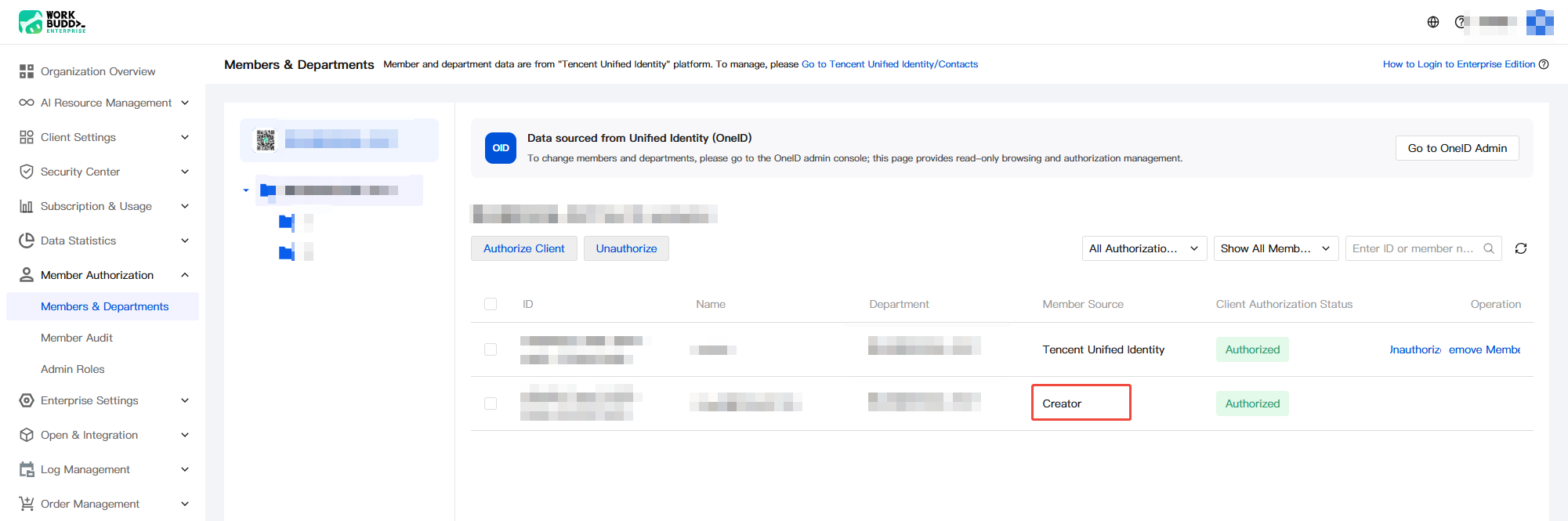
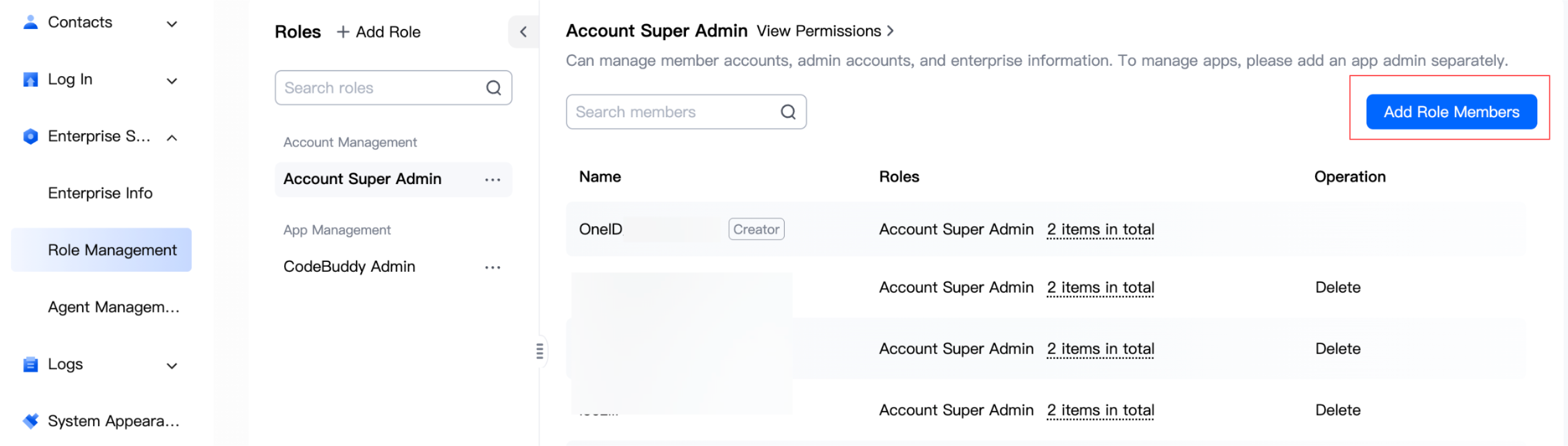
2. In the Tencent Unified Identity console, choose Enterprise Settings > Role Management, and add members who need to manage the enterprise directory under the Account Super Administrator and CodeBuddy Administrator roles respectively.
Note:
Both the Account Super Administrator and CodeBuddy Administrator roles must be added. Incomplete addition may prevent full enterprise directory management.
Administrator Login to the Admin Console
1. Go to the official website and click Login in the upper-right corner to enter the login page.
2. Select Enterprise Login and use a login method supported by your enterprise, such as SMS verification code login, email login, or SSO login (WeCom and other third-party integrated identity providers).
3. After successful login, go to the admin console by clicking the avatar in the upper-right corner of the official website.
Administrator Role Management
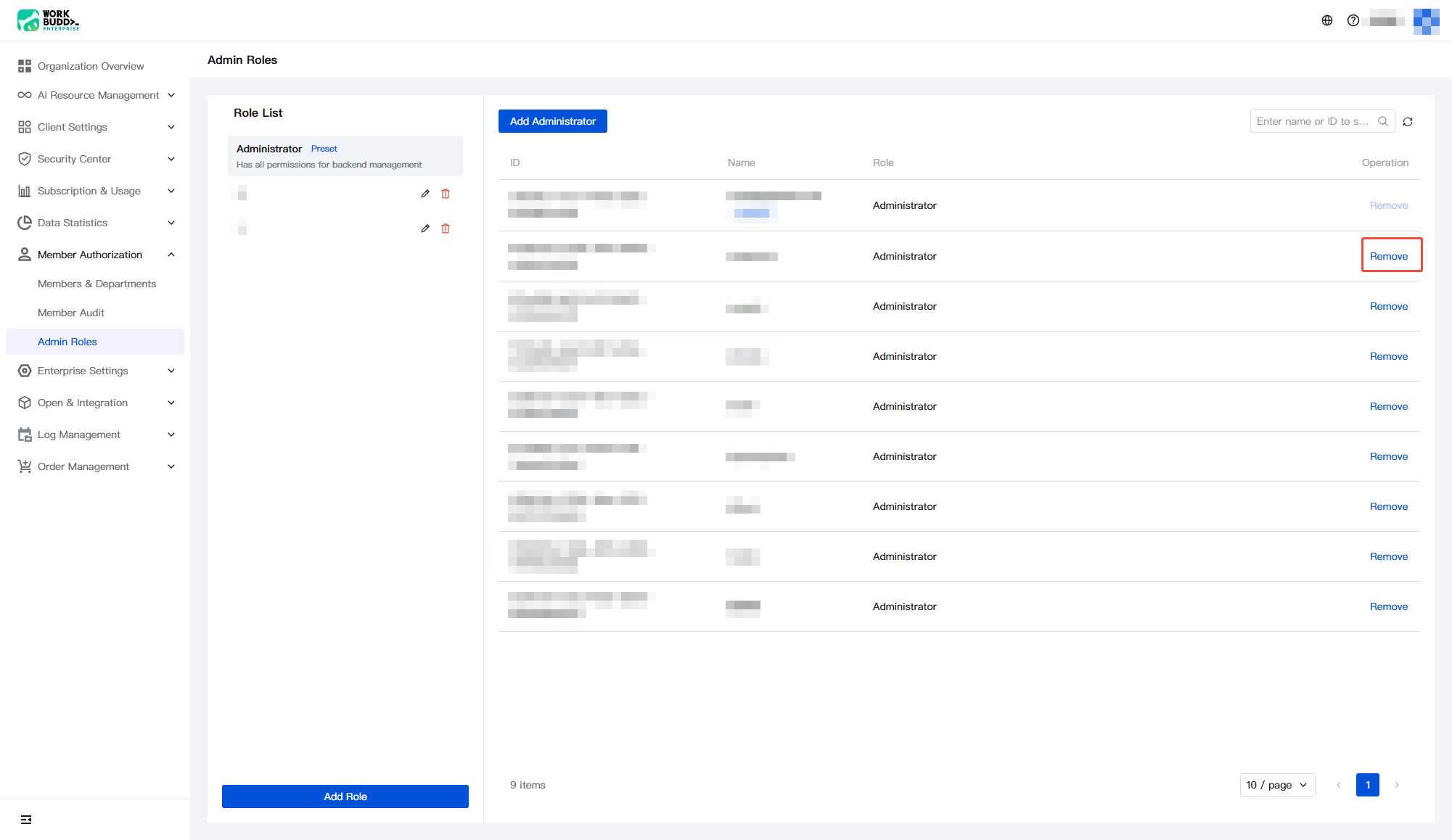
After logging in to the enterprise admin console, in addition to adding administrator roles, you can also remove administrators (except the creator), as shown in the following figure.
Help and Support
Was this page helpful?
You can also Contact sales or Submit a Ticket for help.
Help us improve! Rate your documentation experience in 5 mins.
Feedback