MCP Server Online/Offline and Health Check Management
Unduh
Mode fokus
Ukuran font
Scenarios
During the daily Ops of MCP Server, you may need to temporarily stop a service from providing external capabilities (for example, during release or maintenance) or restart external service provision after recovery. Using Online/Offline Management, you can manually control the availability status of MCP Server and its tools. You can also configure Health Check, which enables the gateway to automatically probe backend health status and synchronize the service status accordingly.
Prerequisites
The cloud-native AI gateway instance has been created.
The MCP Server has been created.
Operation Steps
Manually Bringing an MCP Server Online/Offline
1. Log in to the Microservices Platform console. In the left sidebar, select AI Gateway to go to the instance list.
2. On the instance list page, click the ID of the gateway instance you want to configure to go to its basic information page.
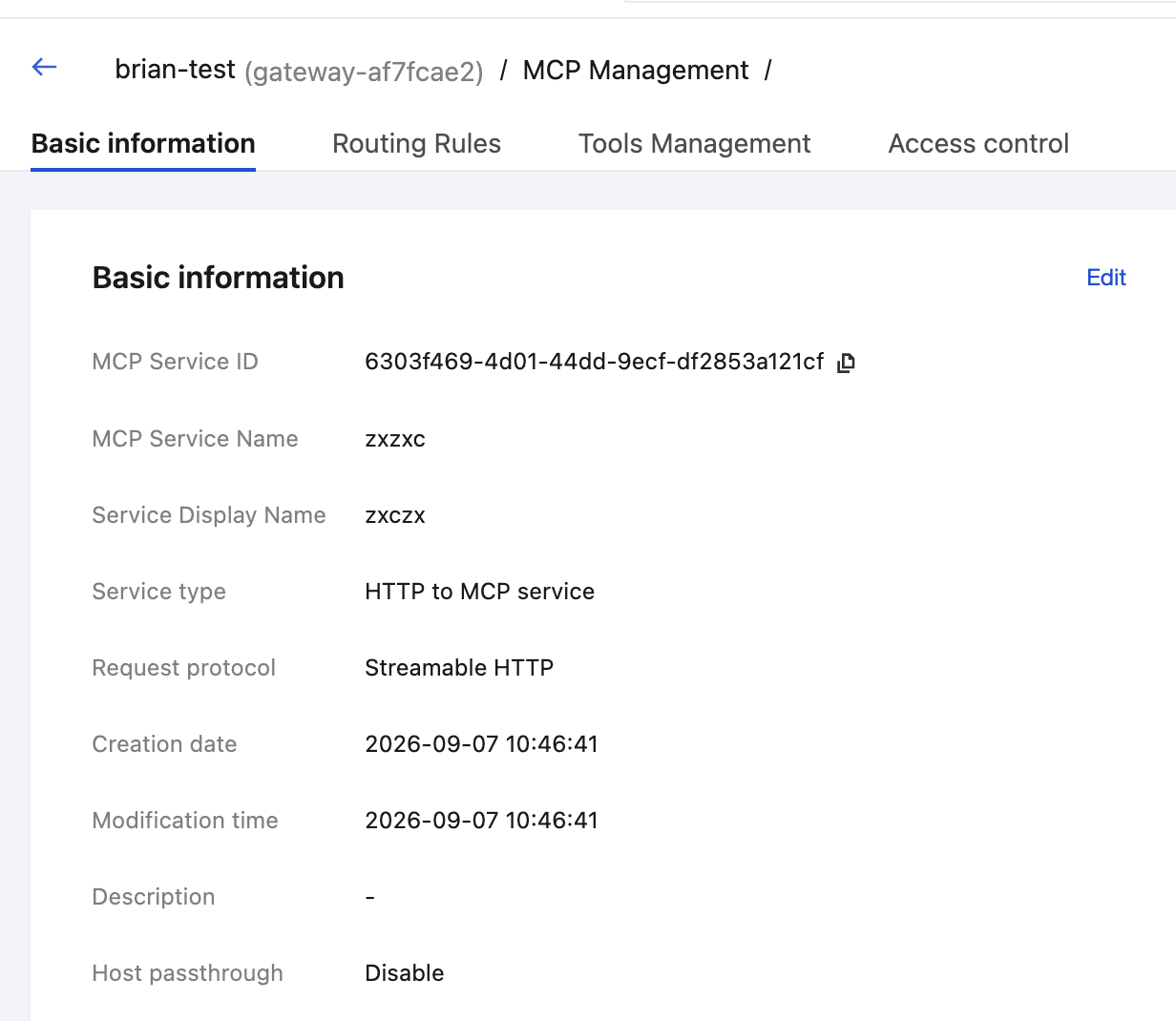
3. In the left sidebar, click MCP Management. Then, click the MCP Service tab. After locating the target MCP service, click it to go to the MCP service details page.
4. In the Operation Status column, click Online or Offline.
Offline: The Server stops providing external services.
Online: External service provision is resumed.
Enabling/Disabling a Single Tool
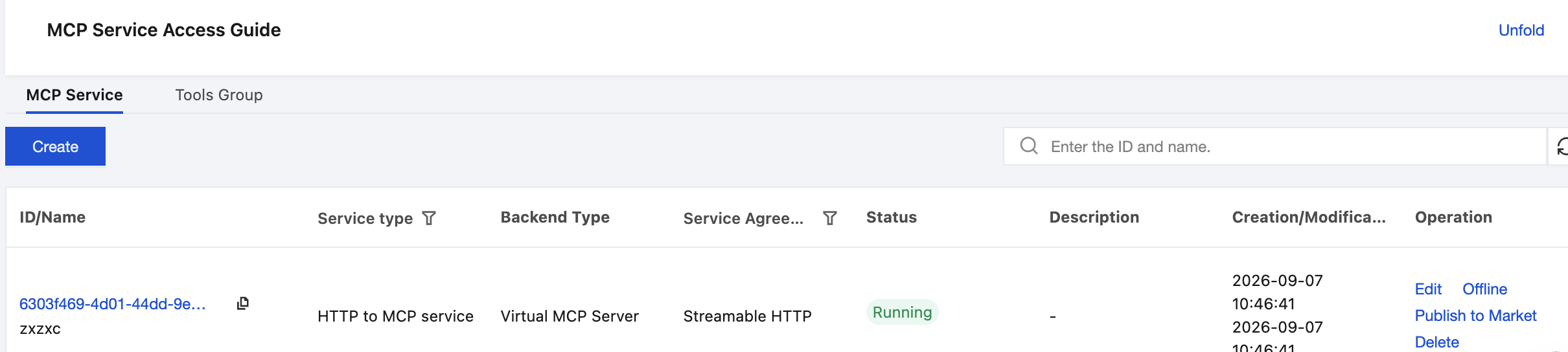
Switch to the Tools Management tab, select the target tool, and click Enable or Disable to control whether the individual tool is externally available.
Configuring Health Check
1. On the MCP service details page, locate the Health Check configuration area and click Edit.
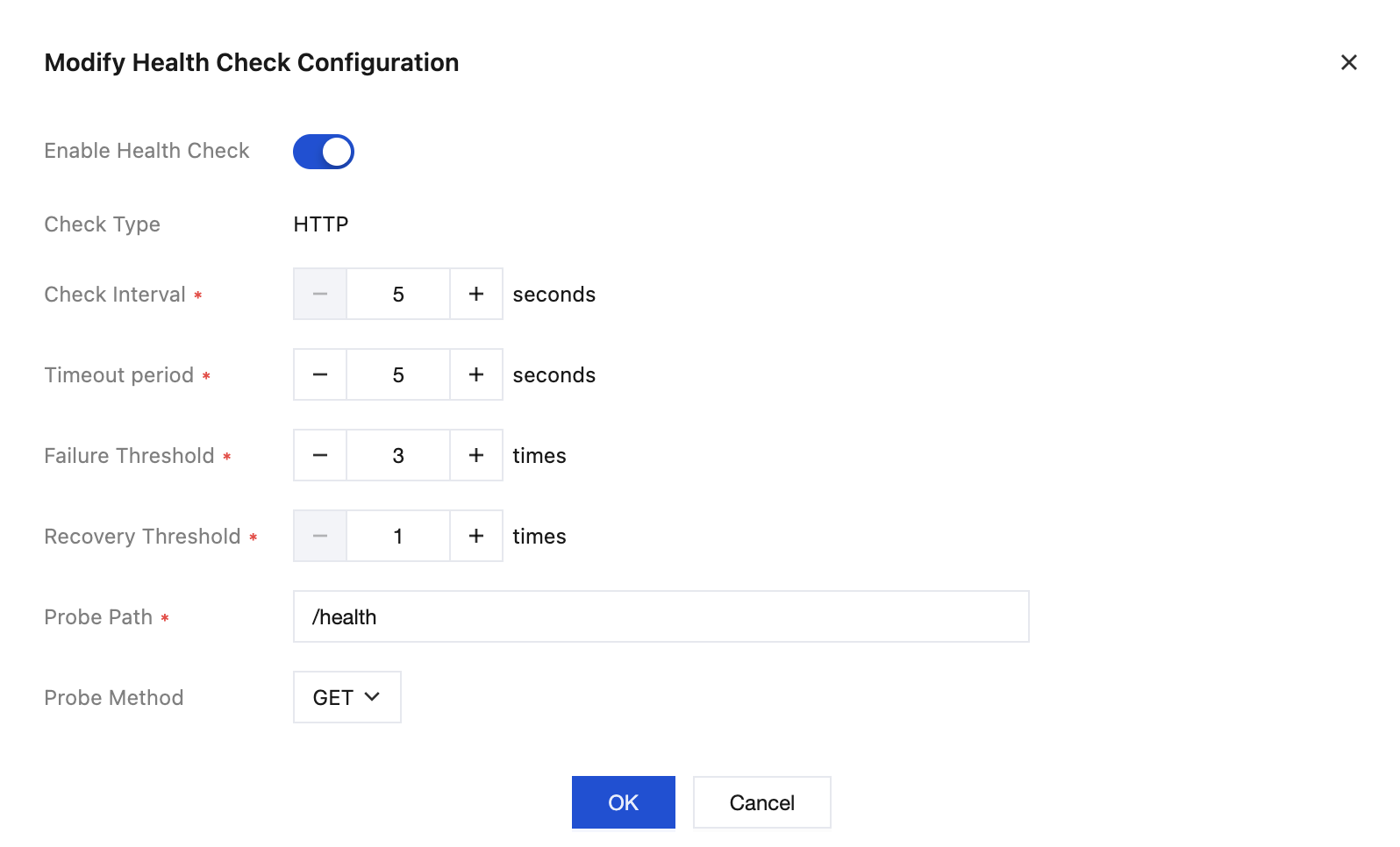
2. Configure the following parameters:
Parameter | Valid Values / Default Value | Description |
Check Type (Type) | MCP / HTTP | Protocol type for probing |
Check Interval (Interval) | Default: 30 (seconds) | Probe interval |
Timeout Time (Timeout) | Default: 5 (seconds) | Timeout for a single probe |
Failure Threshold (FailThreshold) | Default: 3 (times) | The target is marked as unhealthy after consecutive probe failures. |
Recovery Threshold (RecoverThreshold) | Default: 1 (time) | The target is marked as recovered after consecutive successful probes. |
Check Path (Path) | Default: /health | Required only for the HTTP type. |
Request Method (Method) | Default: GET | Required only for the HTTP type. |
3. Click Save to enable the health check.
Related Instructions
After a service is manually taken offline, its status is not affected by the automatic recovery of health checks. You must manually bring it back online.
You need to configure the check path and request method only when the health check type is HTTP. When the type is MCP, the system probes according to the MCP protocol.
Online/Offline and start/stop operations take effect immediately. We recommend that you perform these operations during a maintenance window to avoid affecting online calls.
Bantuan dan Dukungan
Apakah halaman ini membantu?
Anda juga dapat Menghubungi Penjualan atau Mengirimkan Tiket untuk meminta bantuan.
masukan